PUNCH UNIT INSTALLATION (A812)
SM 3-33 A229
Installation
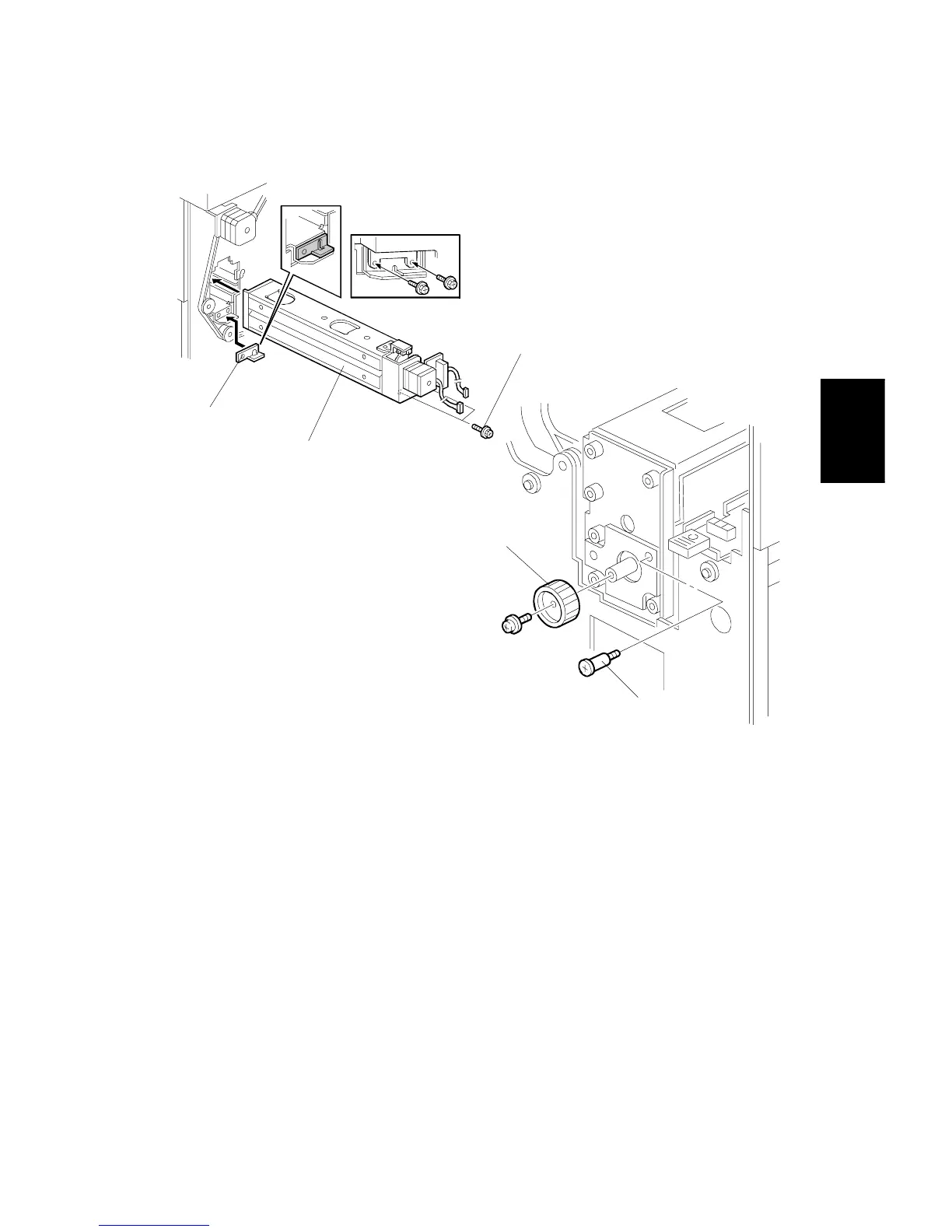
4. Install the spacer [A] (thickness = 2 mm).
NOTE:
There are three spacers in the accessory box. Do not lose the other
two spacers (1 mm), because they are used for adjusting the punch
hole position.
5. Install the punch unit [B] and secure it with a long stepped screw [C].
6. Install the punch unit knob [D] (1 screw).
7. Secure the rear of the punch unit (2 screws [E]).
A812I503.WMF
A812I502.WMF
[A]
[B]
[D]
[C]
[E]









 To Next Page