PUNCH UNIT INSTALLATION (A812)
A229 3-34 SM
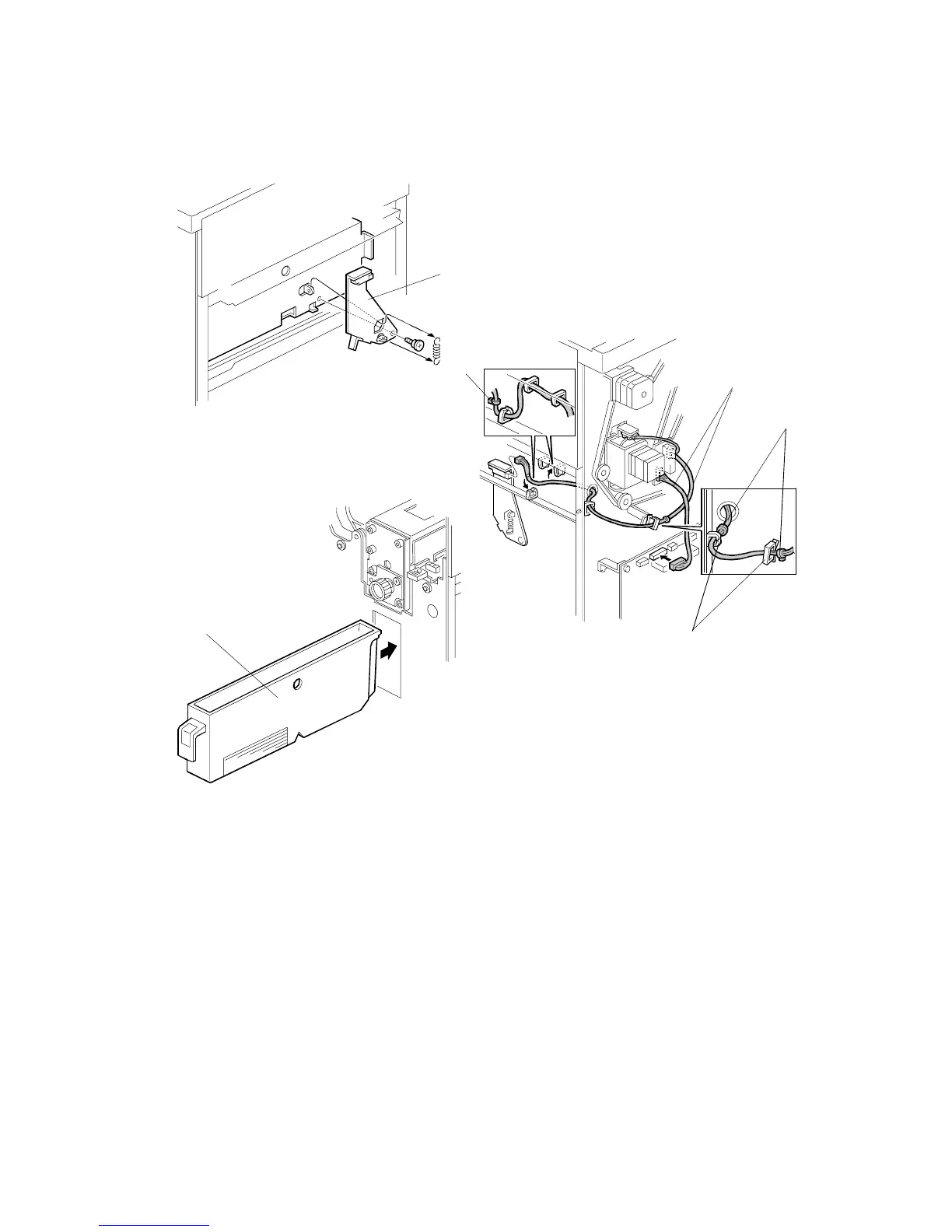
8. Install the sensor bracket [A] (1 short stepped screw, 1 spring).
9. Connect the cables [B].
NOTE:
1) The cable binders [C] must not be between the cable clamps [D].
2) The cable binder [E] must be positioned to the left of the cable clamp.
10.
When a three-punch-hole-unit is installed:
Change switch 1 of DIP SW 100
on the finisher control board to ON.
11. Slide the hopper [F] into the finisher.
12. Reassemble the finisher and attach it to the copier. Then check the punch unit
operation.
A812I504.WMF
A812I505.WMF
A812I506.WMF
[B]
[C]
[D]
[E]
[F]
[A]


 To Next Page
 Loading...




