INSTALLATION PROCEDURE
A229 9-10 SM
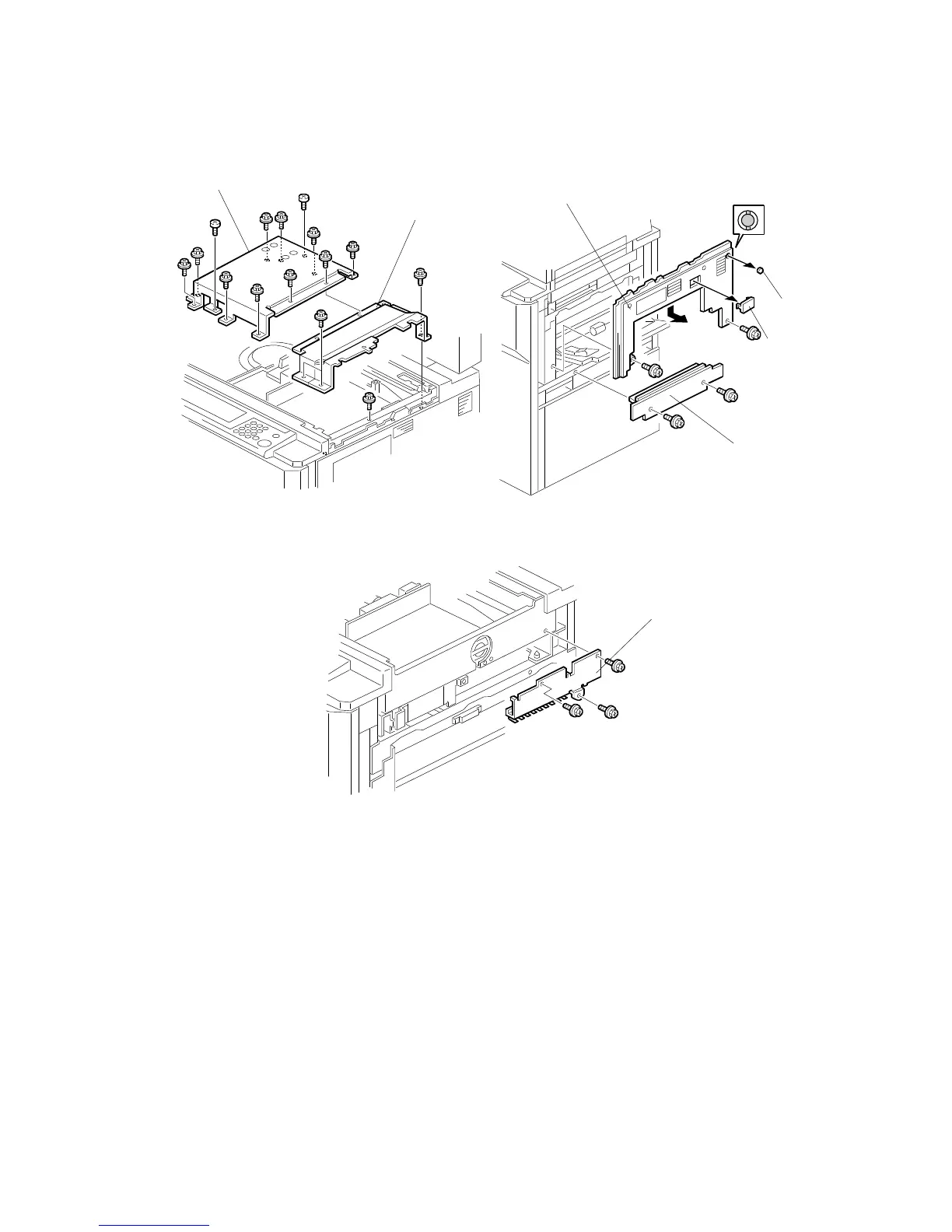
8. Remove the lens cover [A] (12 screws).
9. Remove the right inner cover [B] (4 screws).
10. Remove the paper feed cover [C] (2 screws).
NOTE:
Remove LCT if installed before proceeding
11. Remove the upper right cover [D] (2 screws).
12. Remove the connector cover [E] from the upper right cover.
13. Cut away the screw hole cover [F] from the upper right cover
14. Remove the connecting plate [G] (3 screws).
A808I502.WMF
A808I503.WMF
A808I504.WMF
[A]
[B]
[C]
[D]
[E]
[F]
[G]









 To Next Page