Strasbaugh nTellect (Model 7AF) Wafer Grinder
8 - 42 Version 1.2 - June 2004
DISPLAY THE GRIND CYCLE MENU
Operator Action Explanation/Screen Display
1. Grind Cycle At the Main Menu, touch the "Grind Cycle"
button to select the Grind Cycle menu.
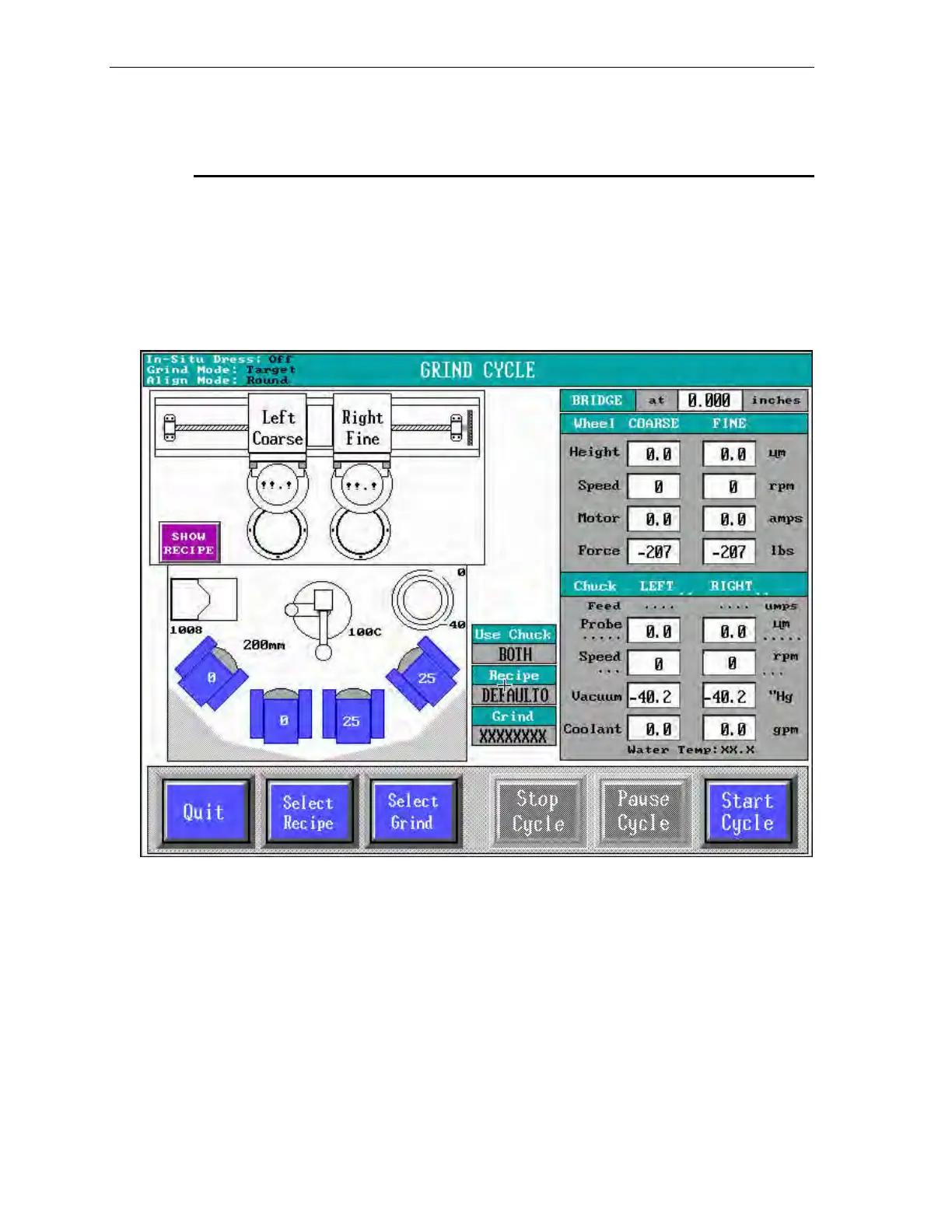
The screen displays the (auto) Grind menu shown in figure 8-8 below.
Figure 8-8 Grind Cycle Menu
The icons (images) displayed at the left side of the Grind Cycle menu represent the
machine subassemblies.
The appearance of information windows and buttons may change at appropriate times
during the cycle to reflect available choices and current status.
For details on the selections and information available at the Grind Cycle menu, refer
to Menus Used in Basic Operation, located at the beginning of this chapter.



 To Next Page