STRASBAUGH CONFIDENTIAL INFORMATION
2
Access Levels
There are three levels of security available for operation of the grinder and one for supervisory administration of
passwords with a stand alone program. Access level is determined by which password has been entered during
the “Log In” procedure. Access Level is displayed on the Main Screen, with the name of the operator currently
logged in. If password security is enabled and no password has been entered, access to all menus will be denied.
In the original password scheme of 12/6/96, Operator level allows access to the Home Menu, the Auto Grind
Menu, buttons to move the bridge for wafer clearing on the Maintenance Menu, the Inputs / Outputs Menu to
clear wafers and the GEM control screen. Process Engineering level adds access to the Edit Recipe screens, the
Machine Setup screen and the Grind Data screen. Maintenance level adds access to all parts of all screens.
This was modified in software versions 5.00 – 5.02 so that the value 1 in Machine Variable #53 produces the
access just described, while the value 2 allows all logged-in users access to all buttons of all screens, except that
Operators are unable to press the Reset Meter button on the Grind Data screen.
In software version 5.03, this changed once again. Machine Variable #53 is zero for no passwords or non-zero
for using passwords. The different access allowed for the different security levels can now be established by the
customer using the stand alone password maintenance program, which is now provided with four standard
access schemes. The supervisor can start with one of those and fine tune the choices. The four schemes are:
1. The original scheme, described above.
2. Permission for all logged-in users to access all buttons.
3. Permission for all logged-in users to access all buttons, except that Operators cannot press the Reset
Meter button on the Grind Data screen.
4. The original scheme, modified so that all logged-in users can set the Tape Thickness on the Edit
Recipes screen.
Log In Procedure
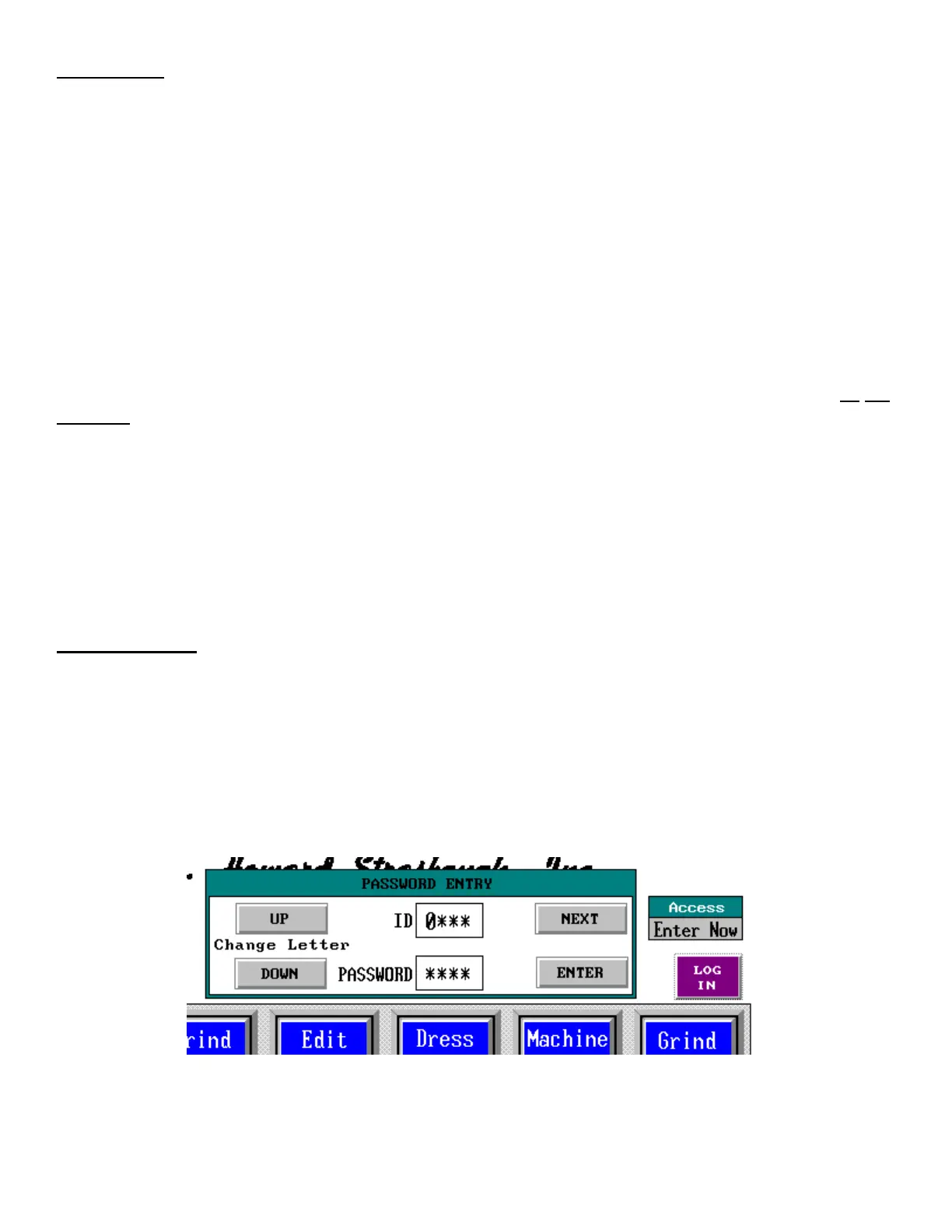
If password security is enabled, a status display labeled “Access” shows the current access level. See Figure 1.
Also, a button will be visible to start the log in procedure. Press the button to run the Password Entry dialog.
Set your personal Identification Code as follows. Press “UP” to move through the numbers and then through the
alphabet. Press “DOWN” to move backwards to “Z”, down to “A”, then the numbers. Each press of the button
will continue to cycle through the letters and numbers. When you have reached the correct character, press
“NEXT” to advance to the next character. Note that the first character is now covered. Don’t worry, it is still
there. Repeat until you have all four characters of your Identification Code set.
Figure 1



 To Next Page