D950/Vista7 Digital Mixing System
5-60 AutoTouch+ SW V3.3 Date printed: 27.08.03
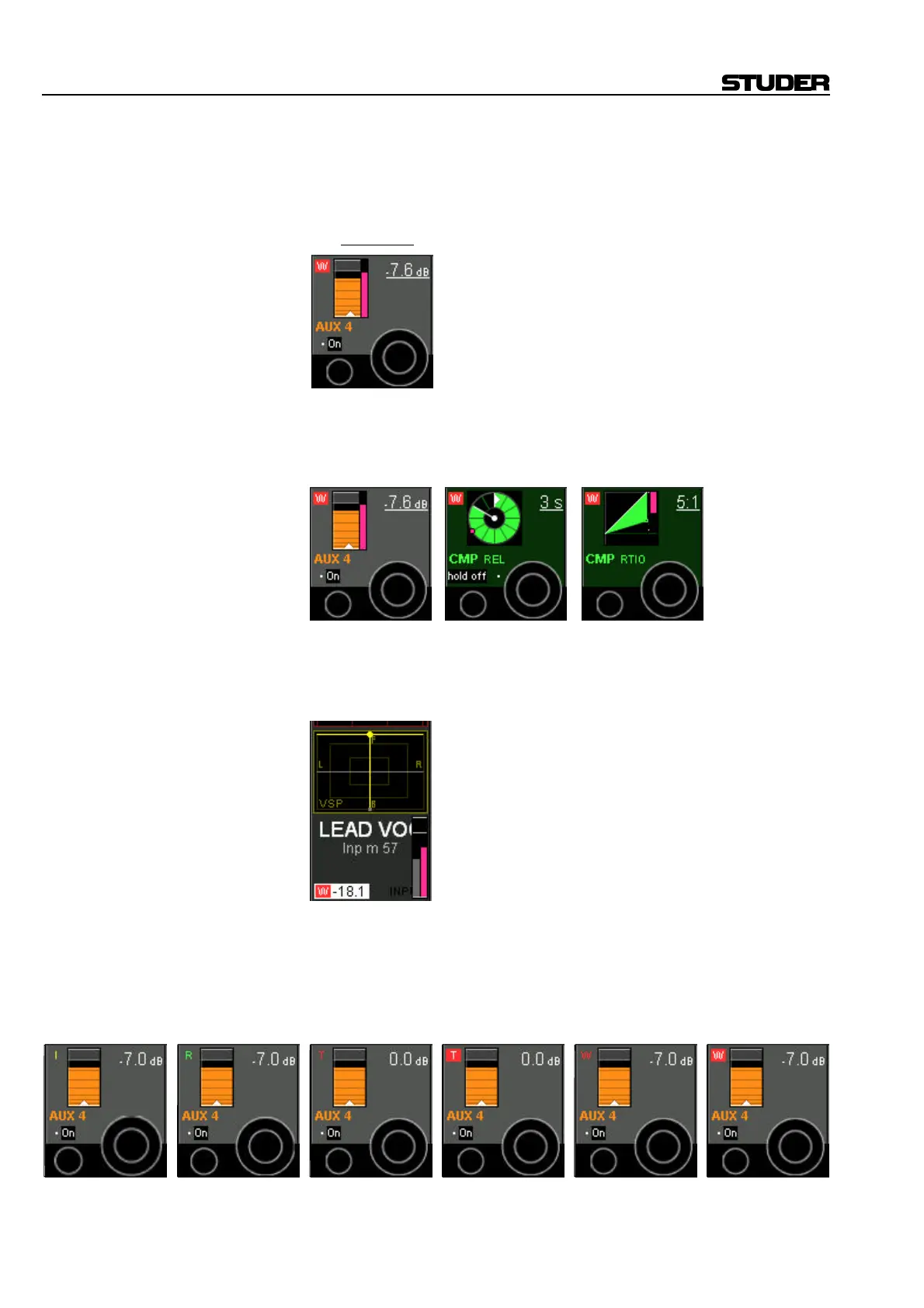
The meaning of the different Vistonics indicators is as follows:
Displayed Value The displayed value (e.g. “–7.6 dB”) is always the current value, except
when the control is in TRIM mode. Then it shows the offset from TRIM
null point.
It is underlined whenever the control is touched (“hold” in automation).
Rotary Value Current and replay value of the rotary control. If the current value is dif-
ferent from the one within the last mix pass, a pink colored element indi-
cates the value of the last mix pass, while the main display is indicating the
current value.
Fader Value Current and replay value of the fader. If the current value is different from
the one in the last mix pass, a pink colored element indicates the value
within the last mix pass, while the main display is indicating the current
value.
Recording Recording and recording mode indicator: This always refers to the associ-
ated control.
Characters without a frame indicate the status of the rotary control (I =
Isolate, R = Read, T = Trim, W = Write).
A red frame behind the “W” or “T” indicates that the rotary control is cur-
rently recording.



 To Next Page