D950 Digital Mixing System
Date printed: 03.09.03 SW V3.3 Desk Operation 3-5
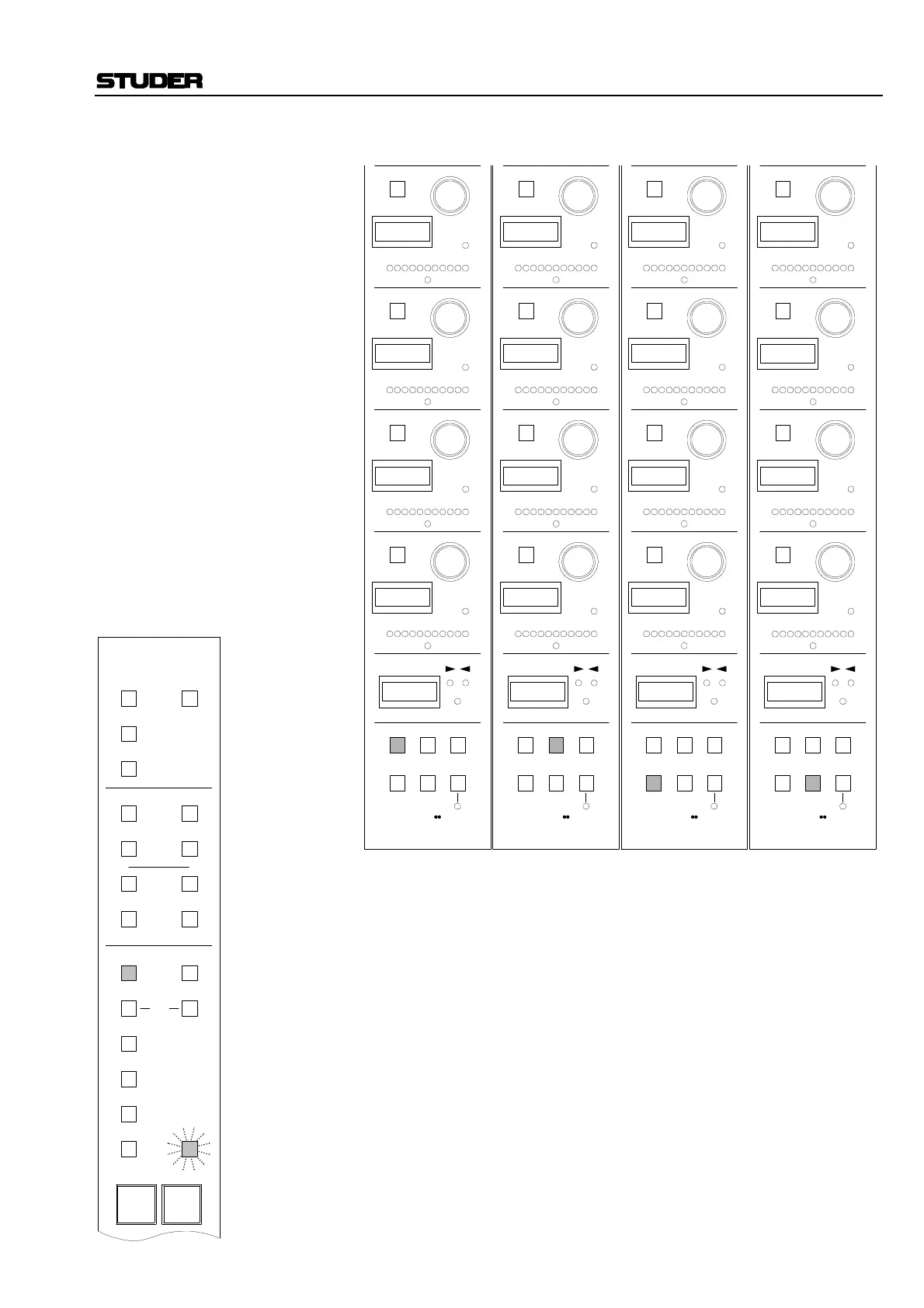
Example 2: Pressing the ASN SEL key, followed by EQ on the upper part of the de-
sired Input/Output unit, causes the displays of the selected channel to indi-
cate their current parameters.
Settings can be made with the switches and rotary encoders in the Local
Assignable Control Panel (LACP) section of the Input/Output unit, as in
the above example.
Notes: If LINK ACCESS is activated on the Master Menu Selector, the local as-
signment functions of all strips are linked (refer to chapter 2.5.6).
Channels with FREEZE activated will not change their LACP assignments
when global selections are made.
AUTO
SW
1
AUTO
SW
2
AUTO
SW
3
AUTO
SW
4
n–1
21
LAST MODE43
PAGE
FREEZE
AUTO
SW
1
AUTO
SW
2
AUTO
SW
3
AUTO
SW
4
n–1
21
LAST MODE43
PAGE
FREEZE
AUTO
SW
1
AUTO
SW
2
AUTO
SW
3
AUTO
SW
4
n–1
21
LAST MODE43
PAGE
FREEZE
AUTO
SW
1
AUTO
SW
2
AUTO
SW
3
AUTO
SW
4
n–1
21
LAST MODE43
PAGE
FREEZE
TALKTALKTALKTALK
EQ setting,
page 4
EQ setting,
page 2
EQ setting,
page 1
EQ setting,
page 3
G A I N G A I N G A I N G A I N
S H L V C o n Q S H L V
O N O F F O NO F F
C n Qo
E Q H M E Q L M E Q L OE Q H I
F R E Q F R E Q F R E Q F R E Q
PAN
OPT
DLY
INS
CMP/
LIM
EQ
3
ON
1
ON
3
ON
1
ON
4
ON
2
ON
4
ON
2
ON
AUX
MONO
GEN
IN 2
IN 1
INPUT DIR OUT
ON
Input
Busses
Meters
Out
PROCESSING
FILT
EXP/
GTE
DYN
ASN
SEL
Processing
USER
1
USER
2
AUX
STEREO



 To Next Page