General Operation
Humphrey Field Analyzer II-
i
series User Manual 2660021145640 A
2-14
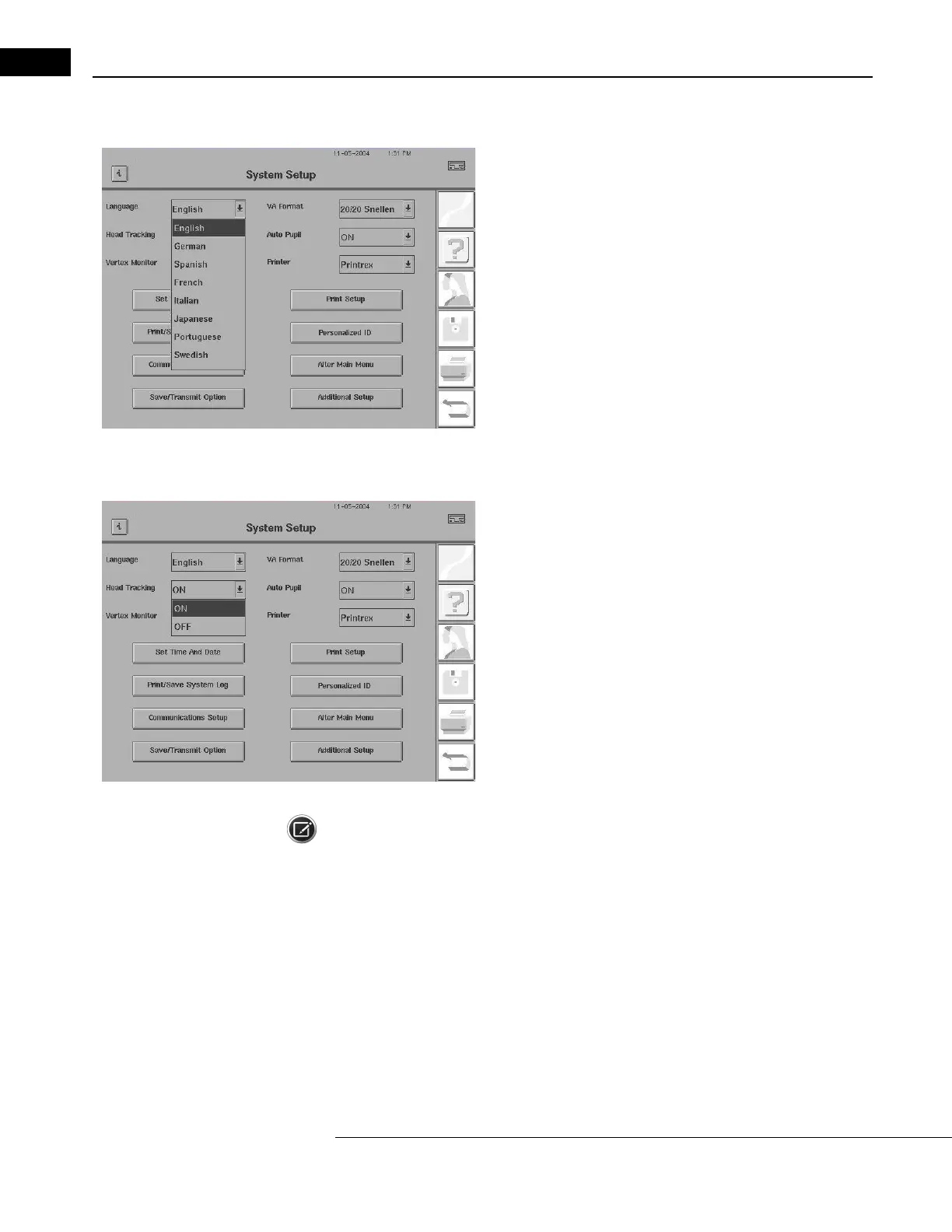
Changing the Language
1Start at the System Setup screen. Select the Language drop-down
menu.
2Choose from ENGLISH, GERMAN, SPANISH, FRENCH, ITALIAN,
JAPANESE, PORTUGUESE, or SWEDISH.
3Once you select a language, a dialog will be displayed informing
you that the language will change. Select OK to change the language,
or CANCEL to stay in the current language.
Accessing Head Tracking (Model 750
i
only)
1Start at the System Setup screen. Select the Head Tracking
drop-down menu.
2Choose either ON or OFF.
Note: If Head Tracking is turned on during testing and the patient moves, the instrument will adjust
the chin rest in small (0.3 mm) increments until the patient returns to the original position. This
feature only works if Gaze Tracking has been initialized successfully and the trial lens holder is in the
Up position. For additional information, see “Head Tracking (Model 750i),” on page 5-5.



 To Next Page
 Loading...







