Testing
Humphrey Field Analyzer II-
i
series User Manual 2660021145640 A
5-16
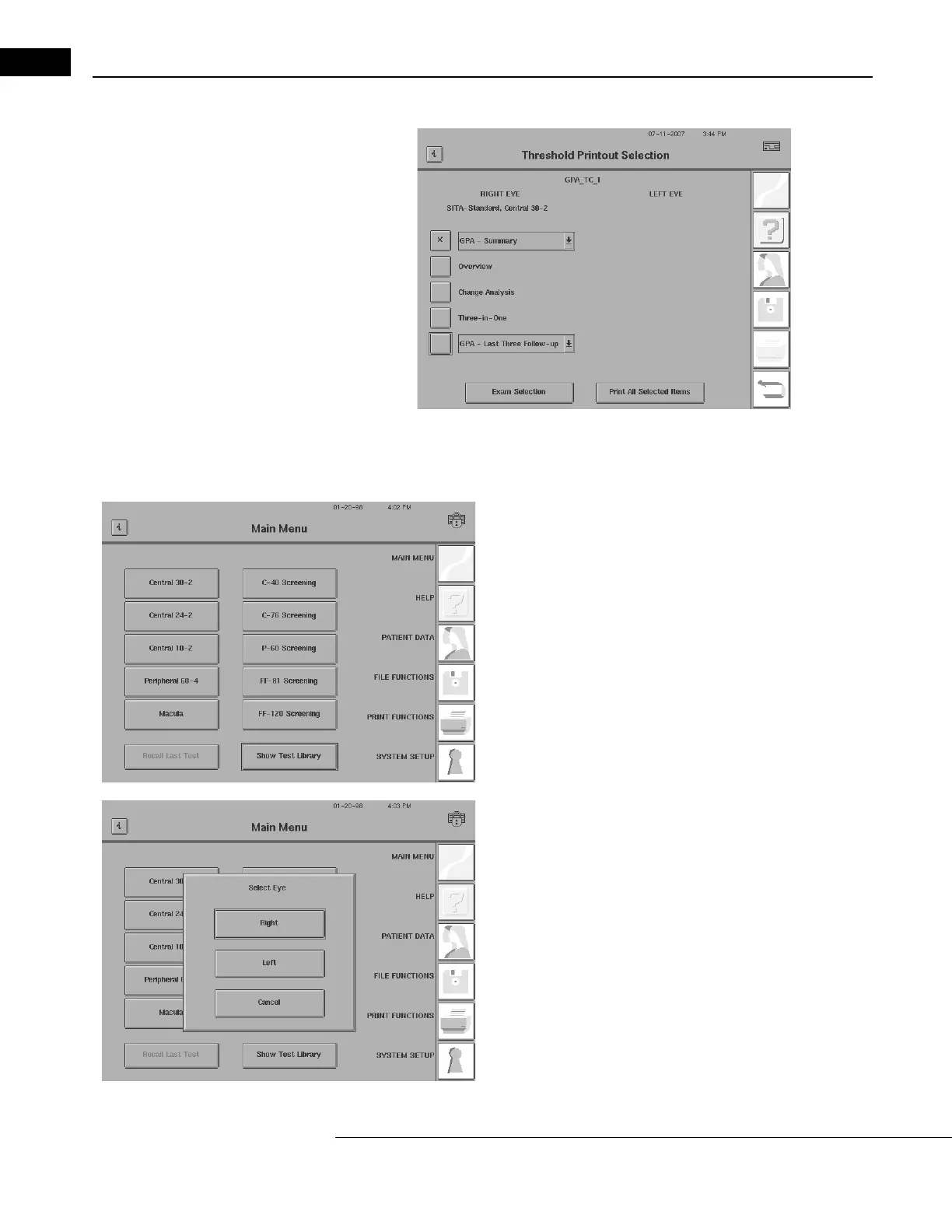
Figure 5.7 The Threshold Printout Selection Screen
Testing: A Step-by-Step Guide
1 At the Main Menu screen, select a test. Choose either one of the
test buttons or SHOW TEST LIBRARY.
2 Select a test eye. Choose RIGHT or LEFT to proceed, or CANCEL to
return to the Main Menu screen.



 To Next Page
 Loading...







