9980 Self-Propelled Peanut Combine CommandCenter Display
Regional Settings, Time/Date Settings,
Units of Measurement
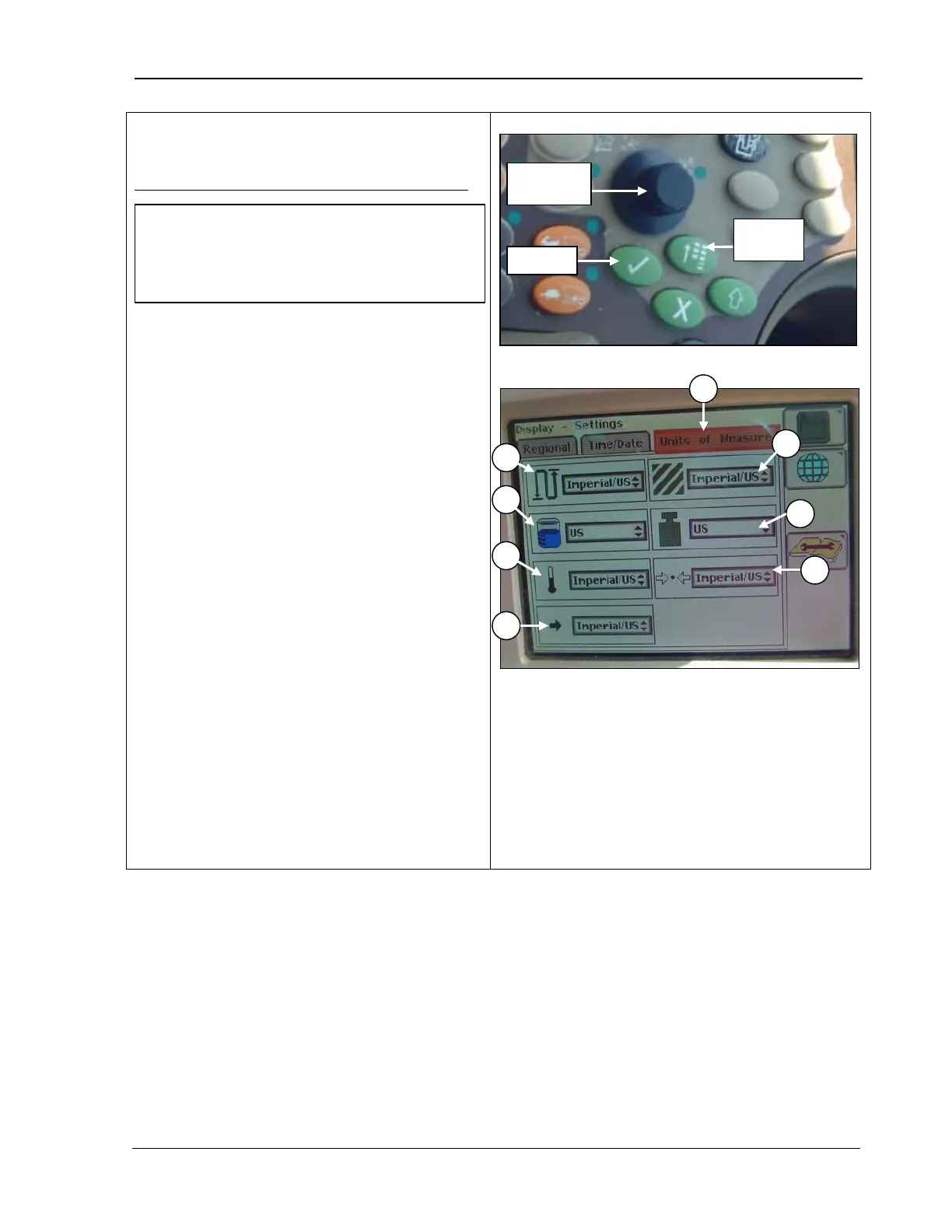
Units of Measurement (Metric, Imperial, US)
1. Press the Main Menu button.
2. Rotate the Selection dial until the Units of
Measure menu is highlighted.
3. Press Confirm.
4. Rotate the Selection dial to select:
• Distance
• Area
• Volume
• Mass
• Temperature
• Pressure
• Force
5.
When the desired menu item is
highlighted, press Confirm
displays for the selected item.
6. Rotate the Selection dial until the desired
choice is highlighted.
7. Press Confirm.
Menu
B – Distance
C – Area
F – Temperature
G – Pressure
H – Force
NOTE! Unit of Measurement choices
override specific Global Units previously
selected and allows “mixed” units (English
and Metric) where supported.
MAN141 09/04/15 103



 To Next Page