A
B
C
D
E
F
G
H
L
M
N
P
Uso e manutenzione
Use and Maintenance operations
sezione / section
D 5
49 749/749 DARK/749S Aggiornamento/Update - M.Y. 2006 - edizione/edition 00
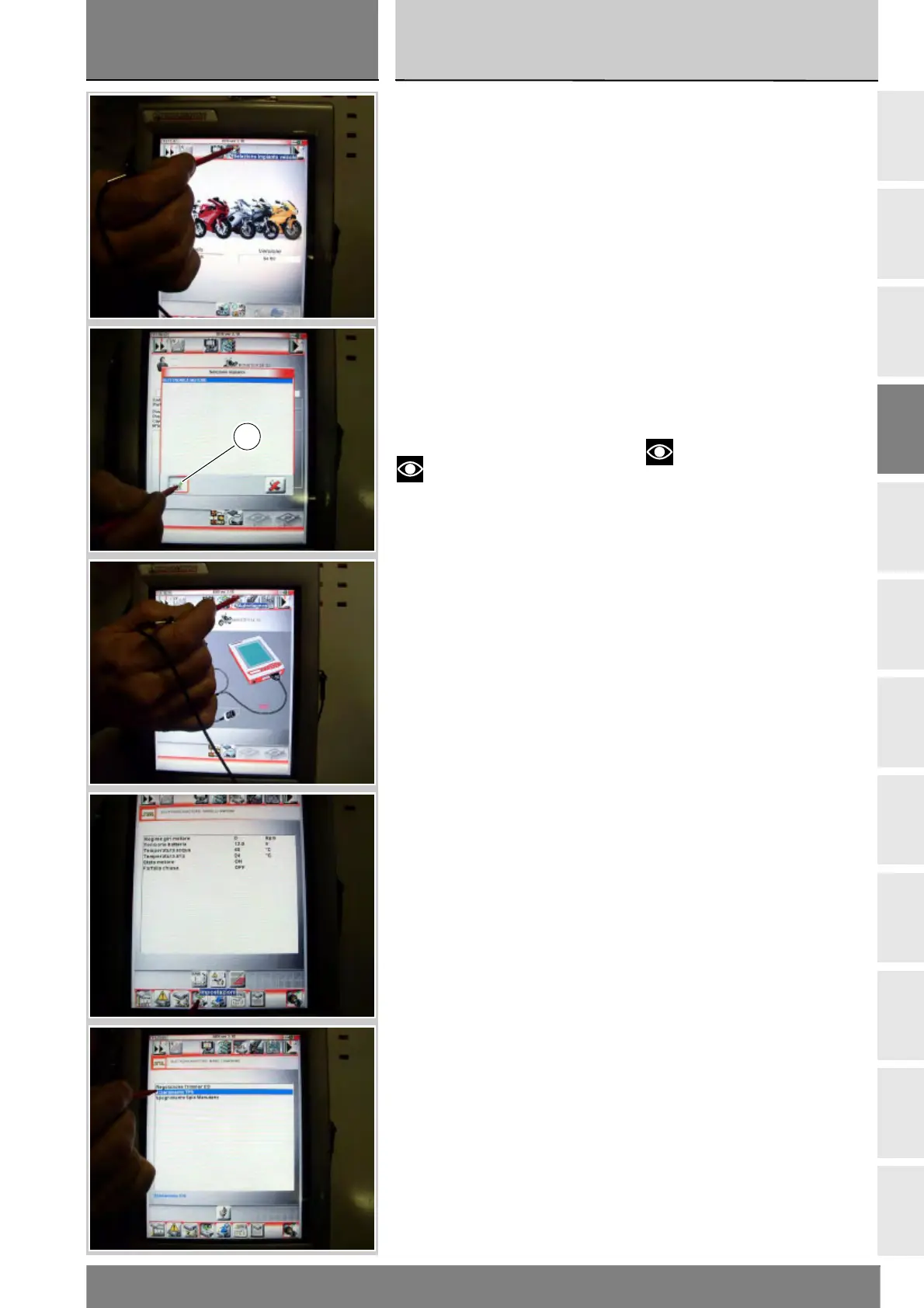
Press the “Select vehicle” icon and,
on the next screen, press the
“Select motorcycle” icon; select the
motorcycle model and confirm, then
select the version and confirm.
Press the icon “Select system” to
display a list of the bike’s systems
that can be analysed.
Select “Engine electronics” and
press the “Confirm” icon (D). Next,
press the “Self-diagnosis” icon to
access the corresponding function.
The DDS tester will interrogate the
electronic control unit and display
the parameters analysed with their
relative values.
Notes
Make the connections with the
motorcycle ignition key in the OFF
position.
Press the “Settings” icon to display
the special parameters.
Premere l'icona “Scelta veicoli” e
nella videata successiva premere
l'icona “Selezione motoveicolo”;
scegliere il modello e confermare, poi
scegliere la versione e confermare.
Premendo l'icona “Selezione impianto
veicolo” sul display del visore
compariranno gli impianti del veicolo
che possono essere esaminati.
Selezionare l'opzione “Elettronica
motore”, confermare premendo
l'icona “Conferma” (D). Poi entrare
nella funzione Autodiagnosi,
premendo l'icona “Autodiagnosi”.
Lo strumento DDS interrogherà la
centralina e verranno visualizzati gli
elementi in esame e i relativi valori.
Note
Predisporre i collegamenti con
chiave sul quadro comandi del
motoveicolo in posizione OFF.
Premere l'icona “Impostazioni” per
visualizzare i parametri speciali.
D











 To Next Page