A
B
C
D
E
F
G
H
L
M
N
P
Uso e manutenzione
Use and Maintenance operations
sezione / section
D 5
60 749/749 DARK/749S Aggiornamento/Update - M.Y. 2006 - edizione/edition 00
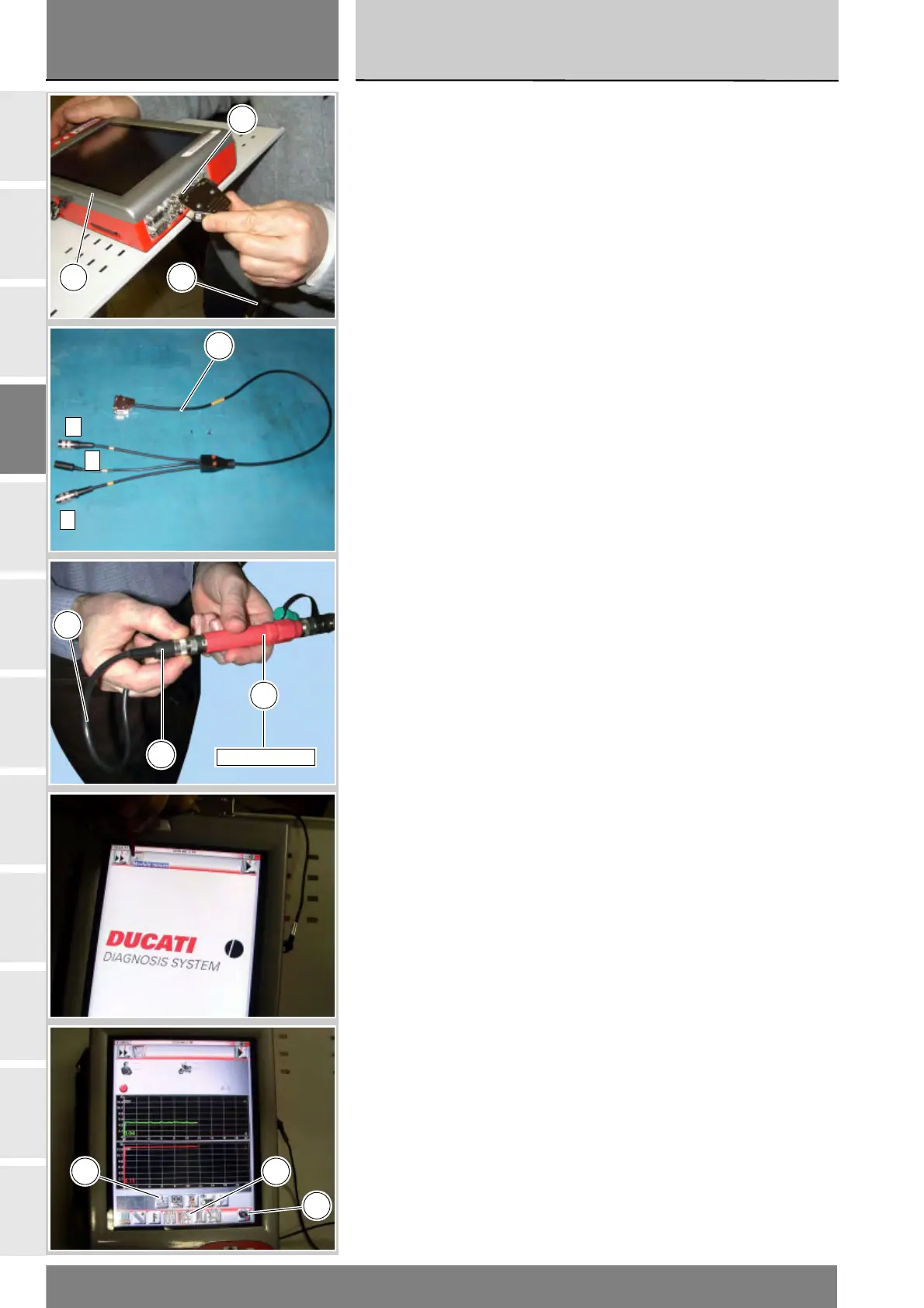
Accendere lo strumento DDS (1)
facendo riferimento al paragrafo
“Alimentazione dello strumento”.
Collegare il cavo alimentazione e
diagnosi (Modulo Misure) (3) al
connettore modulo misure (B)
dello strumento DDS (1).
Collegare il sensore pressione (5)
alla presa (A) o (C) del cavo (3).
Sullo strumento DDS (1) selezionare la
funzione “Modulo misure”, premendo
sull'icona “Modulo misure”; poi
premere l'icona “Misure Pressione” (D)
e di seguito l'icona di “Start” (E).
Nella schermata viene indicata con
una lettera maiuscola quale presa
utilizzare del cavo (Modulo Misure) (3):
A, B oppure C.
Avviare il motoveicolo.
Esistono tre tipi di visualizzazione dei
valori: una in forma numerica e due in
forma grafica; per selezionare una
tipologia o l'altra, premere l'icona
“Visualizzazione valori” (F).
Switch on the DDS tester (1); see
heading “Tester Power Supply”
Connect the power and diagnostics
cable (Measurement Module) (3)
to the measurement module
connector (B) on the DDS tester (1).
Connect the pressure sensor (5) to
socket (A) or (C) of the cable (3).
On the DDS tester(1), select the
“Measurement module” function by
pressing the corresponding icon; then
press the “Pressure Test” icon (D)
followed by the “Start” icon (E).
The socket to which the cable
(Measurement Module) (3) is to be
connected is indicated on the screen
with a capital letter: A, B or C.
Start the engine.
The values may be displayed in two
different ways: in numeric form or in
graphic form; to select the desired
display type, press the “Value
display” icon (F).
B
1 3
A
B
C
3
A
5
552.1.039.1A
3
F D
E











 To Next Page