Maintenance, Troubleshooting, and Repair 7-1
7
Maintenance, Troubleshooting, and Repair
Overview
The Database Server system is designed to provide a robust and reliable central
monitoring network, needing minimal maintenance and having few failures requiring
troubleshooting or repair. As with all complex, multi-device systems, however,
problems can occur, and the failure of any one of the system’s components can cause
down time and disruption to patient monitoring.
The Database Server contains a variety of applications and tools to assist users and
service personnel in quickly identifying, troubleshooting, and resolving problems so
that monitoring down time is minimized.
Chapter 7 describes procedures for maintenance, troubleshooting, and repair of the
Information Center system in the following sections.
Maintenance . . . . . . . . . . . . . . . . . . . . . . . . . . . . page 7-2
Troubleshooting . . . . . . . . . . . . . . . . . . . . . . . . . page 7-7
HL7 Tools. . . . . . . . . . . . . . . . . . . . . . . . . . . . . . page 7-87
ST/AR Configuration Reporting Tools . . . . . . . page 7-89
LED Diagnostics. . . . . . . . . . . . . . . . . . . . . . . . . page 7-108
Repair . . . . . . . . . . . . . . . . . . . . . . . . . . . . . . . . . page 7-111
Software Re-Installation Procedure . . . . . . . . . . page 7-147
Note Descriptions of the maintenance, troubleshooting, and repair of most hardware
devices are contained in their individual manuals and are not repeated here.
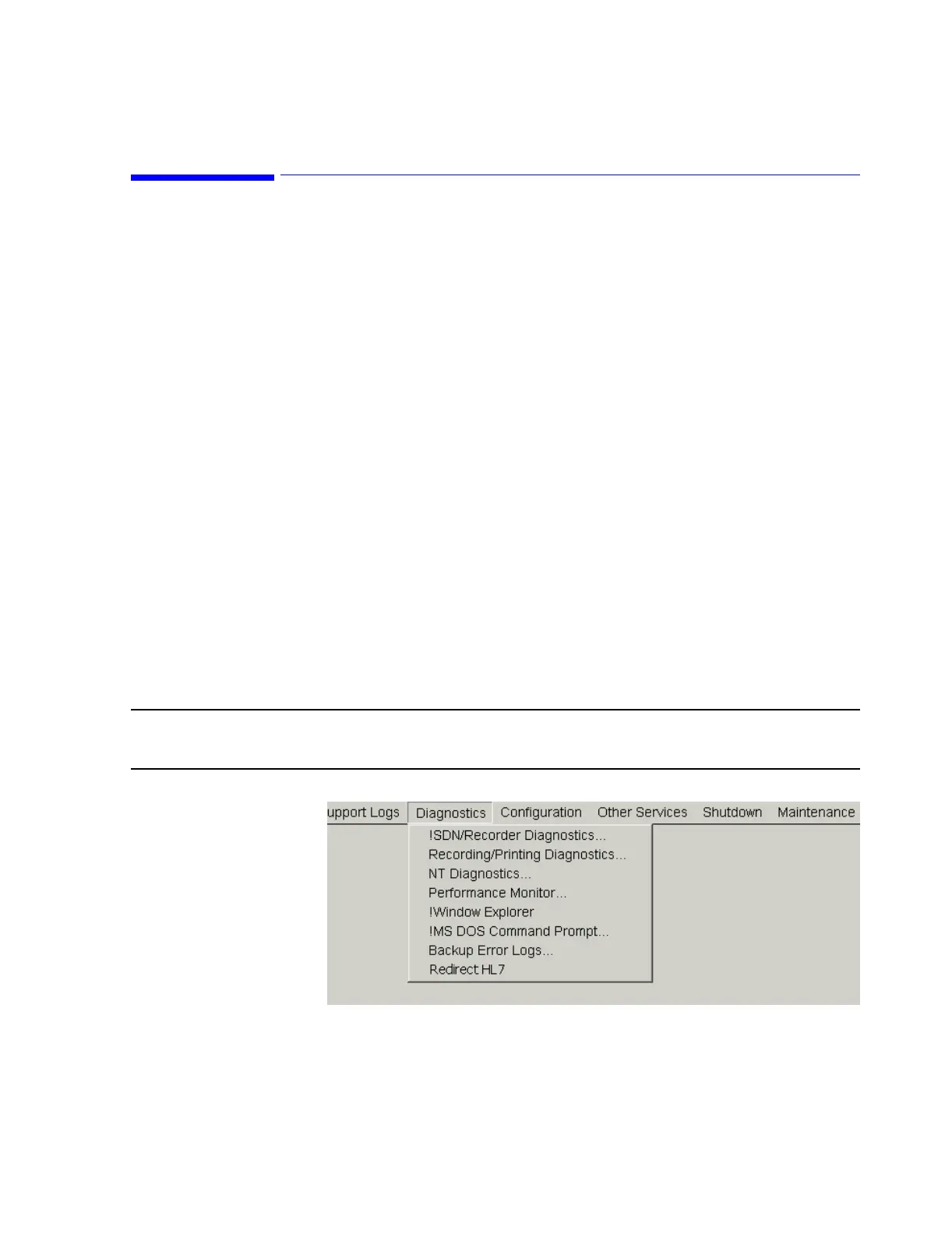
Figure 7-1 Diagnostic Tools in the Service Menu



 To Next Page
 Loading...