Hardware Space Components
B.6.2. Using the Lock-in Amplifier as a Low Pass Filter
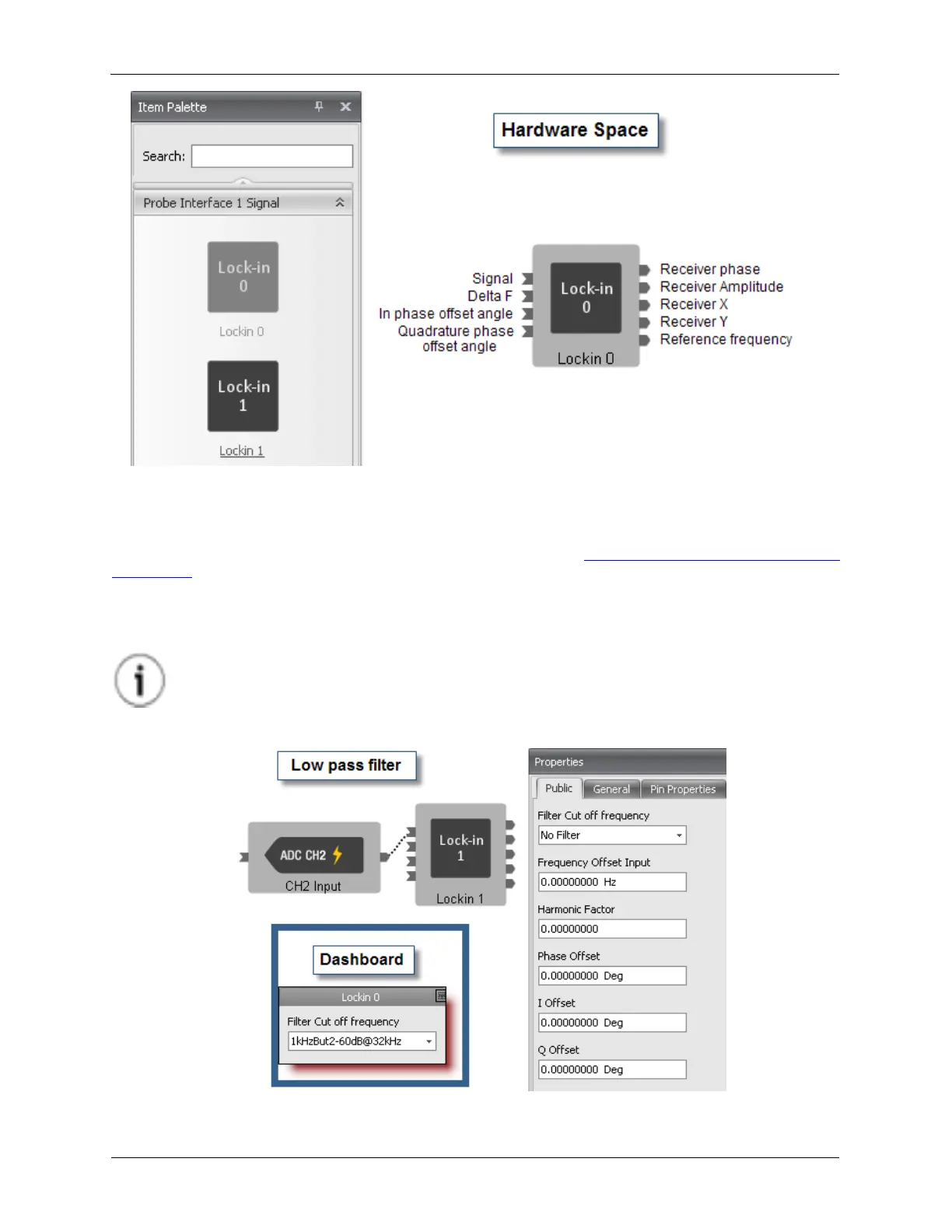
The most basic function for the Lock-in Amplifier is to act as a Low Pass Filter. When the last five data
entry boxes in the Lock-in Property Panel are set to 0 as shown in Figure B.12, “Lock-in Amplifier - Low
Pass Filter”, the Lock-in Amplifier is configured to be a low pass filter. The choices in the Filter Cut off
frequency drop down box range from 5 Hz to 4 kHz. There are also a variety of choices for the number of
poles in the filter. When using the lock-in as a low pass filter, the unused parameters can be hidden, so
the control panel on the Dashboard will look like the below image.
Tip
The filter can also be bypassed by choosing the No Filter option.
Figure B.13. Lock-in Amplifier - Low Pass Filter



 To Next Page