Details on Procedure Space Constructions
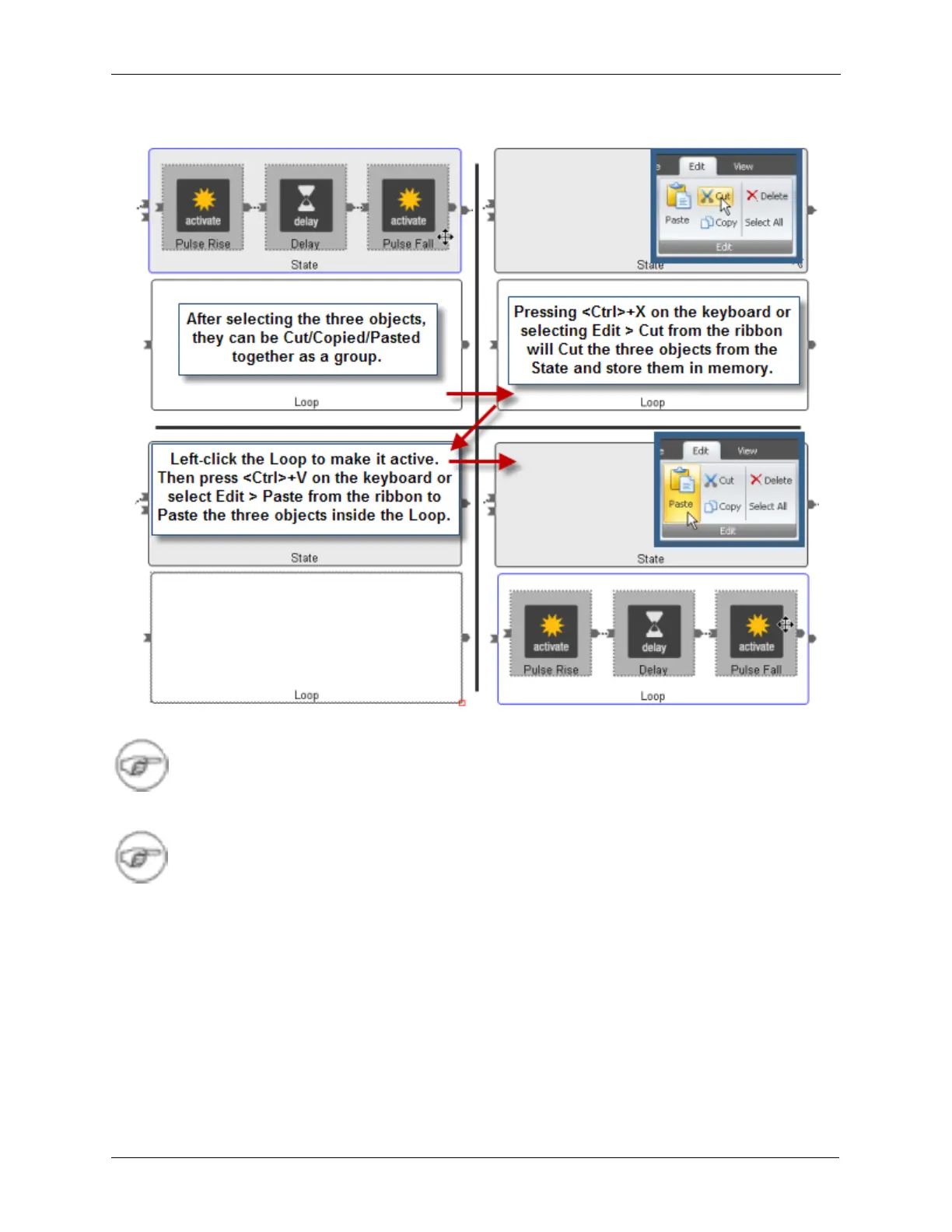
Figure J.27. Cutting and Pasting Objects in Procedure Space
Note
The lines between multiple items that are Cut or Copied are maintained during the Paste
operation.
Note
Entire States, Loops, and their contents, can be Cut, Copied, and Pasted.
Select the Loop to make it active, then Cut the Loop by pressing <Ctrl>+X or by selecting Edit > Cut from
the ribbon. Select the State to make it active and Paste the Loop inside of it by pressing <Ctrl>+V or by
selecting Edit > Paste from the ribbon.



 To Next Page