Details on Procedure Space Constructions
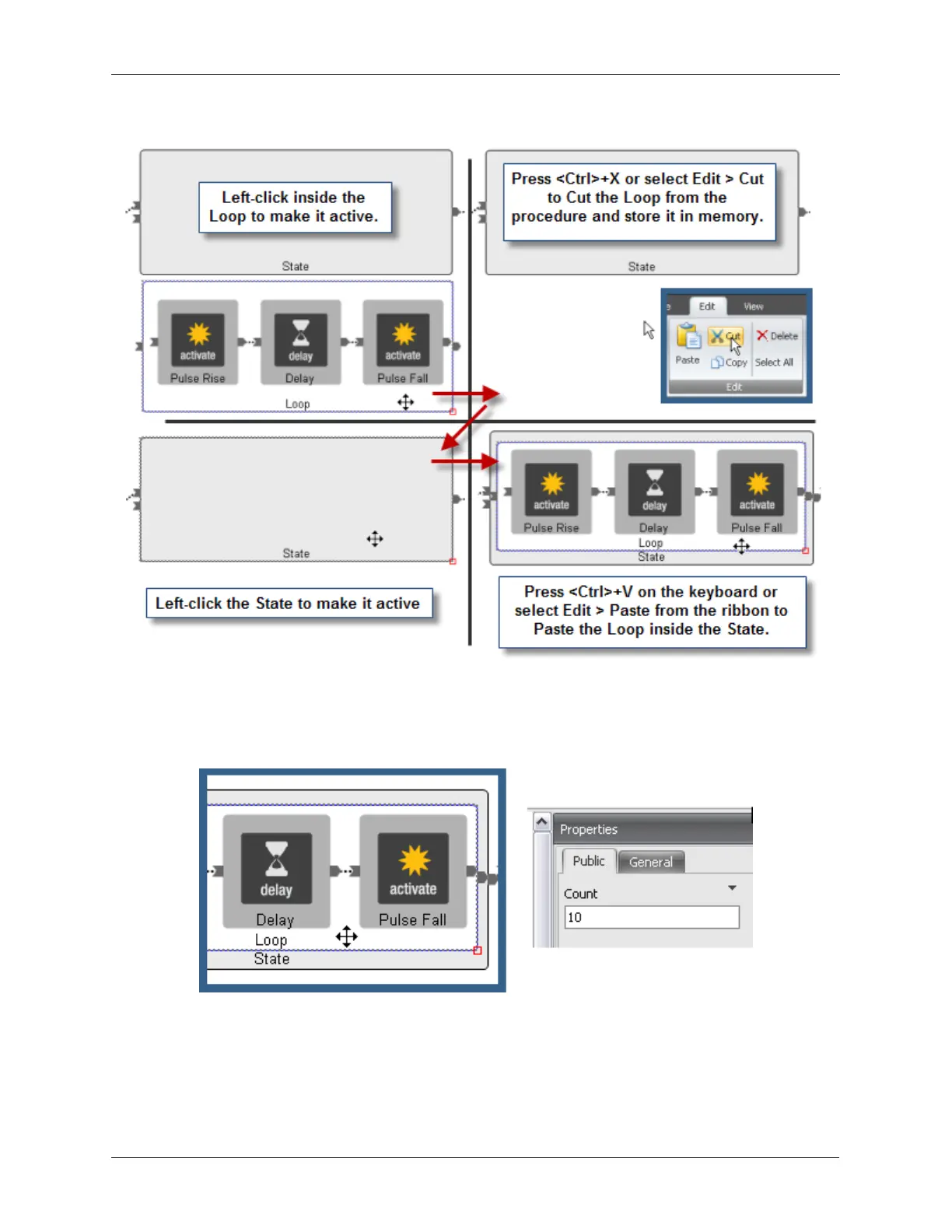
Figure J.28. Cutting and Pasting States and Loops inside Procedure Space
After the Loop has been Pasted inside of the State, the Loop Count needs to be set. Select the Loop
by left-clicking inside of it and its Properties will appear on the left. In this example, the Count was set to
10.
Figure J.29. Setting the Loop Count
Finally, a second Delay item will be placed inside the Loop and wired after the Pulse Fall to add a delay
before the loop repeats itself.
The Procedure shown below will generate ten pulses, with a delay after each pulse, each time that the
Start button for that procedure is pressed.



 To Next Page