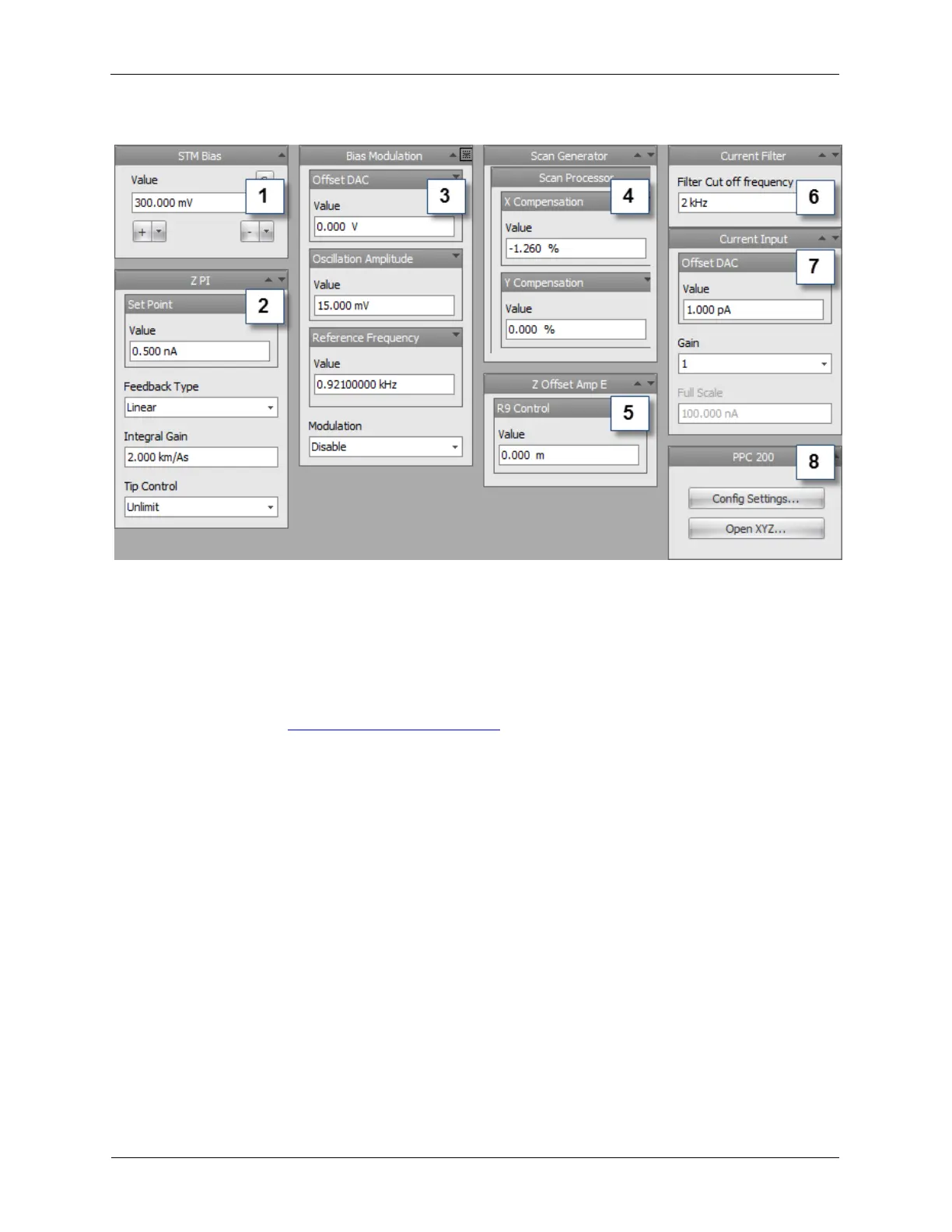
Figure 3.2. Typical Dashboard for STM
The components of the STM Dashboard are as follows:
1. STM Bias Settings: This controls the Bias Output voltage. Please choose a Bias Voltage setting that
is appropriate for your sample. For this example, 300 mV is a good starting value.
2. Z PI: The Z PI (proportional-integral) feedback loop regulates the probe/sample gap. It has an Integral
Gain, a Setpoint, and a Tip Control item. A good starting Setpoint Value is 0.5 nA, an Integral Gain
of 2 km/As, and Tip Control should be set to Unlimit. For detailed explanation about the different Tip
Control options, go to Appendix B.7 Feedback Loops.
3. Bias Modulation: These can be left at the defaults shown above. These control the Oscillation
Amplitude and Frequency if the Bias is to be Modulated.
4. Scan Generator: This contains the X Slope Compensation and Y Slope Compensation controls.
5. Beetle Z Offset: (only applies to scan heads that have a separate Z offset piezo, such as the RHK
STM Beetle UHV300/700 and RHK AFM/STM Beetle UHV350/750) This control can be used to raise
or lower the scan head to bring the Topography signal closer to the center of its range so it behaves
more linearly as well as to increase the total Z range of the scan head.
6. Current Filter: A virtual lock-in is just after the CH2 Input in the signal path. The Output of the STM
Lock-in is the connection point for the Current Measure Item. The diagram above shows the lock-in
amplifier with only the frequency filter exposed. When the R9 is configured with a fully operational lock-
in, more controls will be exposed on the Dashboard.
7. Current Input: This controls the DC Input Offset and Input Gain. The CH2 Input Offset DAC sums a
DC voltage with the incoming signal to null out any offsets of the input circuit or the preamplifier circuit.
8. PPC200: This controls the Coarse Motion for an RHK STM Beetle UHV300/700. Press Open XYZ... to
open the controls for XY coarse motion.



 To Next Page