A.4. User-Configurable Max/Min Ranges on Data Entry
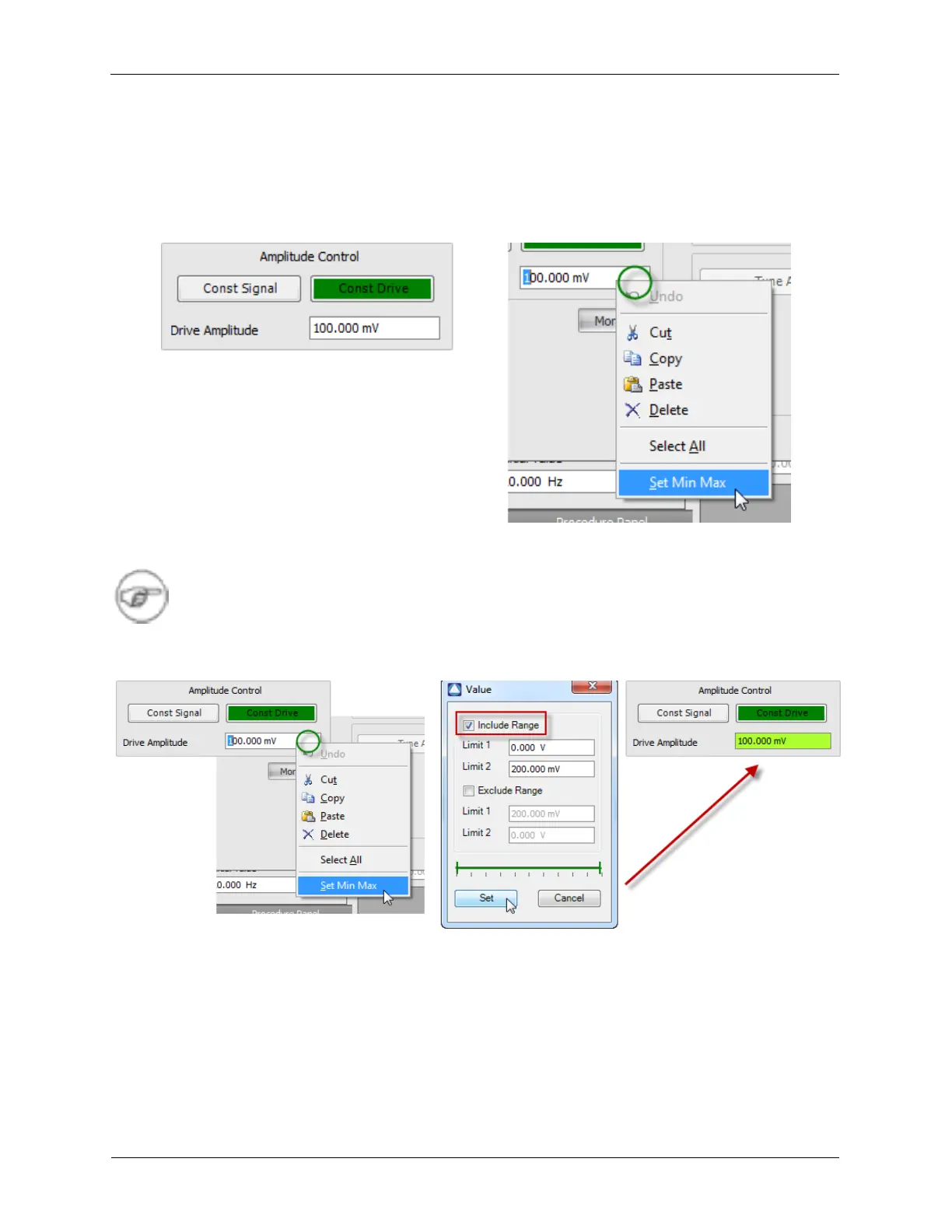
The Dashboard Data Entry Controls can have user-configurable limits set to define the allowed range of
values the user can enter into that particular data field. This can be useful to prevent the user from
accidentally setting values too large or too small, such as a Z Feedback Gain or Oscillation Amplitude.
Figure A.7. User-Configurable Limits on Data Entry
Note
These limited ranges only affect Dashboard controls. Procedures can still set controls without
these limits. Combining the Include and Exclude Ranges allows for additional safety conditions
to be handled.
Figure A.8. Settings for User-configurable Limits



 To Next Page