Details on Procedure Space Constructions
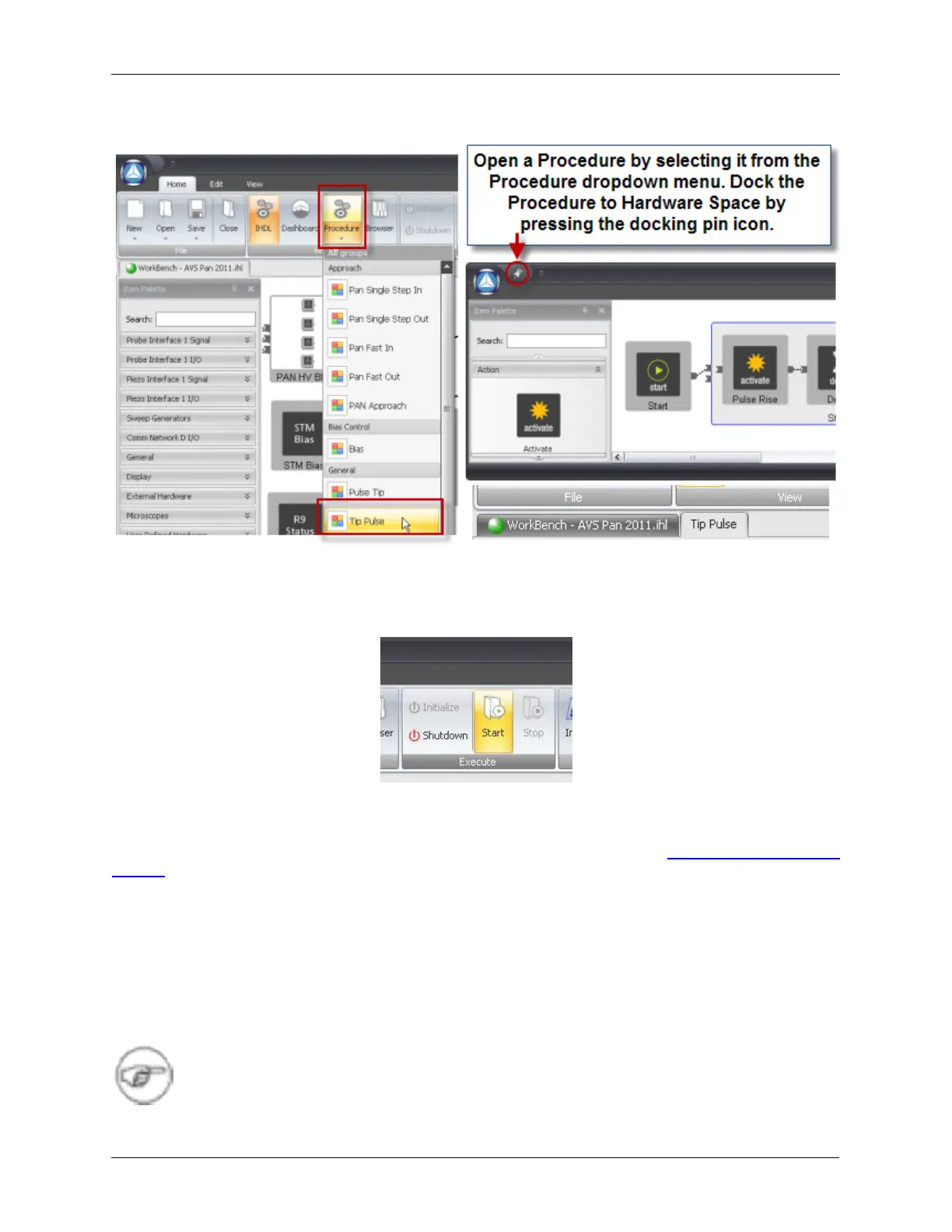
Figure J.22. Opening a Procedure from Hardware Space
Now that the procedure is docked to Hardware Space, it can be run by pressing the Start button on the
Execute tab of the ribbon.
Figure J.23. Running a Procedure from Hardware Space
J.9.2. From a Procedure Panel
The method to add a procedure to one of the Procedure Panels is described in Procedure Panel Launch
Buttons.
J.10. Stopping the Procedure
Pressing the Escape (ESC) key will stop a Procedure that is currently running. It is equivalent to pressing
a green Procedure button a second time to stop the Procedure.
Stopping the tip while it is in motion is a common example where the ESC can be used.
Note
The Procedure must have the Stop condition implemented for ESC to have an effect.



 To Next Page