F.1.2. Check Approach and Feedback Settings
Before approaching, it is important to check the Approach and Feedback settings so the R9 Controller
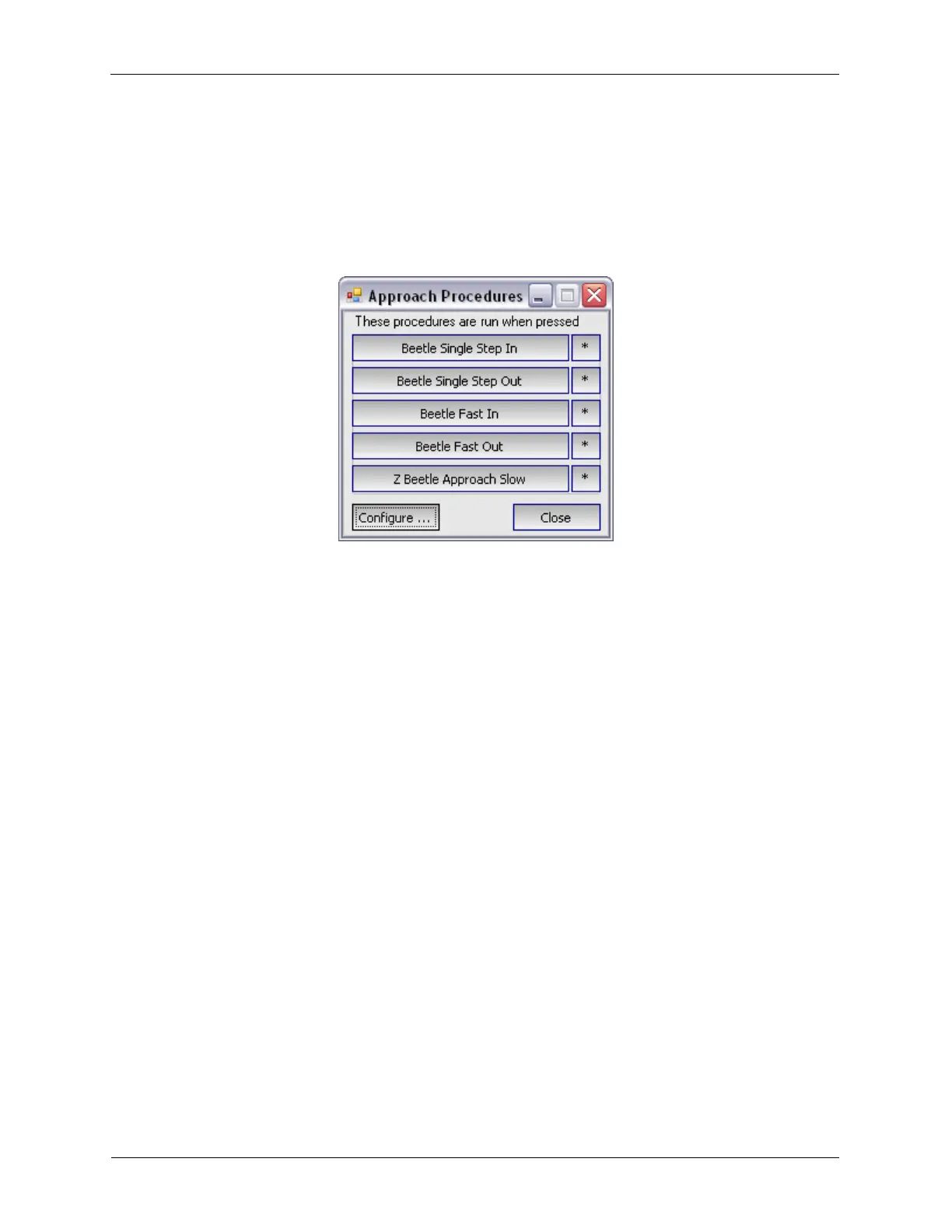
and microscope behave as expected. Open the Approach Procedures Panel, it should look like the
following figure. Selecting the * icon to the right of the Procedure name will open that Procedure in
Procedure Space.
Figure F.2. STM Beetle Approach Procedure Panel
A quick explanation of the preloaded Approach Procedures:
• Beetle Single Step In: The R9 Controller will switch the PPC200 to Z-STM and the STM scan head will
make a single step towards the sample. This can be useful for fine adjustments.
• Beetle Single Step Out: The R9 Controller will switch the PPC200 to Z-STM and the STM scan head
will make a single step away from the sample. This is also useful for fine adjustments.
• Beetle Fast In: The Fast In Procedure is used to rapidly approach the tip to the sample. There will be
no feedback checks during the Fast In so it is important to monitor the tip-sample separation
(perhaps with a camera) while this Procedure is running.
• Beetle Fast Out: The Fast Out Procedure is used to rapidly retract the tip from the sample by a
predefined number of steps.
• *Z Beetle Approach Slow*: This is the typical Approach Procedure to use when the probe is closer to
the sample. The tip can be pulled back between the coarse approach steps to help protect it from
accidental contact with the sample.
F.2. RHK AFM/STM Beetle - UHV350/750
This section will describe the Approach Procedures for the RHK AFM/STM Beetle.
F.2.1. Confirm Connections to Microscope
The RHK AFM Beetle microscope requires the RHK PPC200 for both coarse motion and scanning. The
PPC200 accepts five inputs from the R9 Controller's high voltage outputs: +X, -X, +Y, -Y, Common.
Coarse motion is controlled by the waveforms supplied to the ±X inputs, which are typically equal signals
with opposite polarities.
F.2.2. Check Approach and Feedback Settings



 To Next Page