Details on Procedure Space Constructions
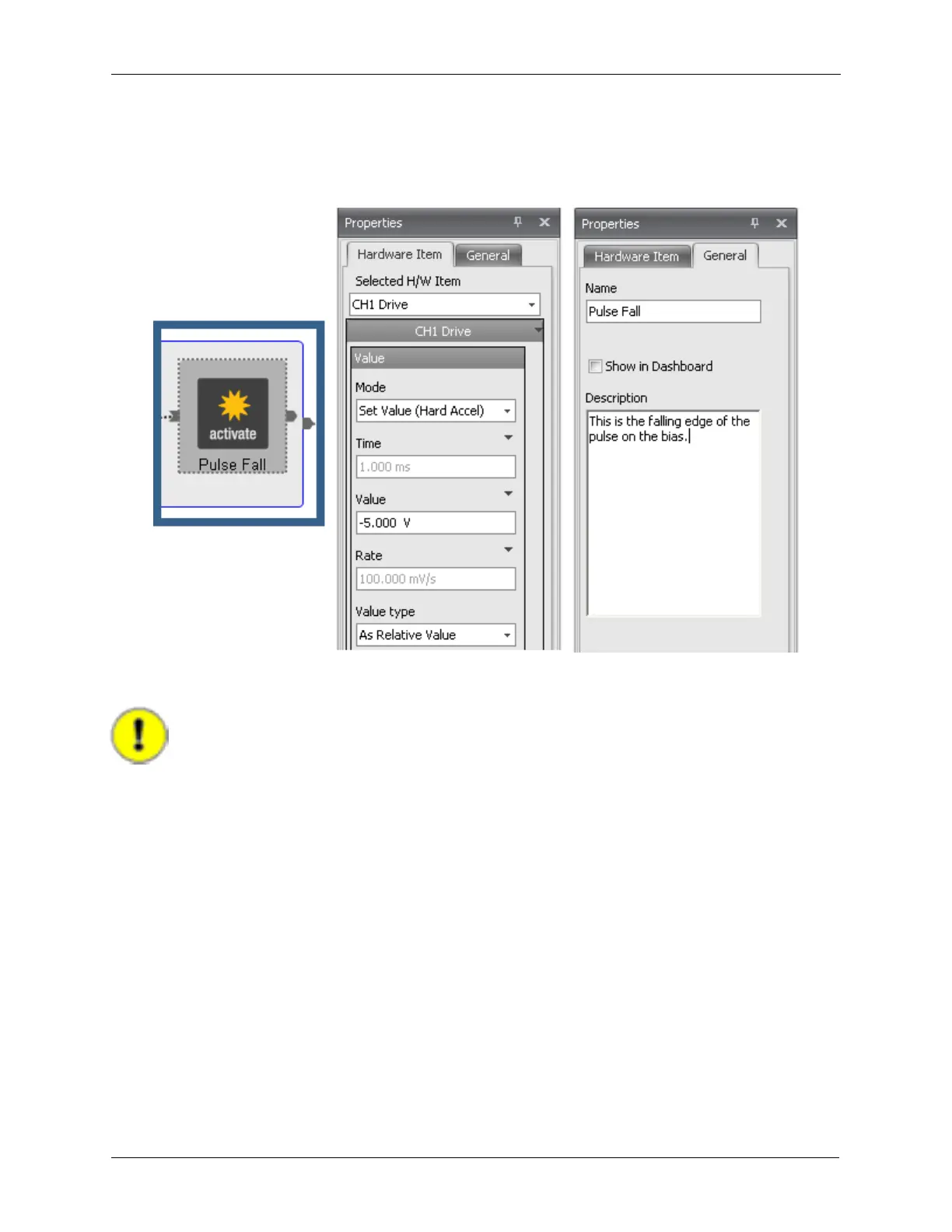
The Value is now set to -5 V and the Value type is set to Relative Value. As the rising edge of the pulse
added +5 V relative to the original bias voltage, this -5 V drop in the voltage will return the bias to its value
before the start of the pulse.
Figure J.13. Pulse Tip - Setting the CH1 Drive Pulse Fall
J.6. Setting Parameters as Reference or Value
Important
If the rising edge of the pulse had been set to +5 V Absolute, then the falling edge cannot
be set to -5 V Relative as in the above paragraph, or the bias will end up at 0 V. To solve
this problem, the falling edge of the bias voltage must be set by Reference instead of by
Value. This choice is made by clicking on the arrow next to the Value data entry box as
shown in the figure below and selecting Reference.
Figure J.14. Pulse Tip - Setting a Reference



 To Next Page