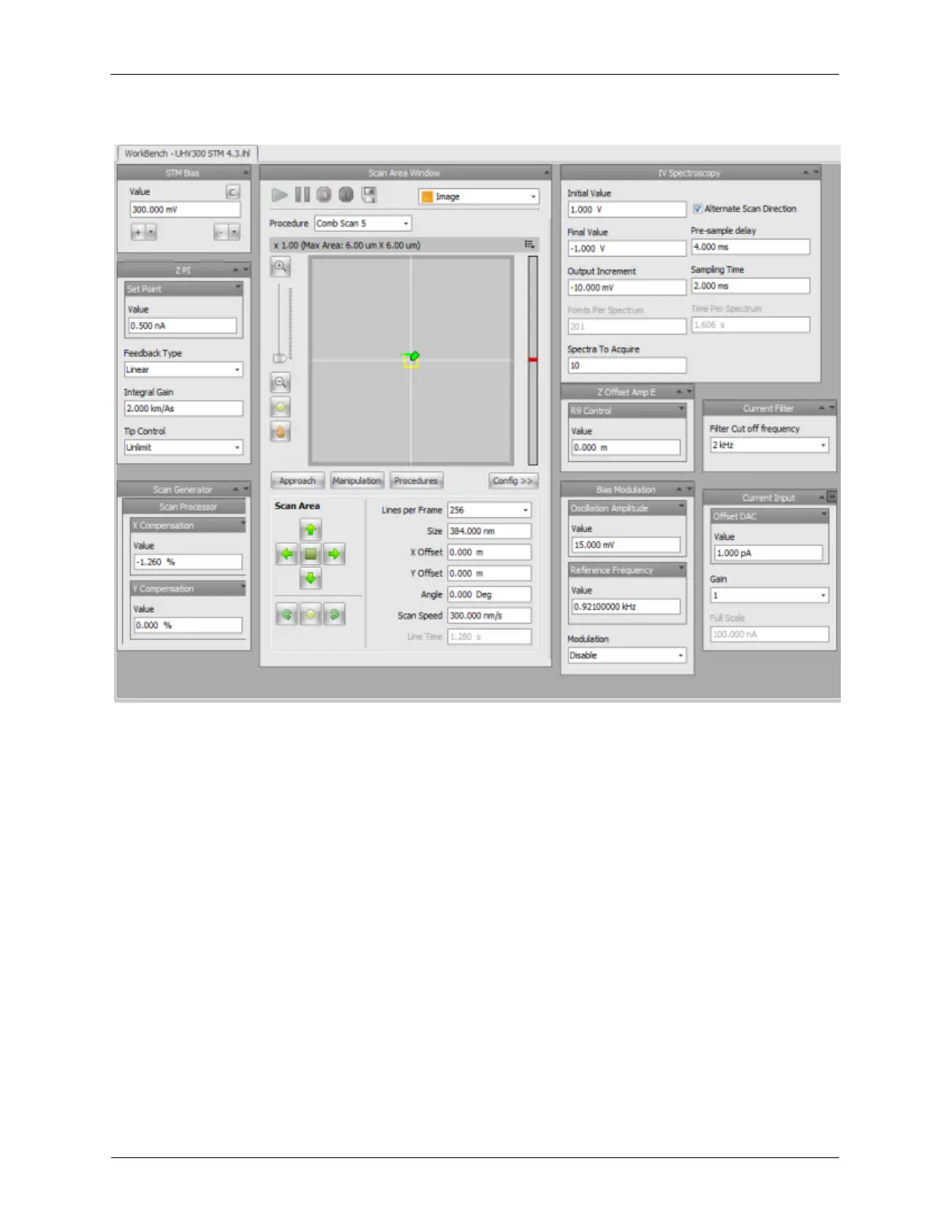
Figure 1.13. R9s Testing Screen using the Testing UHV 300 ihl
1.5.1 Initial Tests
The first tests will demonstrate that the unit is operating normally and did not sustain any damage during
shipment. It will also introduce the operation of several of the diagnostic tools of the R9 system. The first
test will be done without connecting any input devices such as a current preamplifier or microscope to the
R9 controller.
The analog input and output circuitry, as well as the digital circuitry, are very high speed and consume
considerable power. Fully linear power supplies are used to provide this power to eliminate any high
frequency noise caused by switching power supplies. For maximum stability, the controller should be
turned on for approximately thirty minutes to allow it to reach thermal equilibrium before the following
tests are performed.
After an IHL file has been loaded into the software, it must be downloaded into the R9 controller. This is
done by clicking on Initialize on the Ribbon in the section labeled Execute. When this has been
completed, the data channels that are connected to a Measure Item in Hardware Space will start to
stream to the PC over the Ethernet link. In this IHL, the Topography and Current channels will be
activated and recorded.
To view this data, first open the Oscilloscope window located on the ribbon in the Channel Display
section. When first opened, no data will be displayed. Press the blue Start button to begin displaying
the data. The Oscilloscope shares a common framework with all of the 1D data visualizers, such as the



 To Next Page