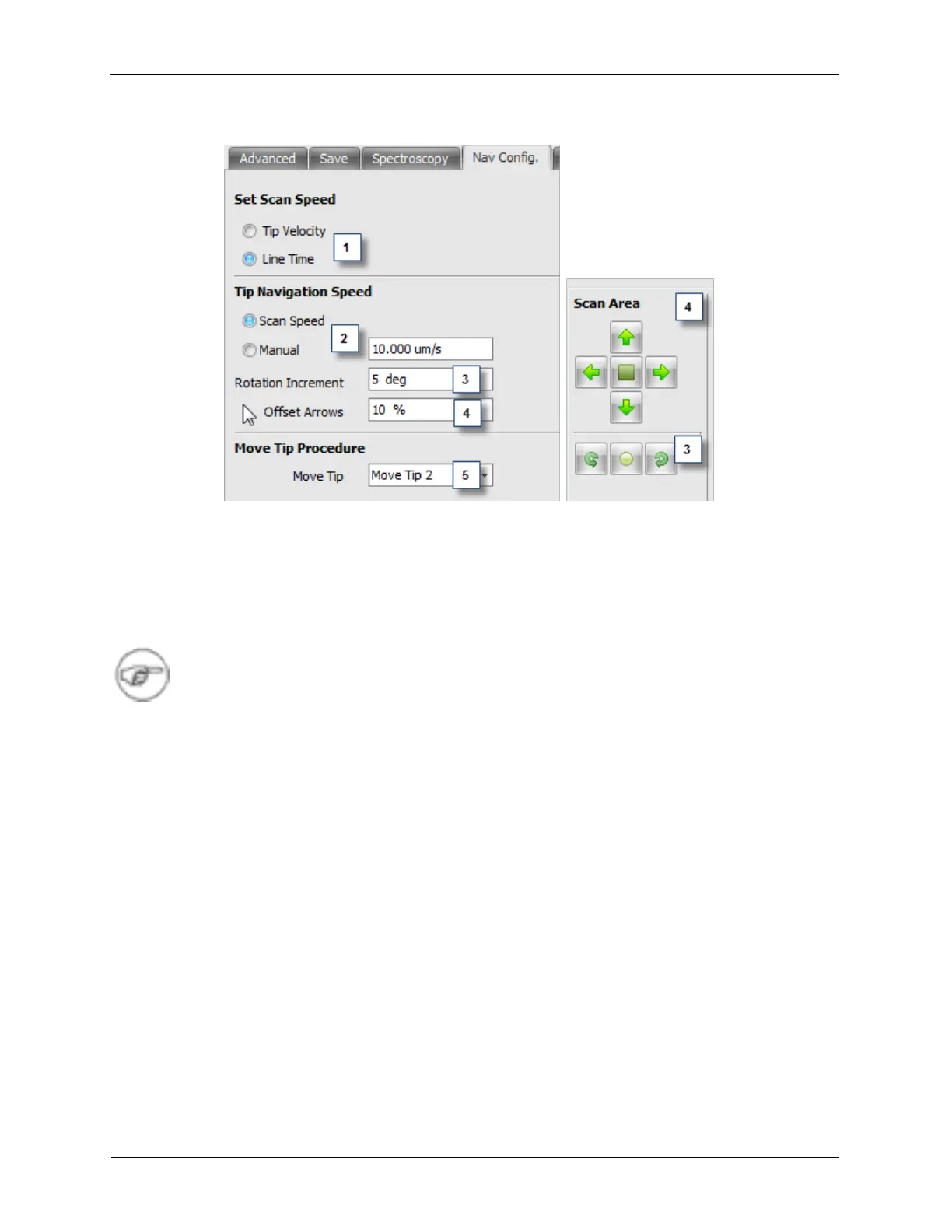
Figure K.12. Scan Area Window Navigation Config. Panel
1. Set Scan Speed: These radio buttons select how the scan speed is specified on the SAW. If the Tip
Velocity is checked, the scan speed will be entered as a tip velocity in nm/s. The data box for the line
time will be grayed out and will show a calculated value for the line time. If the Line Time is checked,
the scan speed will be entered as the time required for the probe to scan one scan line in one direction.
The data box for the Tip Velocity will be grayed out and will show a calculated value for the Tip
Velocity.
Note
When selecting Tip Velocity, the tip will remain at a constant velocity as the scan size is
increased or decreased, but the time to acquire a complete image will also change as the
scan size is changed.
2. Tip Navigation Speed: The Tip Navigation Speed defines how fast the probe moves when manually
moving the probe using the move tip command or by pressing the offset arrows on the SAW. Choosing
Scan Speed will move the tip during manual manipulation at the same rate as it was scanning during
the most recent image scan. Choosing Manual allows the speed of the tip during manual manipulation
to be set to a predefined velocity.
3. Rotation Increment: configures the amount of rotation each button press on the Scan Area Window
will cause.
4. Offset Arrows: configures the amount of offset each button press on the Scan Area Window will
cause. This motion is relative to the size of the Scan Area.
5. Move Tip Procedure: The Move Tip procedure can be changed if different behavior is desired when
moving the probe from one location to another.



 To Next Page