Hardware Space Components
B.18. Measure Item
The Measure Item is the component that enables the data channels in the R9 Controller. Altogether,
there are 40 possible data channels inside of R9, in many cases only a few are of interest during an
experiment. Connecting the Value input pin of the Measure Item to a signal source on the Hardware
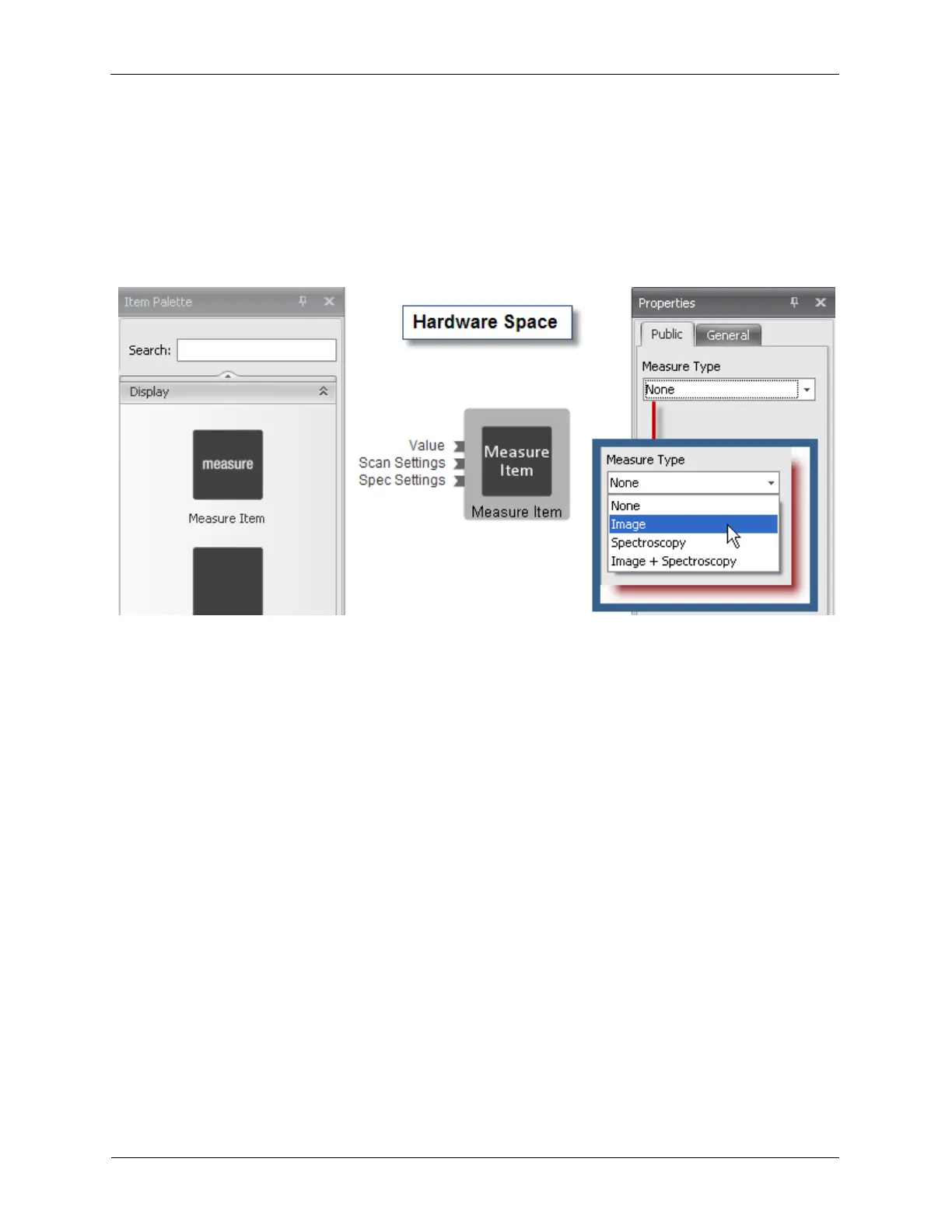
Space starts data flowing from that channel to the PC. The Measure Item icon is located in the Display
drawer of the Item Palette. Although only one Measure Item is shown in the Item Palette, many copies
can be moved from the Display drawer onto Hardware Space.
Figure B.37. Measure Item
In addition to the Value pin, the Measure Item has three additional input pins. These pins are connected
to various firmware components in Hardware Space to synchronize the data coming in from the
connected channels.
The Scan Settings input is used to synchronize the incoming data with position of the probe to allow a
2D image to be created.
The Spectroscopy Settings input is used to synchronize the incoming data with the with the parameters
that are being ramped during spectroscopic measurements.
The Measure Item has a single dropdown box in its Property Panel. This parameter specifies during
what part of the experiment that the data should be available for viewing and saving. The choices are:
• None: The data on this channel will be available for viewing on the Oscilloscope and Spectrum
Analyzer only, but will not be saved. This channel will not be available for viewing in the topographic or
spectroscopy display windows.
• Image: The data on this channel will be available for viewing only in the topographic views. This data
will not be acquired during spectroscopic measurements. The Z signal is frequently set to Image as it is
constant during certain spectroscopic measurements and is not required to be saved.
• Spectroscopy: The data on this channel is not acquired during the topographic portions of the
experiment and will only be available for viewing during spectroscopic measurements. It will not be
available for viewing in a 2D image window.
• Image + Spectroscopy: The data on this channel will be acquired during both the imaging and
spectroscopy portions of an experiment. It will also be available for viewing in both the topographic and
spectroscopy display windows.



 To Next Page