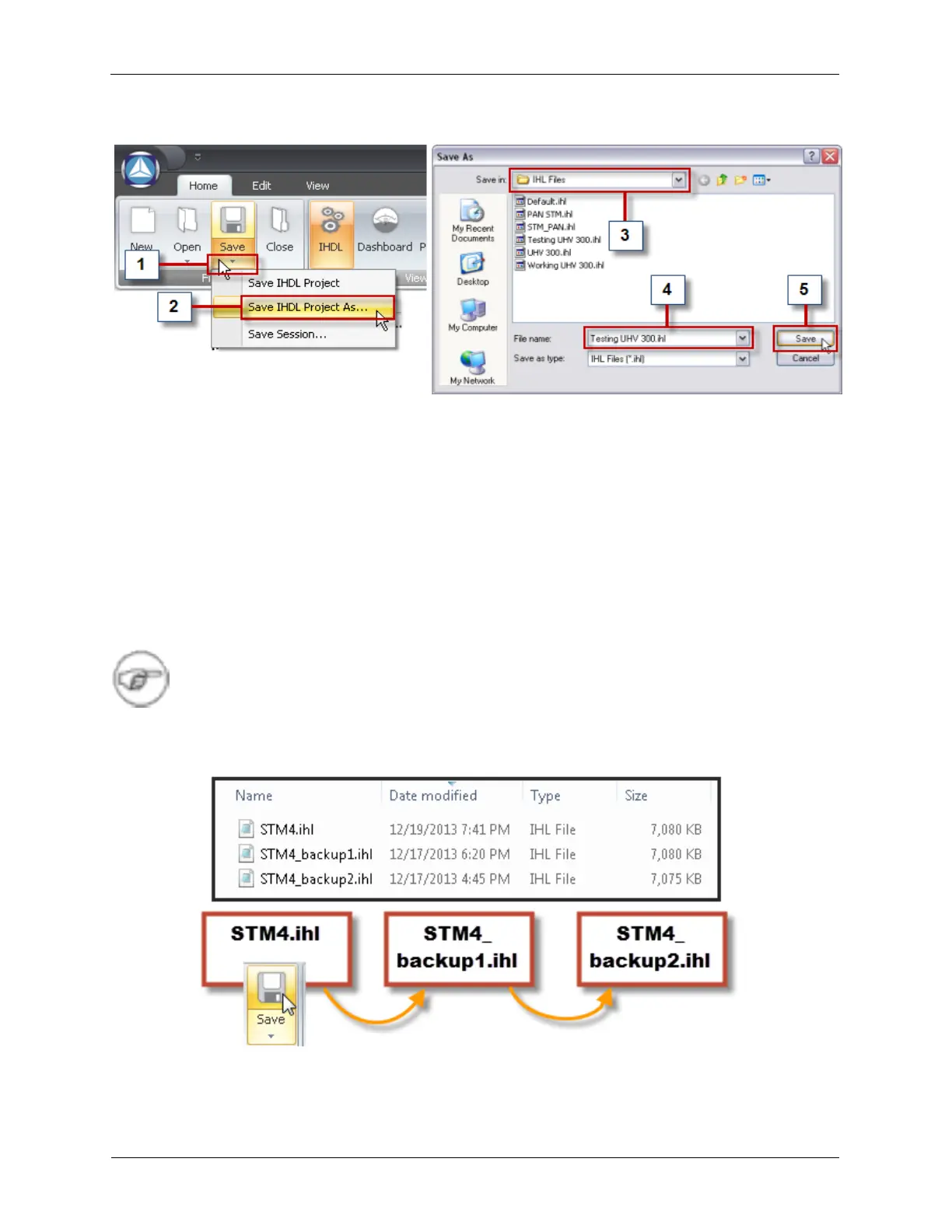
Figure 1.10. Save the IHDL with a New Name
A preconfigured .ihl file will be saved as a new file to be used for Offline Testing. For this example, with
UHV 300.ihl already opened:
1. Click the Save Arrow below the Save icon
2. Click Save IHDL Project As...
3. Browse to the folder C:\Program Files\RHK Technology\Rev 9\IHL Files\
4. Type Testing UHV 300.ihl as the name
5. Press Save
Note
IHDL Files will be backed up automatically when the Save button is pressed. Up to two backup
files will be kept for each IHDL file.
Figure 1.11. Auto-backup IHDL Files



 To Next Page