Details on Procedure Space Constructions
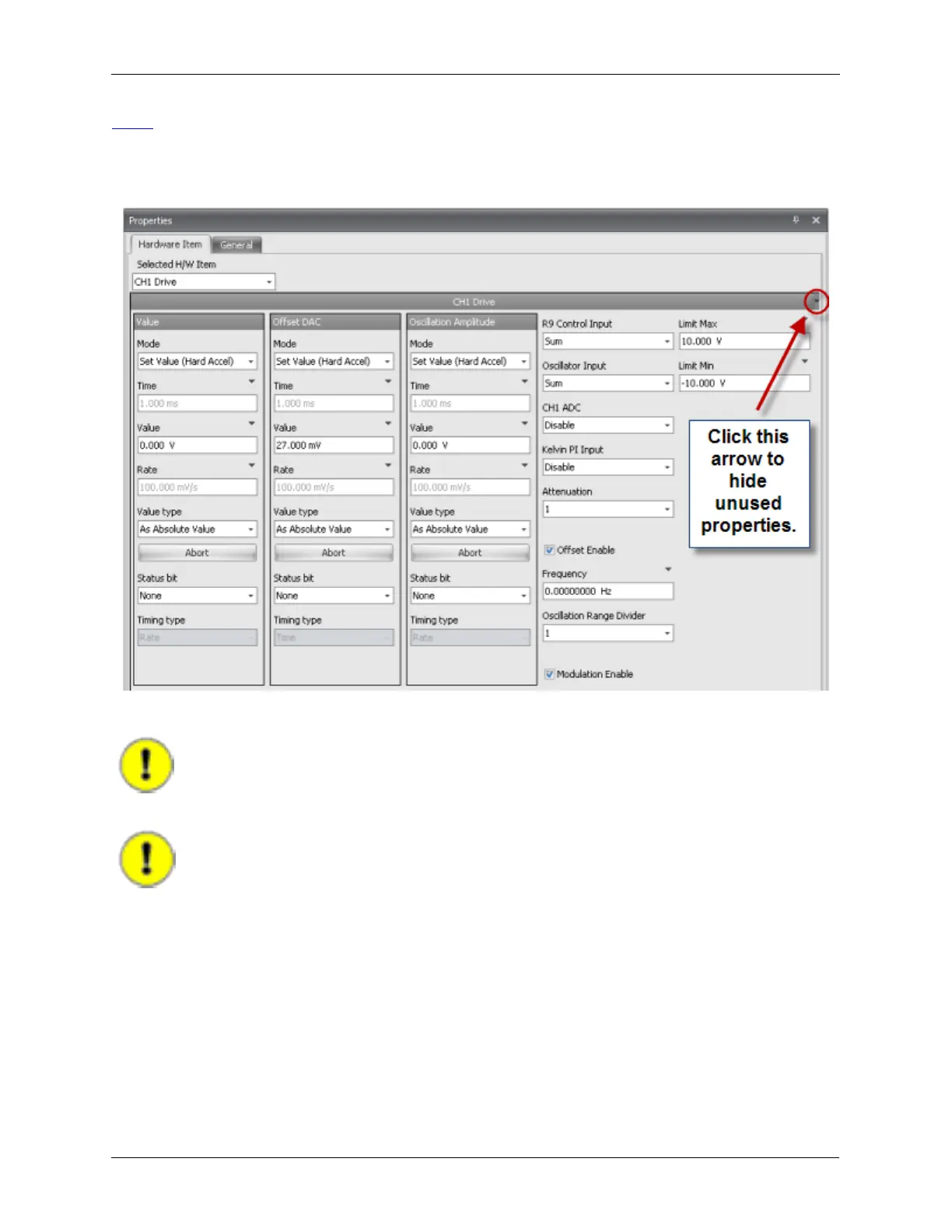
Drive”. The layout of the parameter panels may not look exactly like this example. Also, some of the
infrequently used parameters may have been turned off. This is not a problem and does not effect the
way in which the parameters are used
Figure J.9. Pulse Tip - CH1 Drive Properties
For this example, only the value of the Bias will be changed.
Important
When a procedure is run, only the parameters that are exposed, or shown, will be
sent to the controller, so the parameters that will not be changed must be hidden.
Important
Problems can occur if this rule is not followed!
To select which parameters should be exposed or hidden, press the arrow in the top right corner as
shown in the figure above. A drop down list of all parameters will be displayed. Individual items can be
hidden or exposed by clicking on their name. The parameters with the check in front of them will be
exposed. As only the Value of Channel 1 Drive will be changed in this procedure, click on Clear All to
uncheck all items. Then click on Value. Click outside of the box to close the menu. The Properties box will
now look like the figure below.



 To Next Page