Details on Procedure Space Constructions
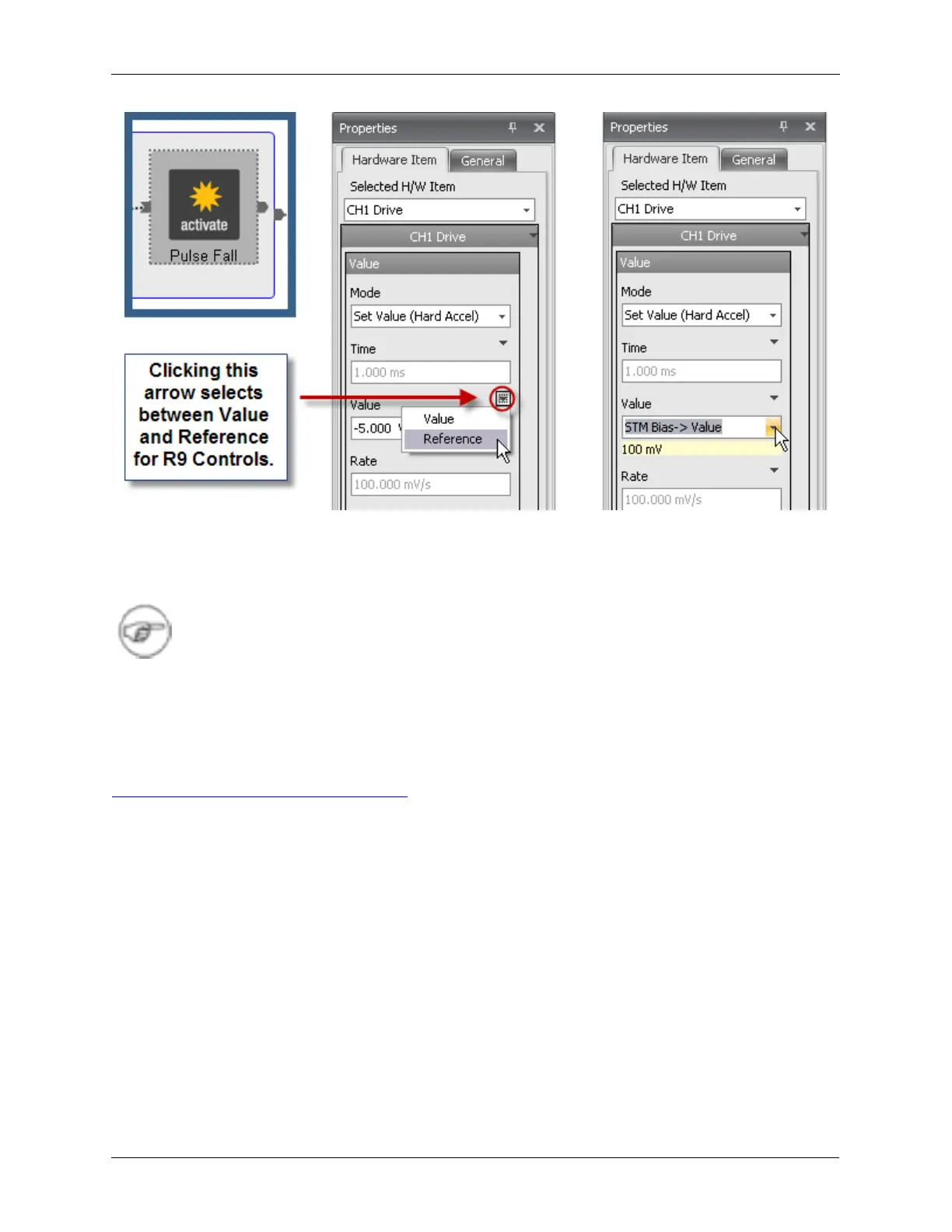
From the dropdown Value box, scroll down and select STM Bias > Value. This will return the bias voltage
to the value that was selected in the Dashboard. The current value of that parameter will be displayed to
help you make sure that the correct parameter was referenced.
Note
All of the parameters that can be selected in the Reference dropdown boxes are values
that are entered into the Dashboard data entry boxes or can be derived from the
Navigation window, such as the position of the mouse on the screen, or the location of the
probe over the sample.
J.7. Naming a Procedure
To name the procedure, click on the background of the procedure and the Properties panel as shown in
Figure J.15, “Pulse Tip - Setting a Name” will be displayed. Enter the desired name in the Procedure
Name data entry box. Enter the Procedure Type in the dropdown box. The procedure type is used to
sort the procedures into similar categories. There are several predefined categories. Pressing the +
button next to the Procedure Type will allow new categories of procedures to be created. Some of the
Procedure Types have specific functions and should not be used by procedures not designed for that
purpose.
The pre-defined categories are:
• Approach: Procedures that control the tip coarse and fine approach and coarse lateral motion for
microscopes with that capability.
• Bias Control: Procedures that control how the STM bias polarity is changed to prevent a tip crash.
Only change this procedure, or add a new procedure in this category, with extreme care.
• General: Any procedure can be added to this category.
• Image+Spec: Procedures that allows both topographic and spectroscopic data to be simultaneously
acquired.
• Miscellaneous: Any procedure can be added to this category.
• Move Tip: Procedures that are run to move the probe to a position when the mouse is clicked on the
image in the Scan Area Window.



 To Next Page