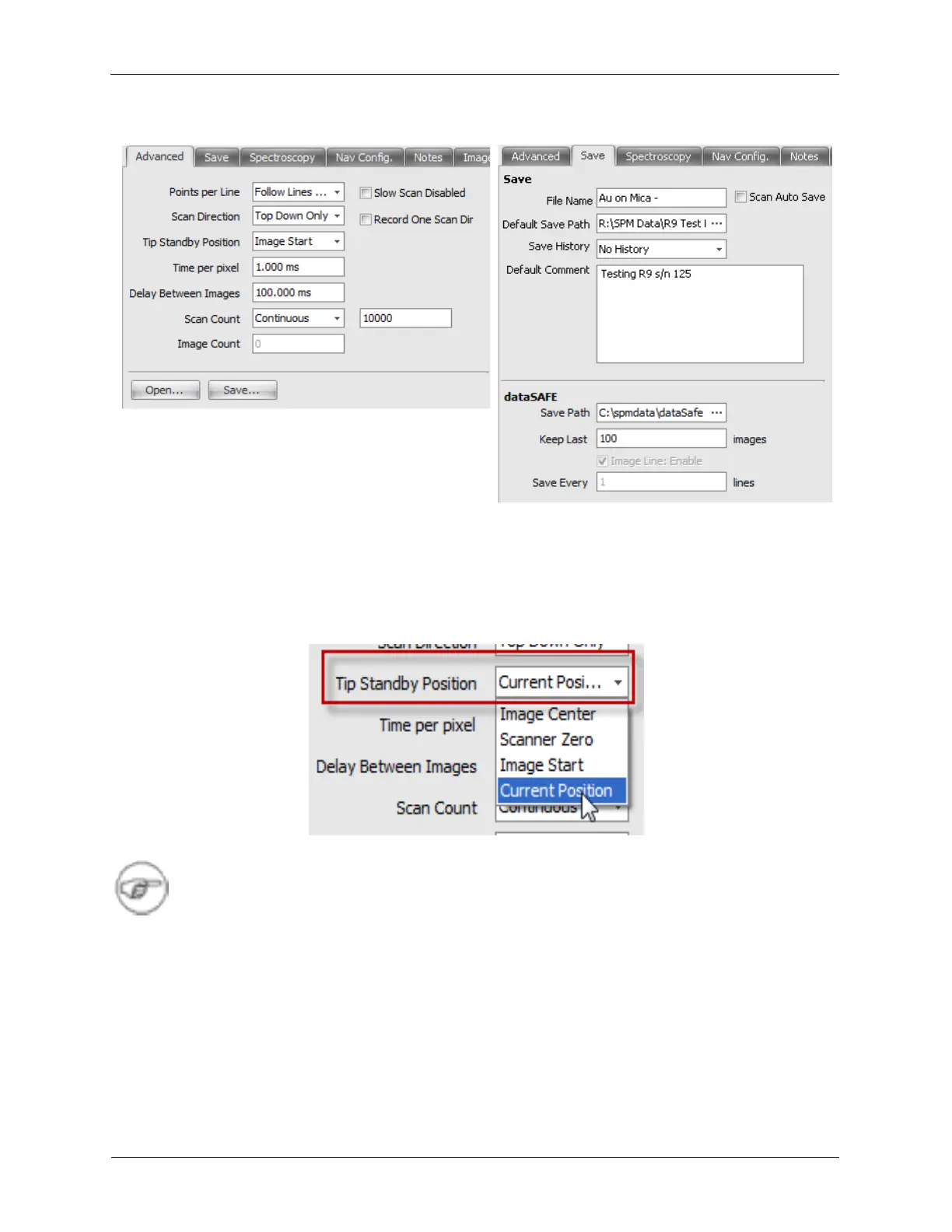
Figure 4.3. Scan Area Window - Advanced, Save
A new Tip Standby location has been added to the Image acquisition procedures to leave the tip at the
Current Position. Select the Advanced tab of the Scan Area Window and set the Tip Standby Position
to Current Position. The Scan procedures will leave the tip at the current position if the procedures are
manually stopped.
Figure 4.4. Scan Area Window – Tip Standby Position
Note
The Procedures must have the Tip Standby - Current Location condition implemented for this
mode to have an effect. The updated Procedures that were included in this upgrade package
will already have this change implemented.
7. Nav Config., Image Settings: Check that the Navigation Configuration and Image Settings match the
following figure.



 To Next Page