Details on an IHL File's Constructions
I.16. ‘Yes/No’ Message Box
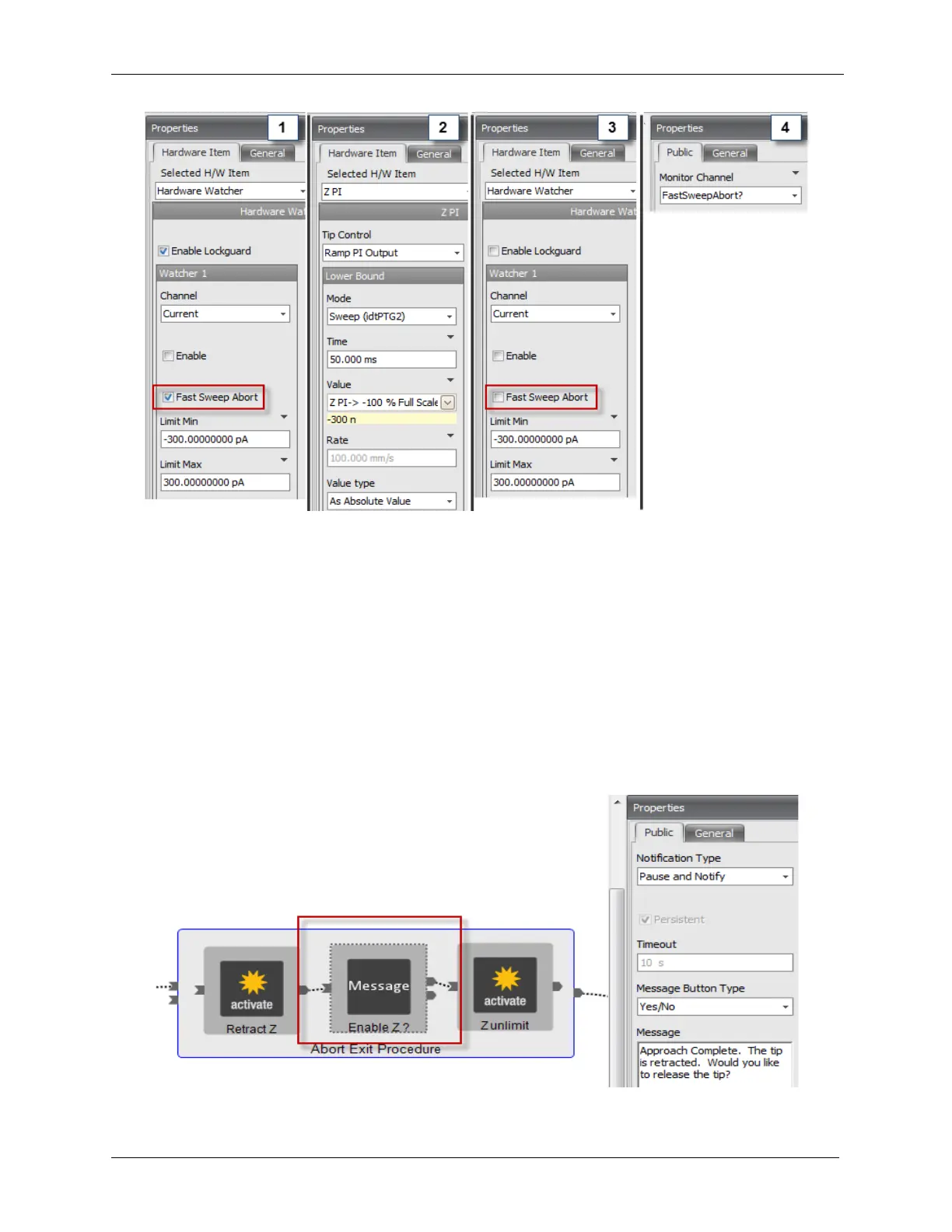
The Yes/No Message Box allows the user to make a real-time decision that affects the outcome of the
procedure. For example, after the probe has approached the sample, it could be retracted. Then, the
procedure could ask the user if feedback should be enabled.
The Yes/No Message Box uses the existing Message procedure item. The procedure will follow the
procedure flow from the top pin when Yes is pressed in the Message Box. The procedure will flow from
the bottom pin when No is pressed in the Message Box. This feature is especially important if you want
to tweak the Gain (Integral and Proportional) values after completing the approach.
Below is an example of the new Yes/No Message Box.
Figure I.7. 'Yes/No' Message Box



 To Next Page