Chapter 5. Display and Analyze your
Image
5.1 Browser
SPM images are not simply colored pictures. Instead, their true nature consists of a 3 dimensional array
of numbers that represent height, Current, and other physical properties measured during the scan. Data
needs to be processed and a color table needs to be assigned before the image can be displayed. The
R9 Software's Browser module allows the user to display, flatten, filter, and remove noise from the saved
images before exporting to different file formats.
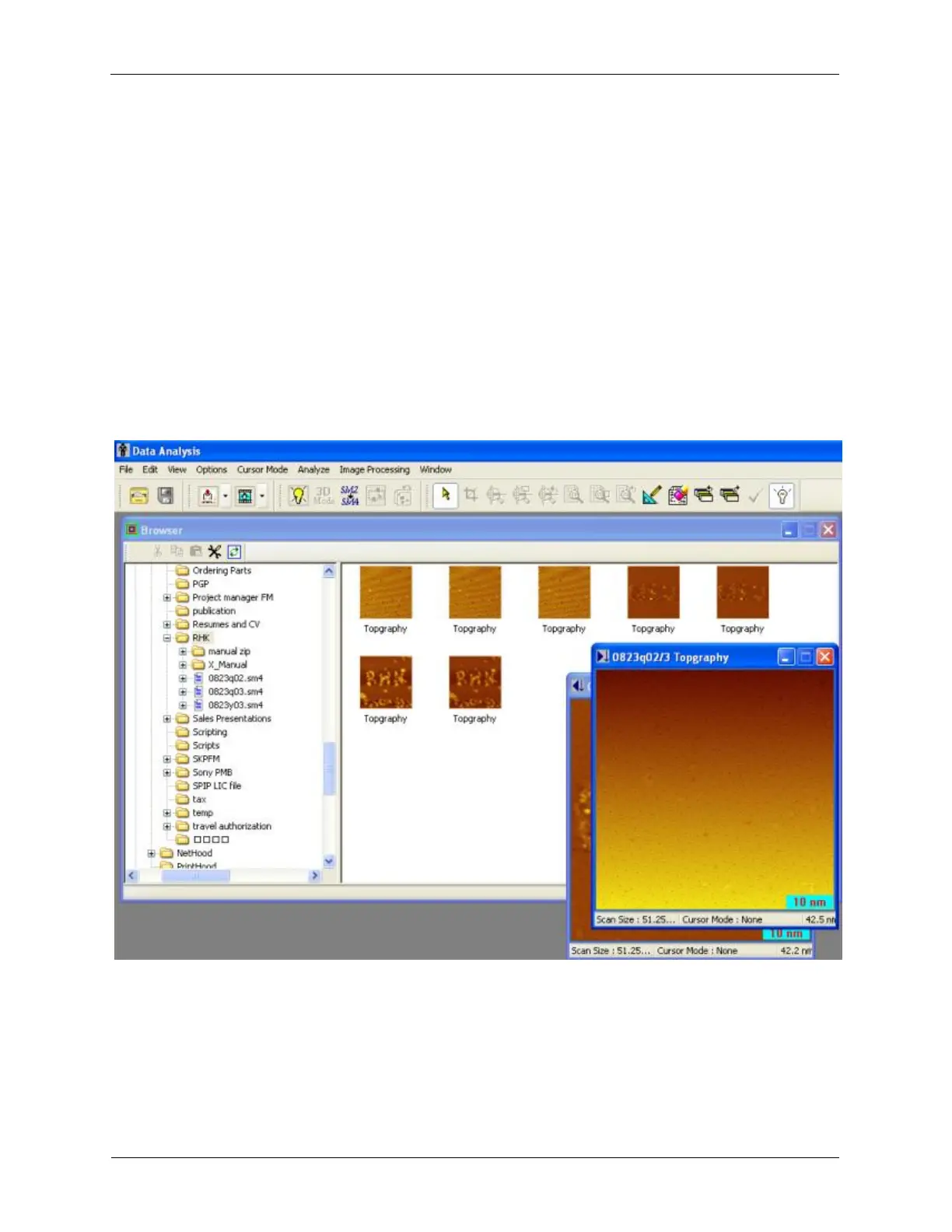
Figure 5.1. File Explorer View
The Data Analysis Browser is launched by clicking the Browser icon on the R9 Software's Toolbar. The
User Interface of the Data Analysis Browser is icon driven, intuitive, and easy to use. This software
accepts the RHK SM4 data files. The software will automatically create SM4 data files when a folder
containing SM3 data file Older SM2 data files can be converted using the tool provided on the toolbar
called SM2->SM4 before opening. When the Open File Browser icon is clicked, an Image and Data
Explorer is opened so the user can locate the specific folder where data is stored. The images and other
data are automatically displayed in the right pane of the Browser as Thumbnail Previews. Double-
clicking one or more of these Thumbnails allow users to open the files.



 To Next Page