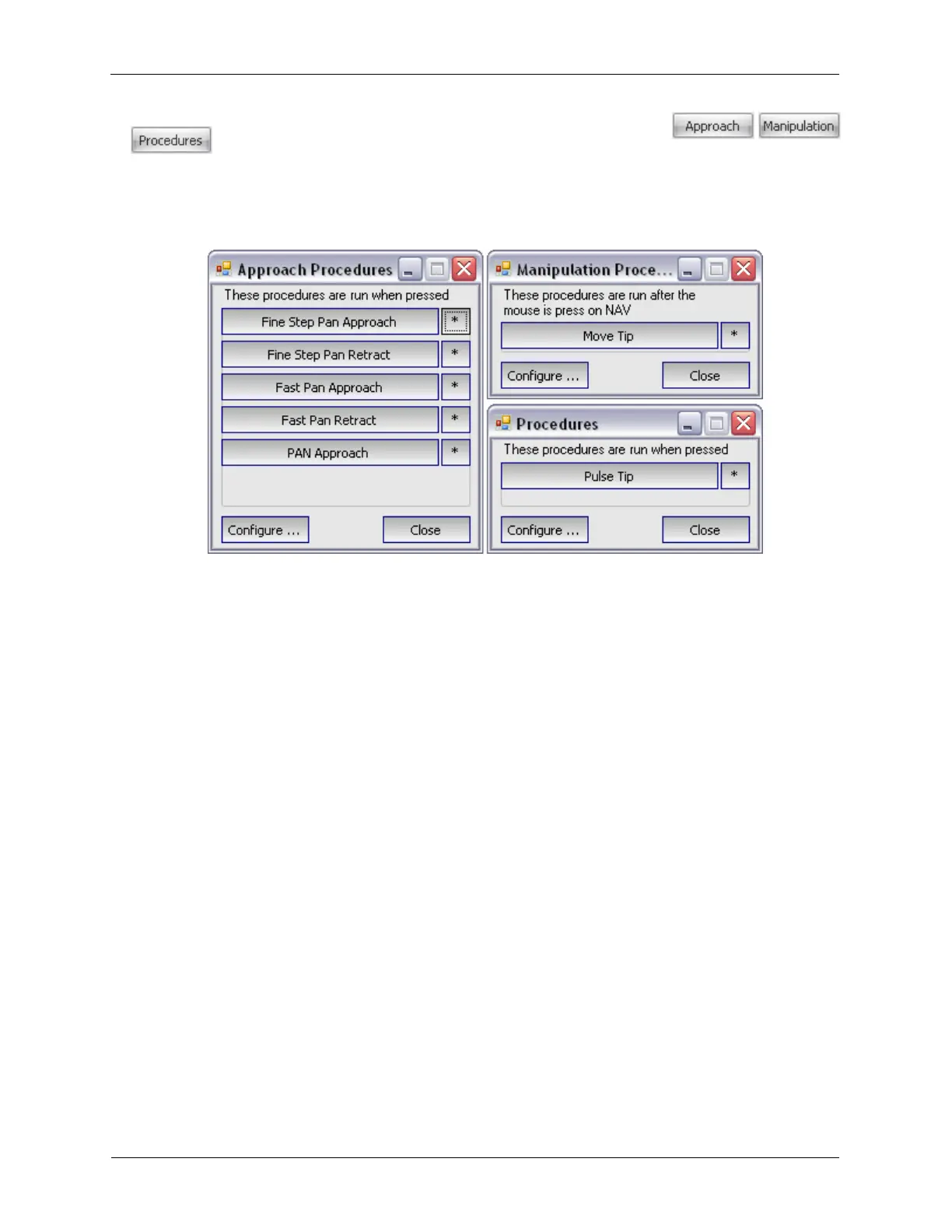
6. Procedure Panel Launch Buttons: The Procedure Panel Launch Buttons
are used to open the different Procedure Panels. The Procedure Panels are where various
types of Procedures can be Started and Stopped. The Procedures can also quickly be opened in either
Hardware Space or Procedure Space to change parameters or modify the Procedure sequence.
Figure K.3. Procedure Panels
a. Procedure Panel Types: Procedures are given a Procedure Type when they are created to help
organize them into groups. The Approach Procedures Panel can hold Procedures related to
Coarse and Fine motion. The Manipulation Procedures Panel can hold a wide variety of
Procedures that require the user to click the mouse inside the Scan Area Window Display to specify
the location where the Procedure should be run. The Procedures Panel can hold Procedures that
run immediately when the button is pressed.
b. Configuring Procedure Panels: The buttons that appear on the Procedure Panels are
configurable. Press the Configure... button on a Procedure Panel to open the Select Procedures
Form. The Available Procedures will show the different Procedure Types that can be placed on the
selected Procedure Panel.



 To Next Page