Acquire Spectroscopy Data
3. Inter-Spectra Acquisition settings.
This group of settings deals with the details of what goes on between taking spectra. During this period
the feedback loop is generally engaged again to bring the probe position back to the place it was in
when the measurement began. These settings let you take into consideration various slow changes
that might have been taking place during the spectra acquisition. (Again, here R9 gives you the ability
by consulting History to check the magnitude of these effects in the situation where the data look
unusual.)
The check box Stabilize Between Spectra allows you to choose if you want to wait a specified time
after re-engaging the feedback loop between each spectrum to be sure that the probe Z position is
back to where it started before repeating the spectroscopic measurement.
If you select Stabilize Between Spectra, then you must decide how long to wait and enter this value in
the Stabilization Delay edit box.
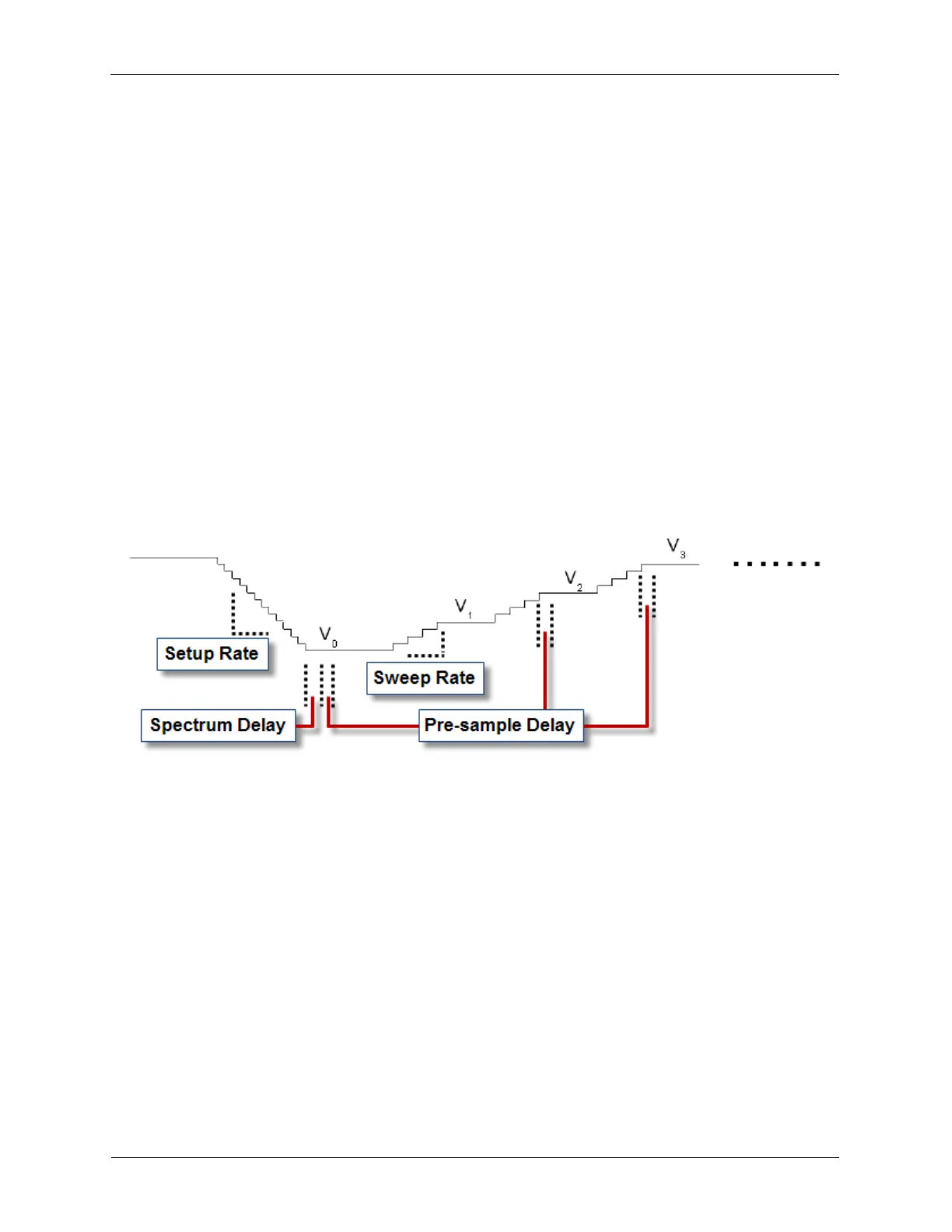
The final setting in this group is the Pre-Spectrum Delay. The value entered in this edit box is the time
you want to wait after opening the feedback loop and sweeping to the Initial Value of the independent
parameter. Generally, this delay will be proportionally longer than the Pre-sample Delay since the
change in the independent parameter is greater going from the Initial Value to the Final Value than
the change in parameter specified by the Output Increment value.
Figure 6.4. Graphical Representation of Ramp Spectroscopy Timings
6.2 Starting an IV Spectroscopy Procedure
The preconfigured STM ihl's spectroscopy procedures can be initiated from the Dashboard Scan Area
Window, or by opening the desired procedure in the IHDL view and using the Start button. For the
preconfigured STM ihl's we will use the Scan Area Window method for starting spectroscopy
procedures.
Open up the Dashboard view of your preconfigured STM ihl file. Your monitor will display something
similar to the figure below.



 To Next Page