Strasbaugh nTellect (Model 7AF) Wafer Grinder
8 - 30 Version 1.2 - June 2004
CHECK FOR OBSTRUCTIONS AND DISPLAY THE HOME MACHINE MENU
Operator Action Explanation/Screen Display
1. Clear machine. Verify that the machine has been cleared of
wafers and the robot, pre-aligner, fine z-axis,
coarse z-axis, and bridge are free of
obstructions.
2. Home Machine At the Main Menu, touch the "Home Machine"
button to select the Home Machine menu.
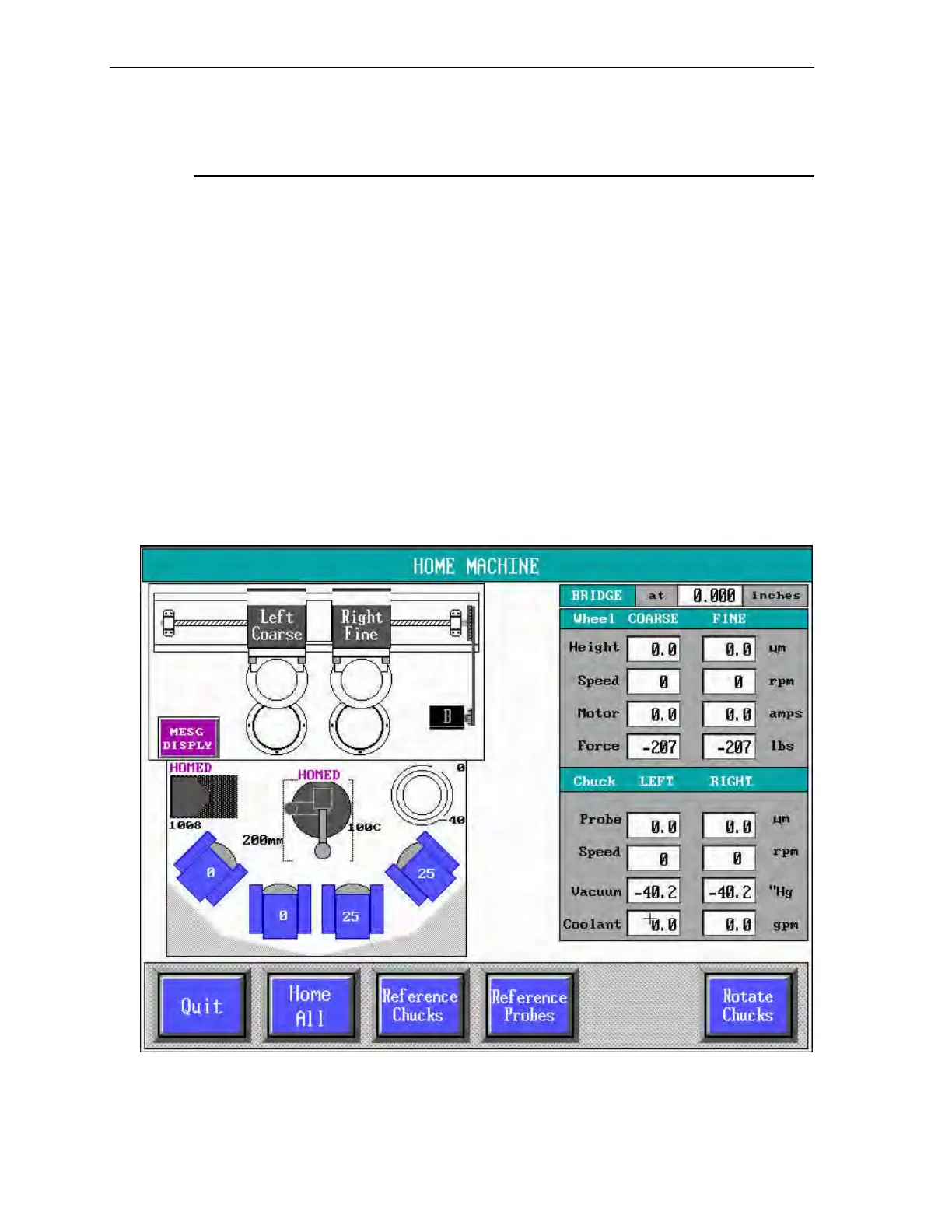
The screen displays the Home Machine menu,
shown below.
Note that a "Fault Left Probe" error message displays when the machine
has not yet been homed.
Figure 8-7 Home Machine Menu
The images (icons) displayed on the Home Machine menu represent the machine
subassemblies requiring homing.



 To Next Page