A
B
C
D
E
F
G
H
L
M
N
P
Uso e manutenzione
Use and Maintenance operations
sezione / section
D 5
57 749/749 DARK/749S Aggiornamento/Update - M.Y. 2006 - edizione/edition 00
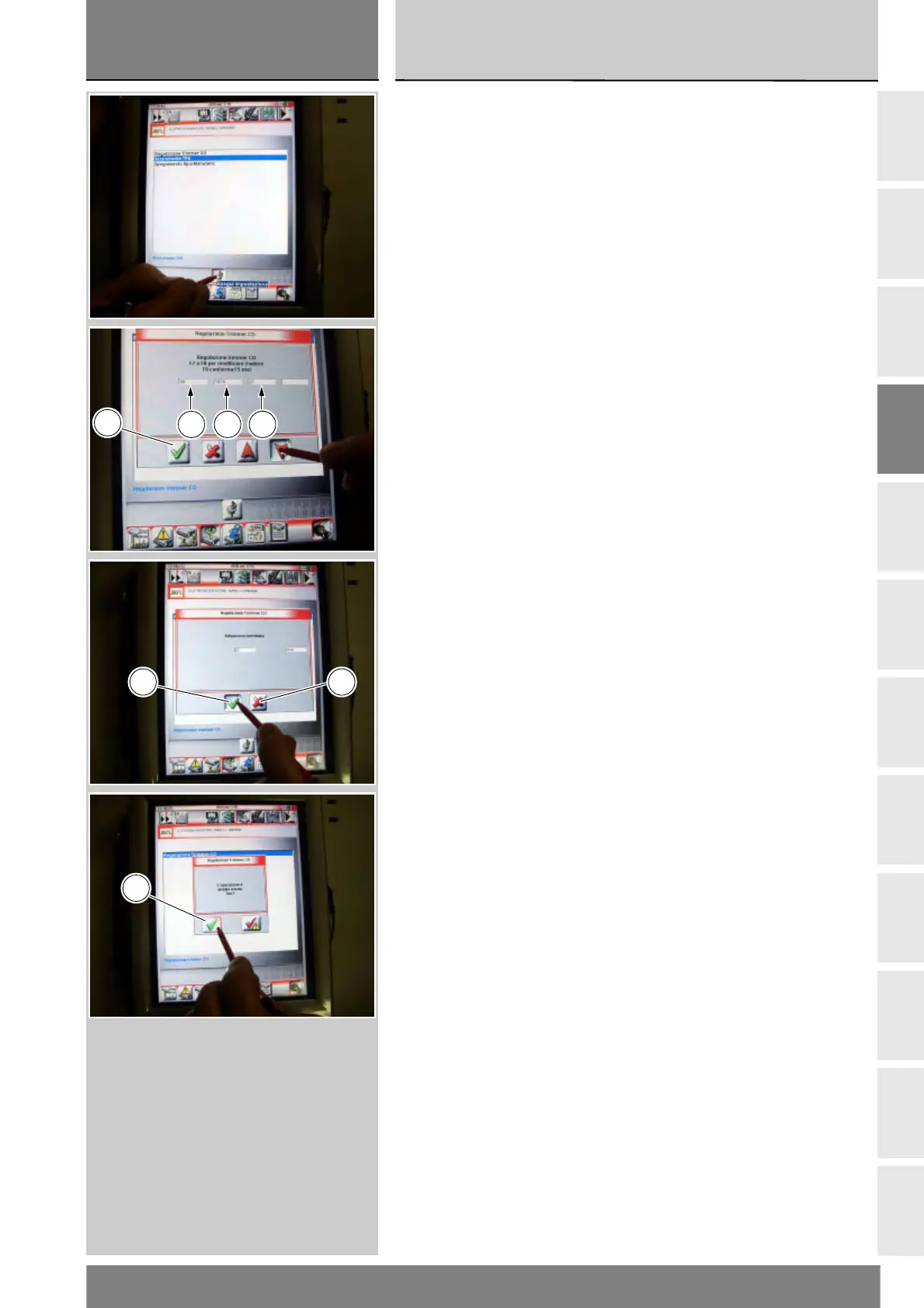
Selezionare l'opzione “Regolazione
Trimmer CO”, portare la farfalla in
posizione di minimo, e premere
l'icona “Esegui impostazione”.
Sul display compaiono i valori di
temperatura motore (G), i giri
motore (H), ed il valore di CO (L) da
impostare: premendo le frecce
rosse si aumenta o si diminuisce il
valore di CO (L).
Quando si ottiene un valore di CO
adeguato confermare premendo
l'icona “Conferma” (M).
Se l'operazione è stata effettuata,
compare il messaggio “L'operazione
è andata a buon fine?” e premere
l'icona “Conferma” (M).
Nel caso si presenti dei problemi
all'effettuazione dell'operazione,
compariranno i relativi messaggi
indicanti gli errori verificatesi: ogni
messaggio deve essere confermato,
premendo l'icona “Conferma” (M),
oppure rifiutato, premendo l'icona
“Uscire” (N).
Select the option “CO Trimmer
Adjustment”; set the throttle to idling
posiiton and press the “Apply” icon.
The tester will display the engine
temperature (G), engine rpm (H),
and the CO value (L) press the red
arrows to increase or reduce the CO
value (L).
When you obtain a suitable CO value,
press the “Confirm” icon (M).
On completion of the operation, the
message “Was the operation was
completed successfully?” will
appear; press “Confirm” (D).
If any problems were encountered
during the operation, the tester will
display the relative error messages:
each message must be confirmed,
by pressing the “Confirm” icon (D),
or rejected (by pressing the “Exit”
icon (E).
G H L
M
M N
M











 To Next Page