A
B
C
D
E
F
G
H
L
M
N
P
Uso e manutenzione
Use and Maintenance operations
sezione / section
D 5
67 749/749 DARK/749S Aggiornamento/Update - M.Y. 2006 - edizione/edition 00
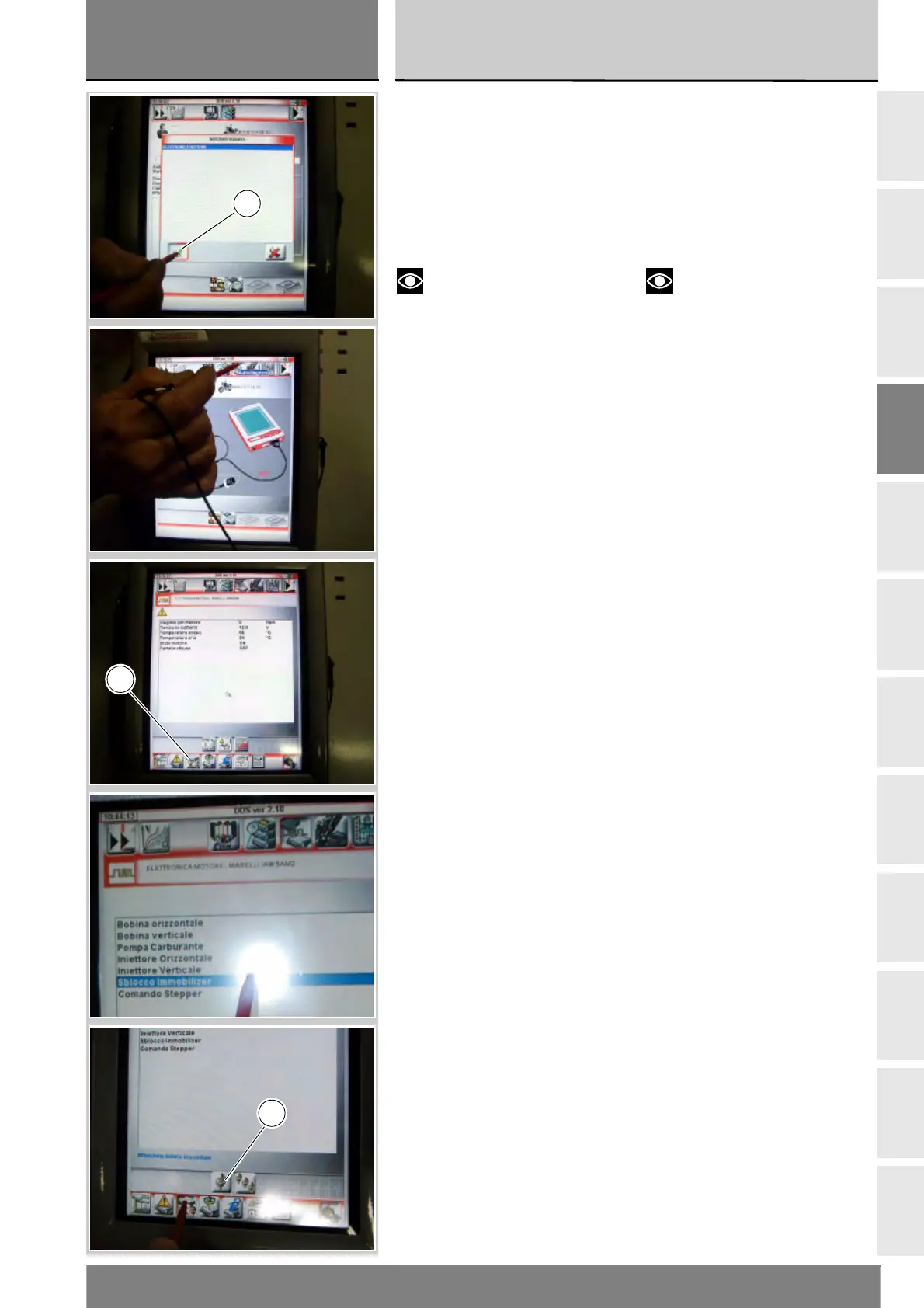
Selezionare l'opzione “Elettronica
motore”, confermare premendo
l'icona “Conferma” (B). Poi entrare
nella funzione Autodiagnosi,
premendo l'icona “Autodiagnosi”.
Lo strumento DDS interrogherà la
centralina e verranno visualizzati gli
elementi in esame e i relativi valori.
Note
Predisporre i collegamenti con
chiave sul quadro comandi del
motoveicolo in posizione OFF.
Premere l'icona “Attivazioni” (C)
per visualizzare gli attuatori e i
componenti collegati alla centralina.
Selezionare l'opzione “Sblocco
Immobilizer” e premere l'icona
“Esegui impostazione” (D).
Select the “Engine electronics” option
and press the “Confirm” icon (B).
Next, press the “Self-diagnosis” icon
to access the corresponding function.
The DDS tester will interrogate the
electronic control unit and display the
parameters analysed with their
relative values.
Notes
Make the connections with the
motorcycle ignition key in the OFF
position.
Press the “Actuators” icon (C) to
display the actuators and other
components connected to the ECU.
Select the option “Immobilizer Bypass”
and then press the icon “Apply”.
B
C
D











 To Next Page