Operation Manual – ACL
H3C S3100 Series Ethernet Switches Chapter 1 ACL Configuration
1-16
III. Configuration procedure
# Define a periodic time range that is active from 8:00 to 18:00 everyday.
<Sysname> system-view
[Sysname] time-range test 8:00 to 18:00 daily
# Define ACL 2000 to filter packets with the source IP address of 10.1.1.1.
[Sysname] acl number 2000
[Sysname-acl-basic-2000] rule 1 deny source 10.1.1.1 0 time-range test
[Sysname-acl-basic-2000] quit
# Apply ACL 2000 on Ethernet 1/0/1.
[Sysname] interface Ethernet1/0/1
[Sysname-Ethernet1/0/1] packet-filter inbound ip-group 2000
1.6.2 Advanced ACL Configuration Example
I. Network requirements
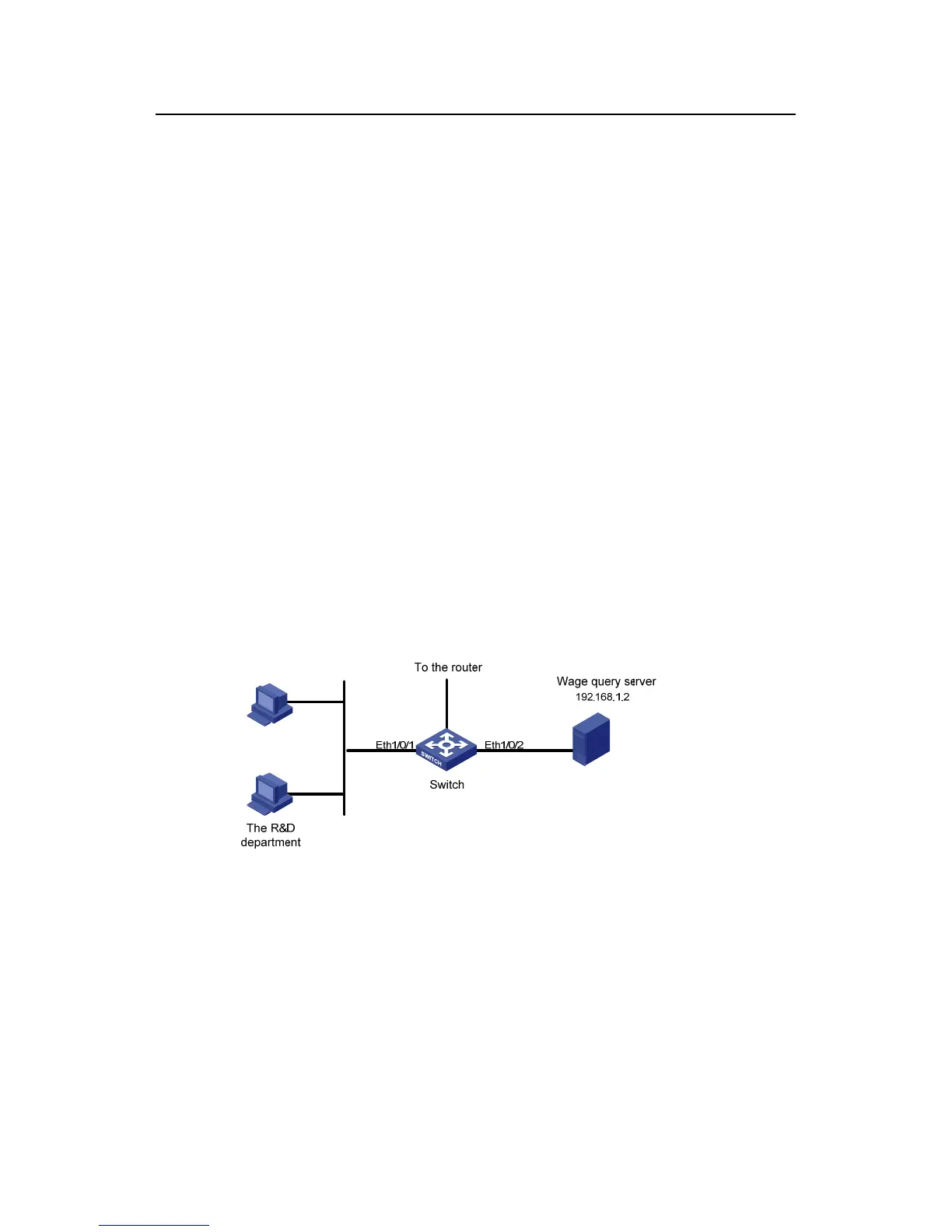
Different departments of an enterprise are interconnected through a switch. The IP
address of the wage query server is 192.168.1.2. The R&D department is connected to
Ethernet 1/0/1 of the switch. Apply an ACL to deny requests from the R&D department
and destined for the wage server during the working hours (8:00 to 18:00).
II. Network diagram
Figure 1-4 Network diagram for advanced ACL configuration
III. Configuration procedure
# Define a periodic time range that is active from 8:00 to 18:00 everyday.
<Sysname> system-view
[Sysname] time-range test 8:00 to 18:00 working-day
# Define ACL 3000 to filter packets destined for wage query server.
[Sysname] acl number 3000



 To Next Page
 Loading...






