Operation Manual – Mirroring
H3C S3100 Series Ethernet Switches Chapter 1 Mirroring Configuration
1-11
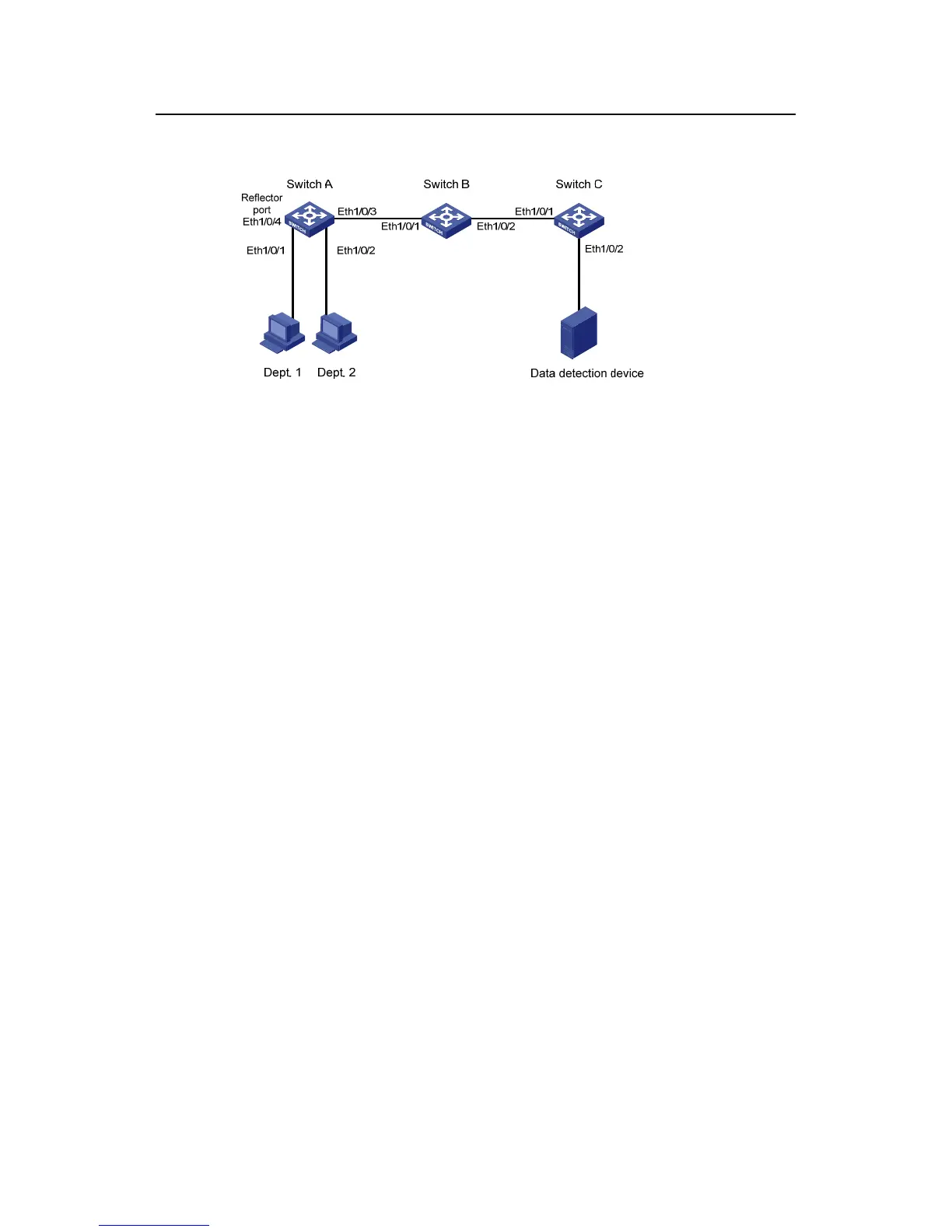
II. Network diagram
Figure 1-4 Network diagram for remote port mirroring
III. Configuration procedure
1) Configure the source switch (Switch A)
# Create remote source mirroring group 1.
<Sysname> system-view
[Sysname] mirroring-group 1 remote-source
# Configure VLAN 10 as the remote-probe VLAN.
[Sysname] vlan 10
[Sysname-vlan10] remote-probe vlan enable
[Sysname-vlan10] quit
# Configure the source ports, reflector port, and remote-probe VLAN for the remote
source mirroring group.
[Sysname] mirroring-group 1 mirroring-port Ethernet 1/0/1 Ethernet 1/0/2
inbound
[Sysname] mirroring-group 1 reflector-port Ethernet 1/0/4
[Sysname] mirroring-group 1 remote-probe vlan 10
# Configure Ethernet 1/0/3 as trunk port, allowing packets of VLAN 10 to pass.
[Sysname] interface Ethernet 1/0/3
[Sysname-Ethernet1/0/3] port link-type trunk
[Sysname-Ethernet1/0/3] port trunk permit vlan 10
[Sysname-Ethernet1/0/3] quit
# Display configuration information about remote source mirroring group 1.
[Sysname] display mirroring-group 1
mirroring-group 1:
type: remote-source
status: active
mirroring port:



 To Next Page
 Loading...






