Operation Manual – Login
H3C S3100 Series Ethernet Switches Chapter 3 Logging in through Telnet
3-15
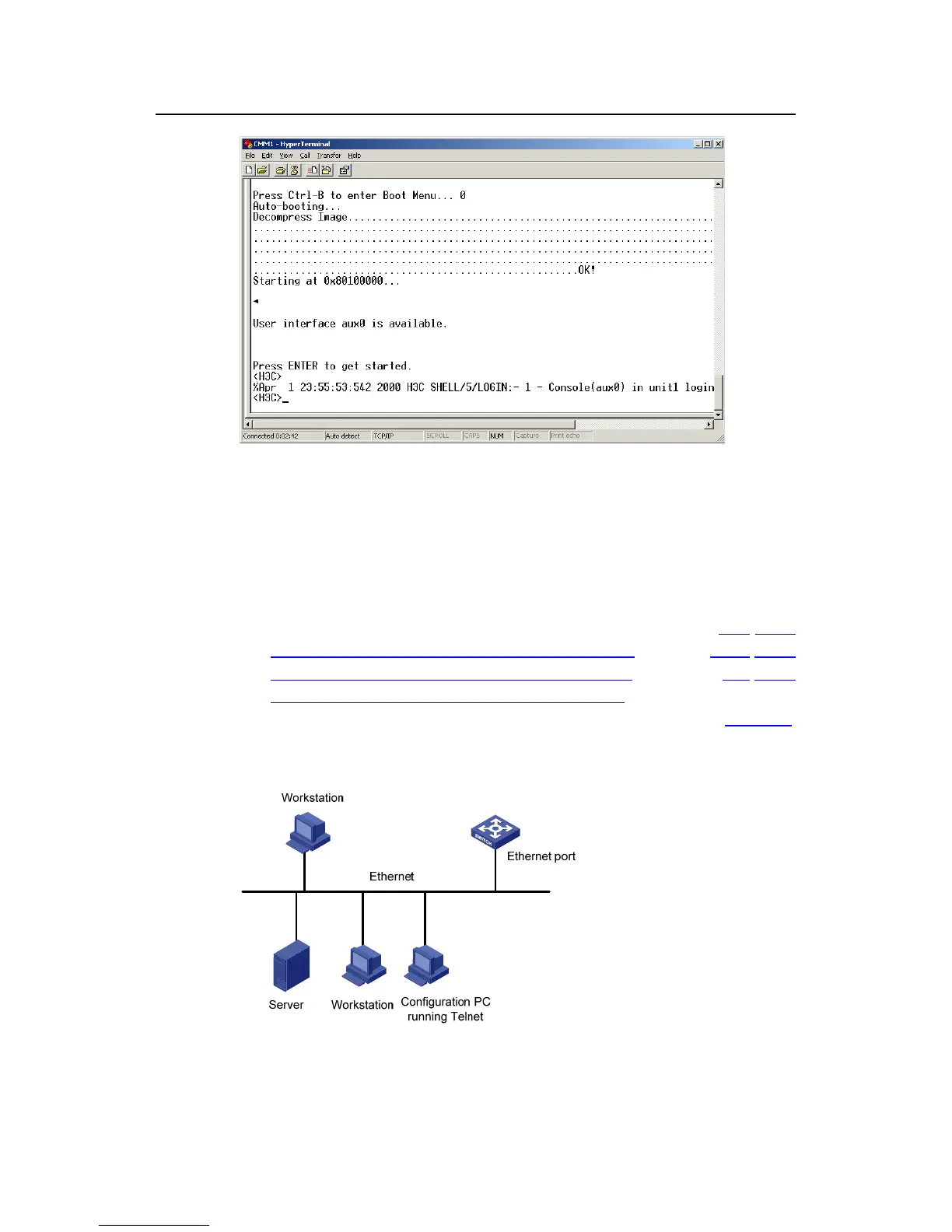
Figure 3-5 The terminal window
z Perform the following operations in the terminal window to assign IP address
202.38.160.92/24 to VLAN–interface 1 of the switch.
<Sysname> system-view
[Sysname] interface Vlan-interface 1
[Sysname-Vlan-interface1] ip address 202.38.160.92 255.255.255.0
2) Perform Telnet-related configuration on the switch. Refer to section 3.2 "Telnet
Configuration with Authentication Mode Being None
”, section 3.3 “Telnet
Configuration with Authentication Mode Being Password
”, and section 3.4 “Telnet
Configuration with Authentication Mode Being Scheme
” for more.
3) Connect your PC/terminal and the Switch to an Ethernet, as shown in
Figure 3-6.
Make sure the port through which the switch is connected to the Ethernet belongs
to VLAN 1 and the route between your PC and VLAN-interface 1 is reachable.
Figure 3-6 Network diagram for Telnet connection establishment



 To Next Page
 Loading...






