© 2018 MA Lighting Technology GmbH - Dachdeckerstr. 16 - 97297 Waldbüttelbrunn - Germany
Phone +49 5251 688865-27 - support@ma-dot2.com - www.malighting.com
6.1. Control Elements
After creating a new show or loading a show, you get into the default screen.
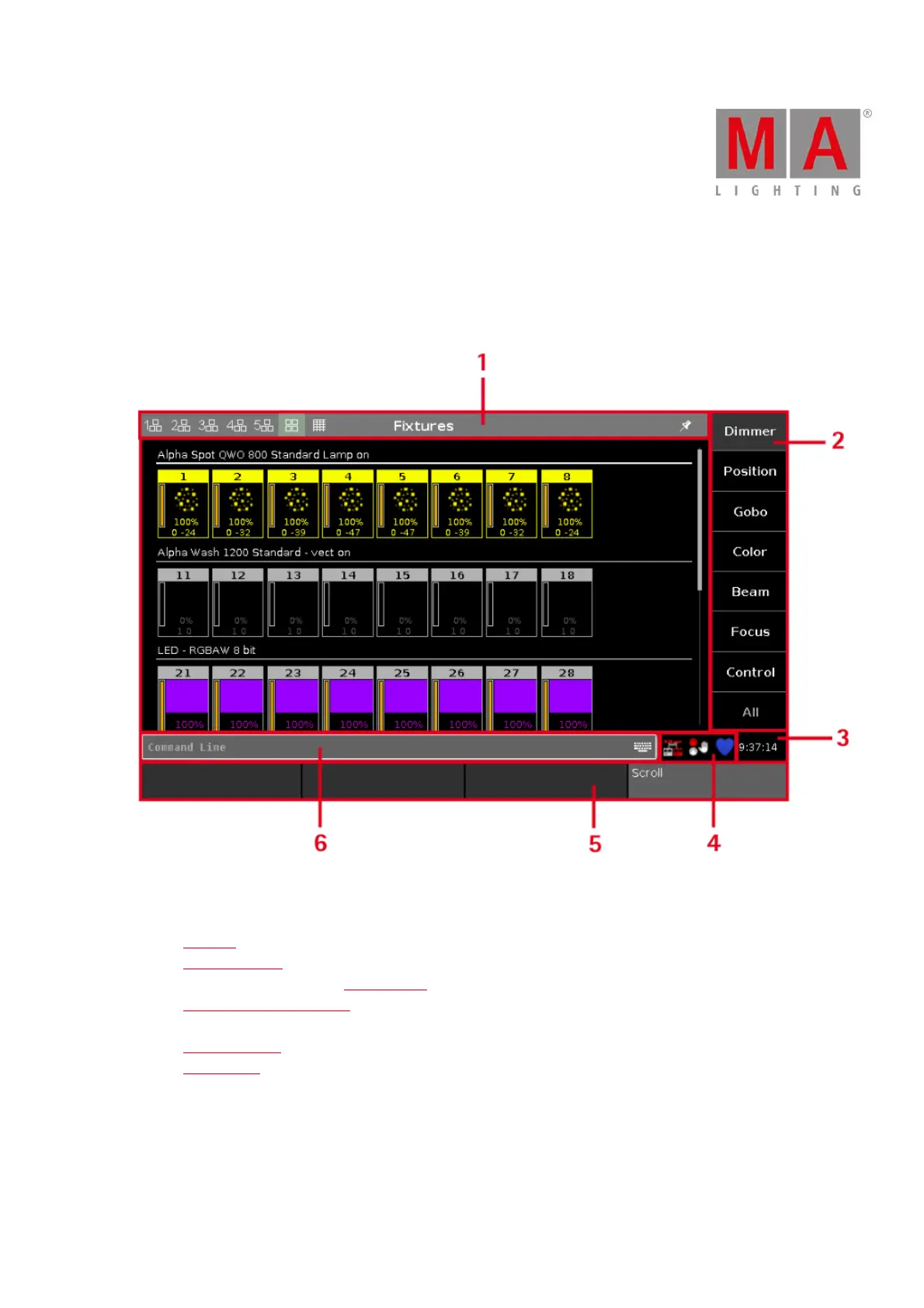
The default screen at screen 1 displays the fixtures view.
Figure 1: Screen 1
Screen 1 has the following subareas.
1. Title Bar with information in which view you are and different icons.
2. Preset Type Bar for the navigation between the preset types.
3. Clock shows the selected system clock time.
4. Status and Message Icons displays icons regarding status and messages of the console. To open the
status and messages view, tap on the icons.
5. Command Line shows you all the commands you entered into the console.
6. Encoder Bar with information about the function from the respective encoder.
Screen 2 and all further screens load the saved settings.



 To Next Page