© 2018 MA Lighting Technology GmbH - Dachdeckerstr. 16 - 97297 Waldbüttelbrunn - Germany
Phone +49 5251 688865-27 - support@ma-dot2.com - www.malighting.com
6.37. Leaving Patch & Fixture Schedule... Window
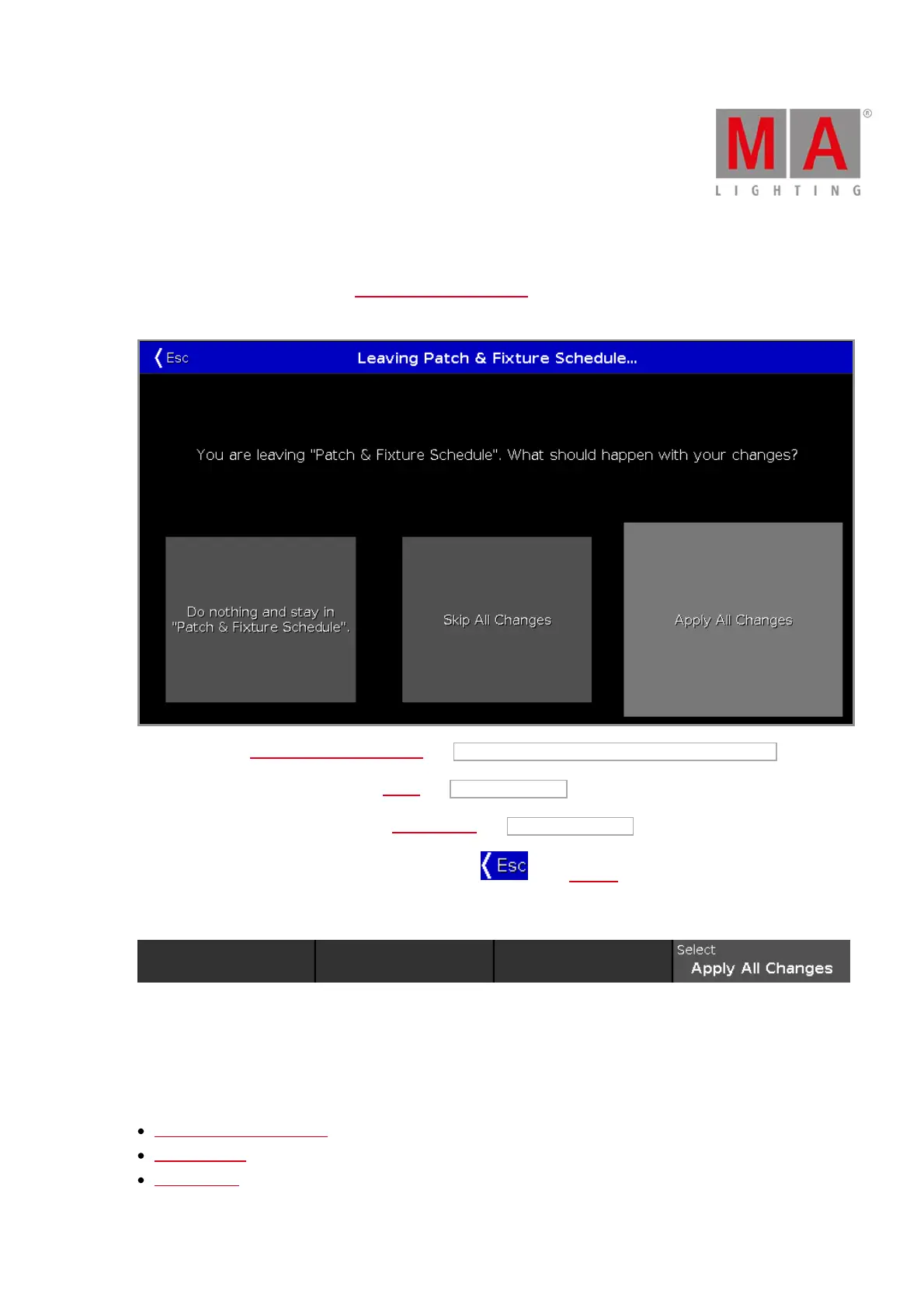
After you did some changes in the Patch and Fixture Schedule you come to the Leaving Patch & Fixture
Schedule... Window.
To go back to the Patch and Fixture Schedule, tap Do nothing and stay in "Patch & Fixture Schedule" .
To skip all changes and go back to the Setup, tap Skip All Changes .
To apply all changes and go back to the Fixtures View, tap Apply All Changes .
To leave the Leaving Patch & Fixture Schedule, tap Esc in the title bar.
Encoder Bar Functions
Select:
To select a function, turn the encoder left or right.
To confirm a selected function, press or tap the encoder.
Related Links
Patch and Fixture Schedule
Setup Window
Fixtures View



 To Next Page