© 2018 MA Lighting Technology GmbH - Dachdeckerstr. 16 - 97297 Waldbüttelbrunn - Germany
Phone +49 5251 688865-27 - support@ma-dot2.com - www.malighting.com
6.85. Wings Window
The Wings Window is located in the Setup, column DMX/Network, Wings/Nodes.
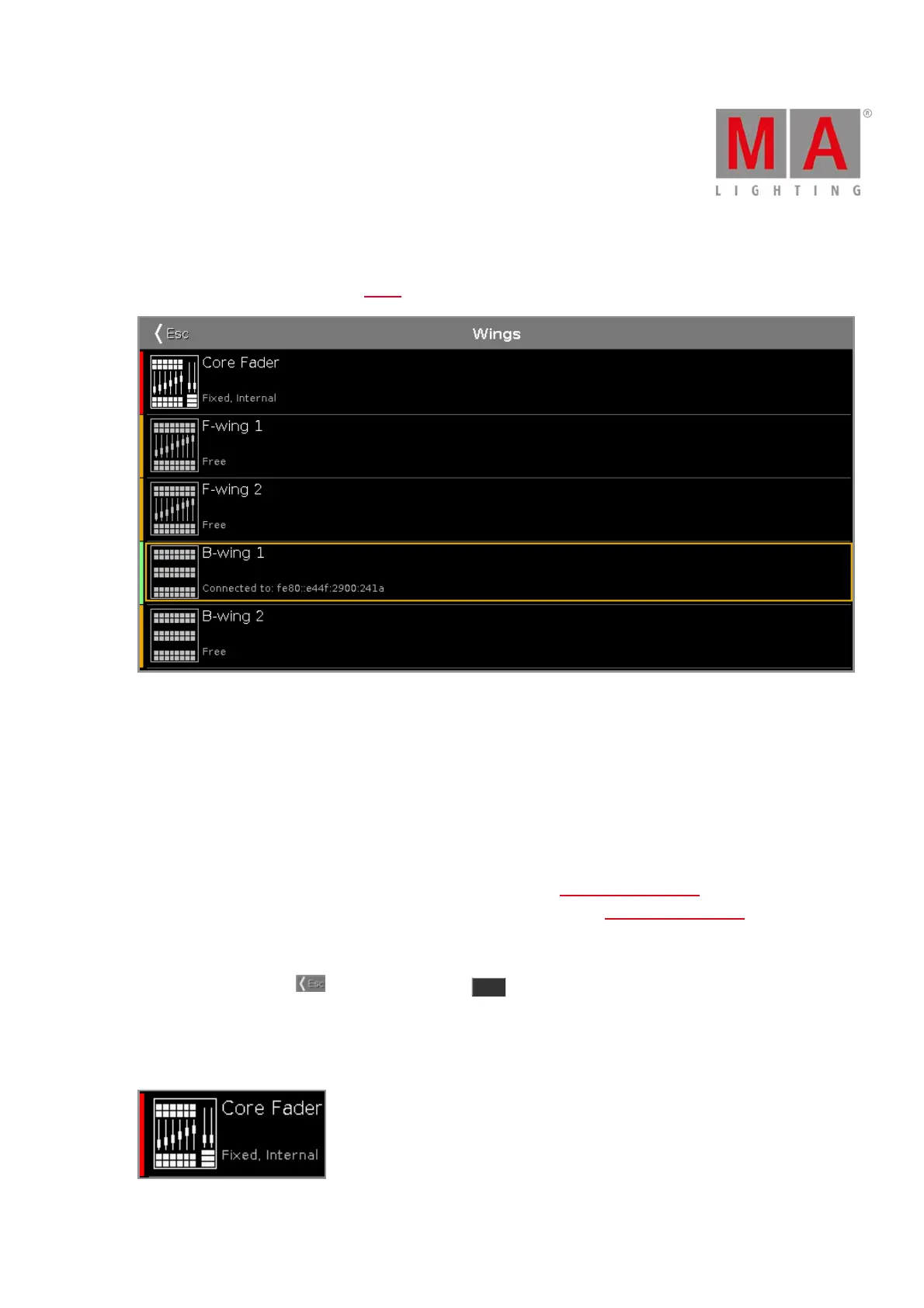
Figure: Wings Window
The Wings window is open.
This window displays all available wing slots.
Additional to the core fader, there are two F-wings and two B-wings possible, depending on the console.
The core fader is always fixed internal and displayed with a red status bar at the left side.
If you have a XL-F or XL-B console, this wing is also displayed as fixed internal with a red status bar at the left
side.
To assign an external wing, tap at the respective free wing slot. The configure slot window opens.
To remove an assigned wing, tap at the respective assigned wing slot. The configure slot window opens.
A selected slot has an orange frame around the cell.
To leave the window, tap in the title bar or press Esc on the console.
Status
A slot can have four different status:
Fixed Internal:



 To Next Page