© 2018 MA Lighting Technology GmbH - Dachdeckerstr. 16 - 97297 Waldbüttelbrunn - Germany
Phone +49 5251 688865-27 - support@ma-dot2.com - www.malighting.com
6.46. Network Setup Window
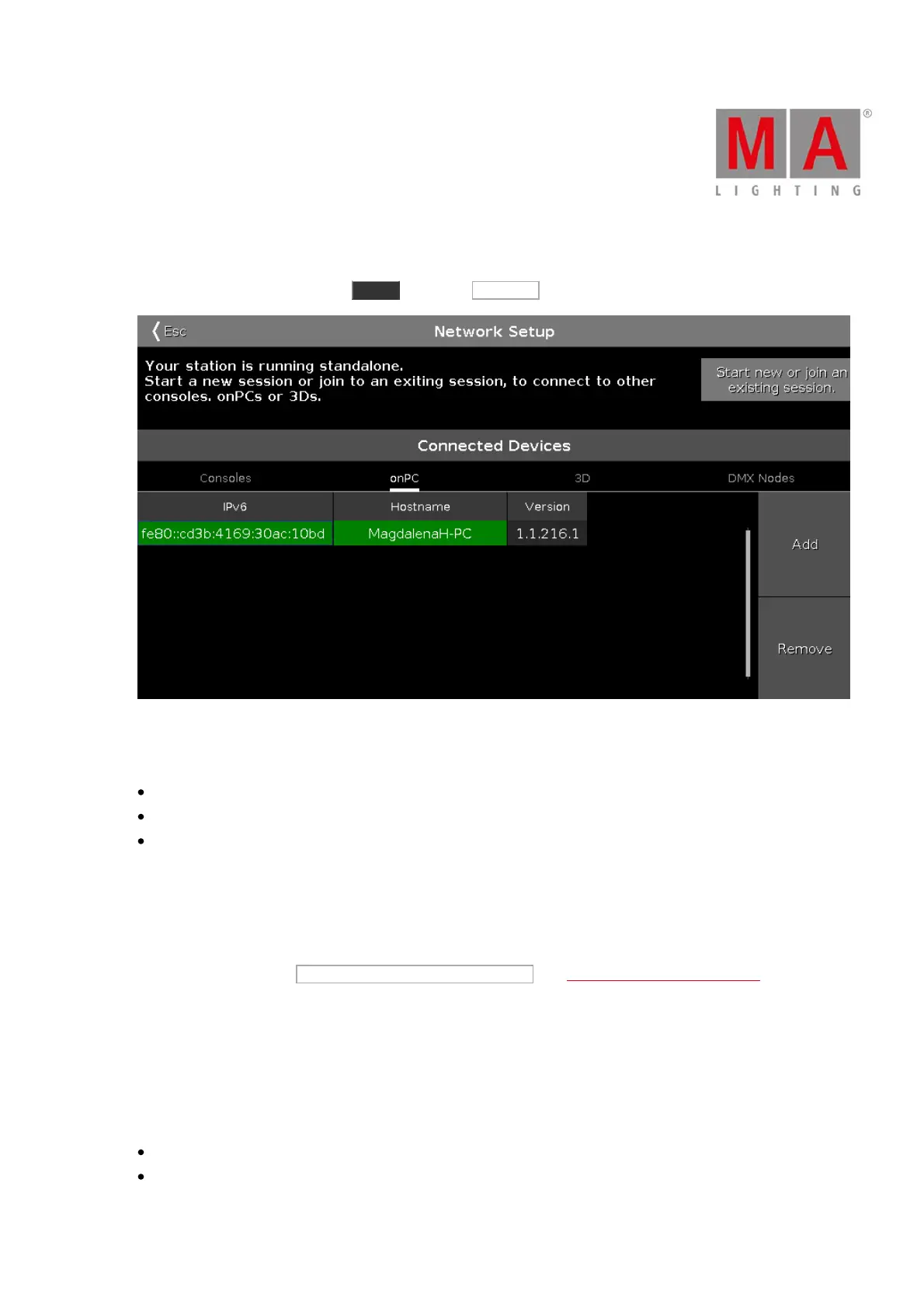
To go to the Network Setup, press Setup and tap at Sessions .
Figure 1: Network Setup Window
In this window, you can:
Start, join, stop, or leave a session
Add or remove devices into or from the session
Assign a different DMX out universe to the XLR connectors (tab consoles and DMX Nodes)
The session status is independent from the show file.
Below the title bar is the session status displayed.
By default, the console is standalone. To connect other devices to the console, you need to start a session first.
To start a session, tap at Start new or join an existing session . The select session number window opens.
If the console is in a session, the session number is displayed in the session status text.
Connected Devices Area
In the connected devices area are all connected and previous connected devices displayed.
The devices are organized in the tabs:
Consoles
OnPC



 To Next Page