© 2018 MA Lighting Technology GmbH - Dachdeckerstr. 16 - 97297 Waldbüttelbrunn - Germany
Phone +49 5251 688865-27 - support@ma-dot2.com - www.malighting.com
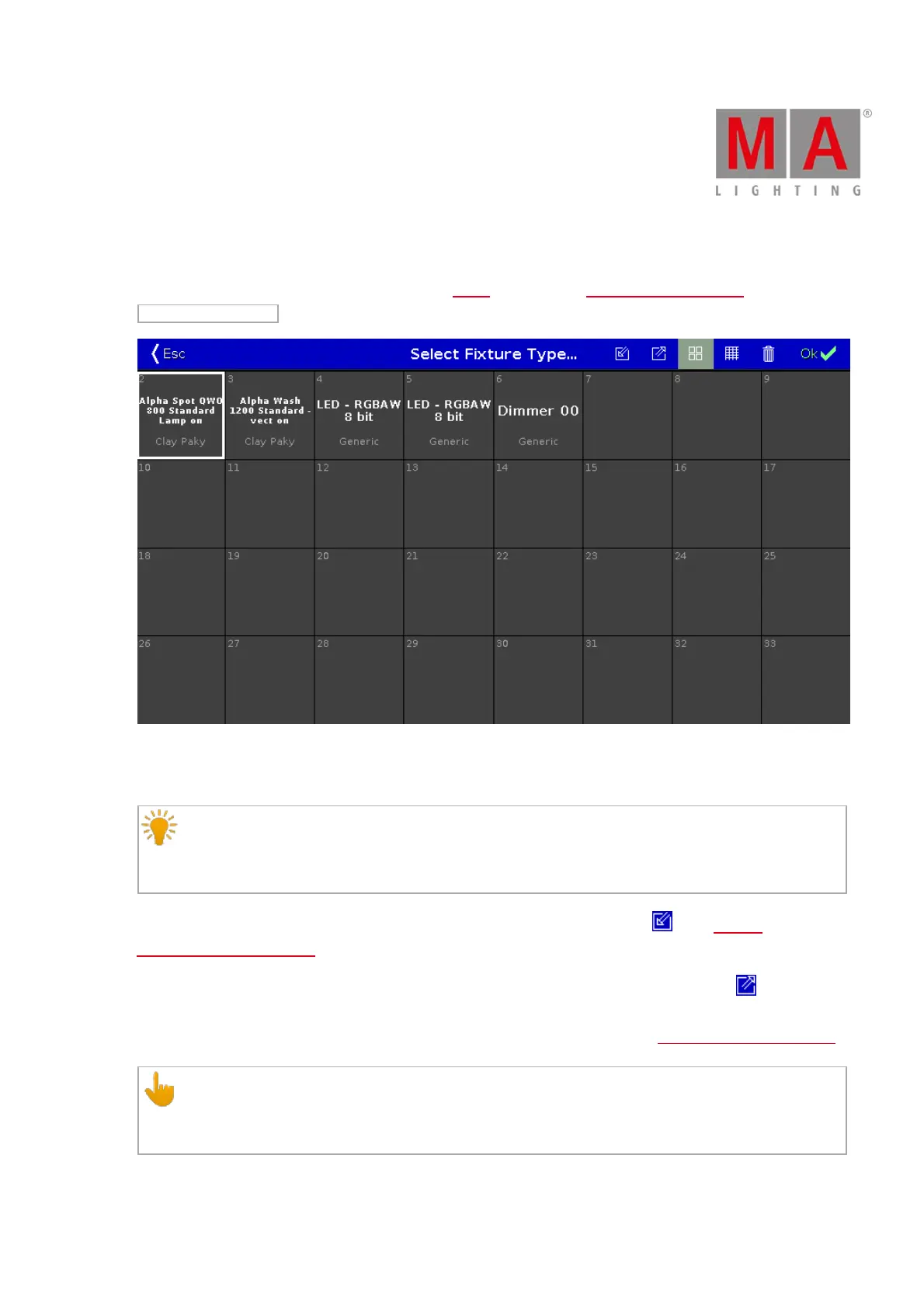
6.59. Select Fixture Type... Window
The Select Fixture Type... Window is located in the Setup, column Show, Patch & Fixture Schedule, tap
Change Fixture Type or press and hold a cell of a Fixture Type.
Figure 1: Select Fixture Type... Window
In this view, you see all fixture types of the show file.
Hint:
If you change a color wheel fixture type to a color mix fixture type, the color will be automatically
converted.
To import a new fixture type from the library into the show file, tap the import icon in the title bar. It opens the
Import Fixture Type Window.
To export fixture types to a USB stick and to the fixture library on the disk, tap at the export icon . An
information pop-up opens and tells you what fixture type was exported. The fixture type .xml file is on the USB
stick in the folder dot2\library. Furthermore the fixture type can be imported via the Import Fixture Type Window.
Important:
After a software update or a factory reset, the fixture library in the Import Fixture Type window will be
reset as well. Exported fixture types will be deleted.



 To Next Page