© 2018 MA Lighting Technology GmbH - Dachdeckerstr. 16 - 97297 Waldbüttelbrunn - Germany
Phone +49 5251 688865-27 - support@ma-dot2.com - www.malighting.com
6.38. Load Show Window
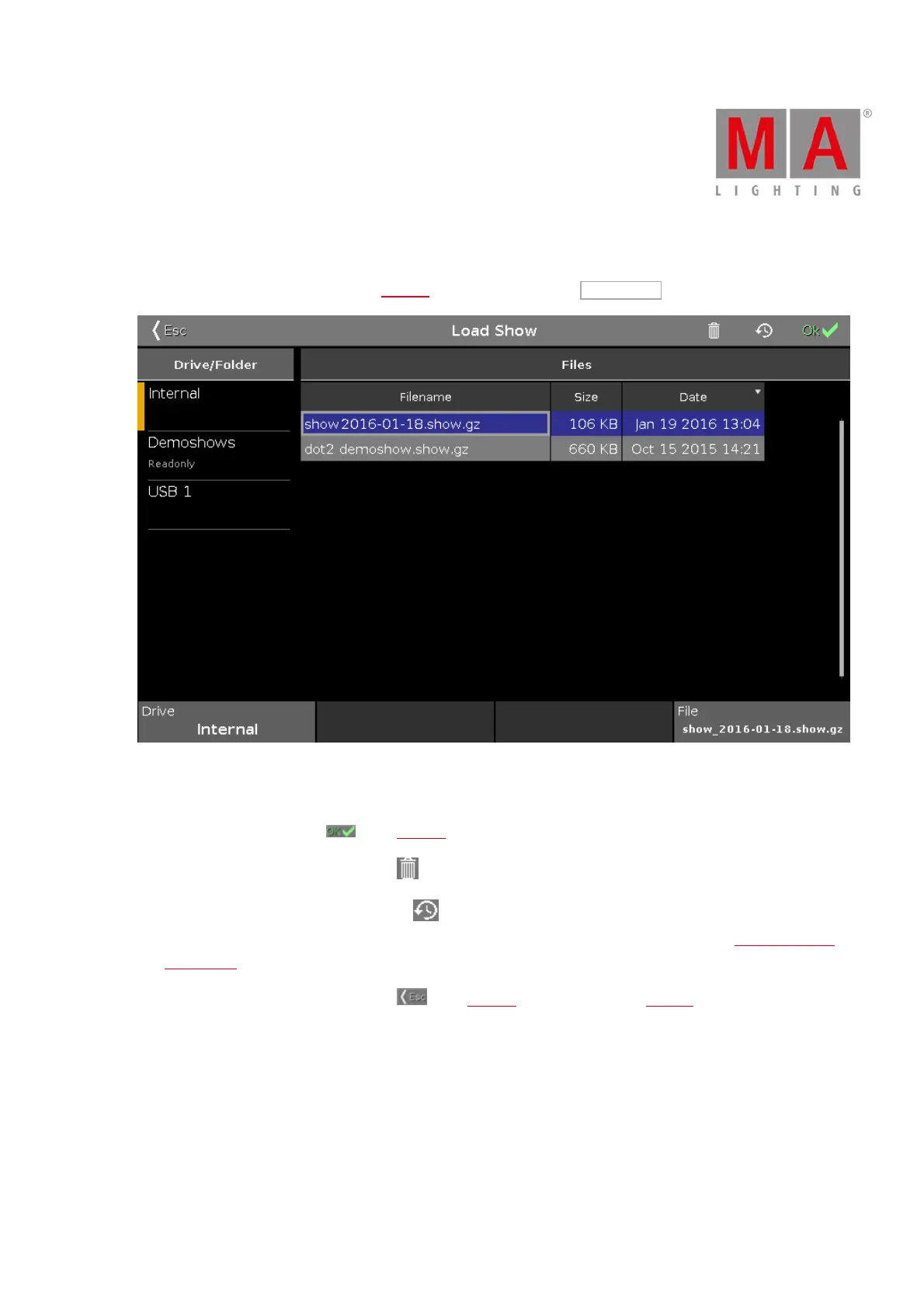
To go to the Load Show Window press Backup on the console and tap Load Show .
Figure 1: Load Show window
In this window, you can load shows from your Internal Drive, load a Demoshow, a show from a USB stick.
To load a selected file, tap OK in the title bar. The show file will be loaded and opens.
To delete a selected file, tap the trash can . It opens a warning message.
To see the backup files, tap the backup icon . The .backup files created by an auto save or normal save are
displayed. It will be saved up to 11 .backup files from each show file. For more information, see Backup window
and Backup key.
To leave the Load Show Window, tap Esc in the title bar. You are back in the Backup.
Drive/Folder
The column Drive/Folder is on the left side of this window.



 To Next Page