© 2018 MA Lighting Technology GmbH - Dachdeckerstr. 16 - 97297 Waldbüttelbrunn - Germany
Phone +49 5251 688865-27 - support@ma-dot2.com - www.malighting.com
4.15. How to use the external screen
You can connect an external screen with a DVI connector. The DVI output from the dot2 is a digital only output.
This means that you cannot attach a DVI to VGA adaptor and attach a VGA screen. It needs to be a digital screen
with a DVI connector.
It's very important to know that you can seriously harm the dot2 console if you connect or disconnect a
DVI screen while the device is turned on. It's important that you only connect or disconnect the screen
when the dot2 console is turned off.
The dot2 registers the resolution of the screen and uses the optimal resolution. The maximum supported
resolution is 1920 x 1200 pixels.
The external screen can be a touch screen. This is what the dot2 is designed for.
Hint:
Please follow this external link (Internet connection required) for screen recommendations.
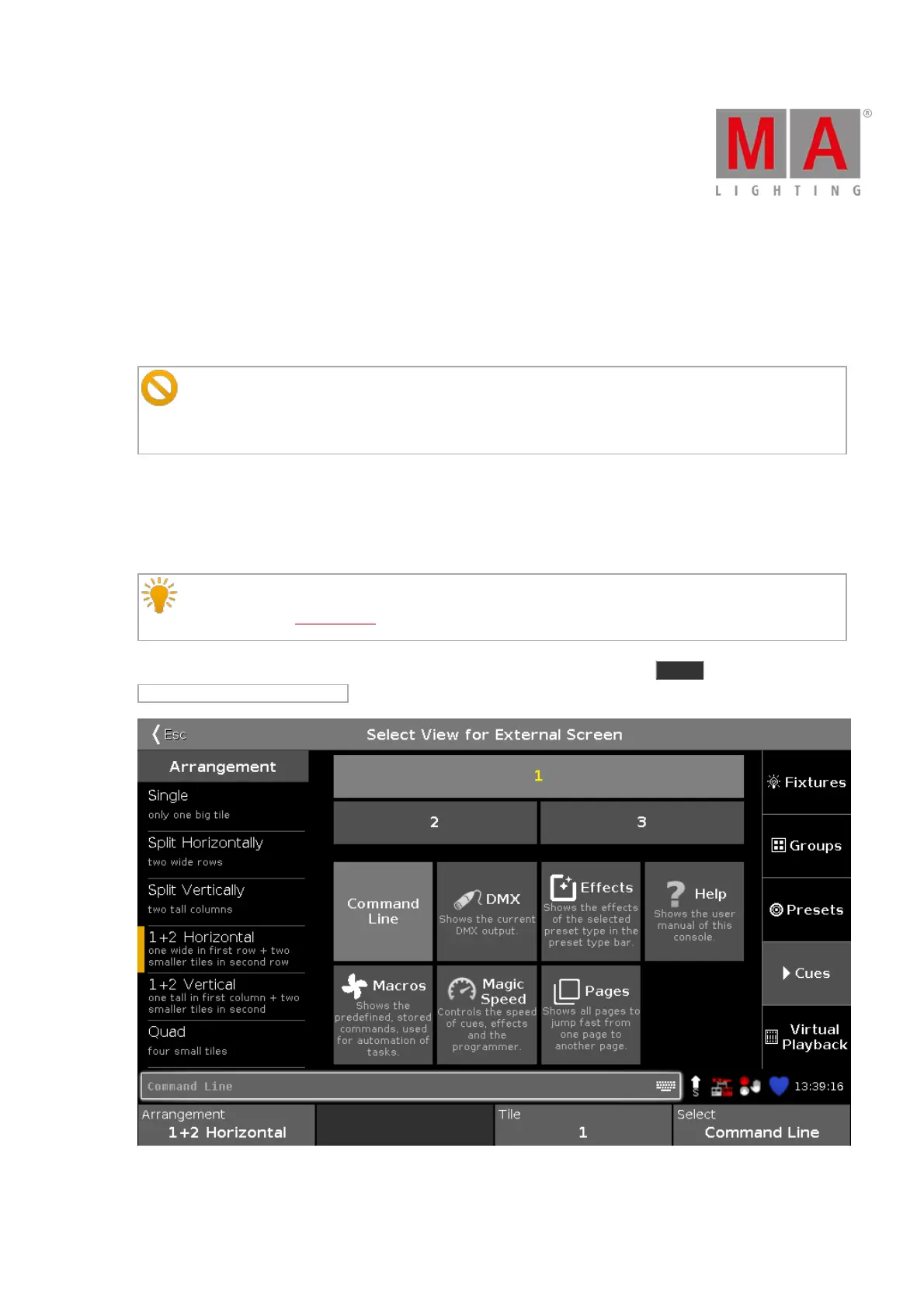
Once the screen is connected, you can turn on the console. Then you can press the Setup key and then the
Select Views for External Screen . It could look like this:
Figure 1: Select View for External Screen.



 To Next Page