© 2018 MA Lighting Technology GmbH - Dachdeckerstr. 16 - 97297 Waldbüttelbrunn - Germany
Phone +49 5251 688865-27 - support@ma-dot2.com - www.malighting.com
6.43. MIDI Show Control Window
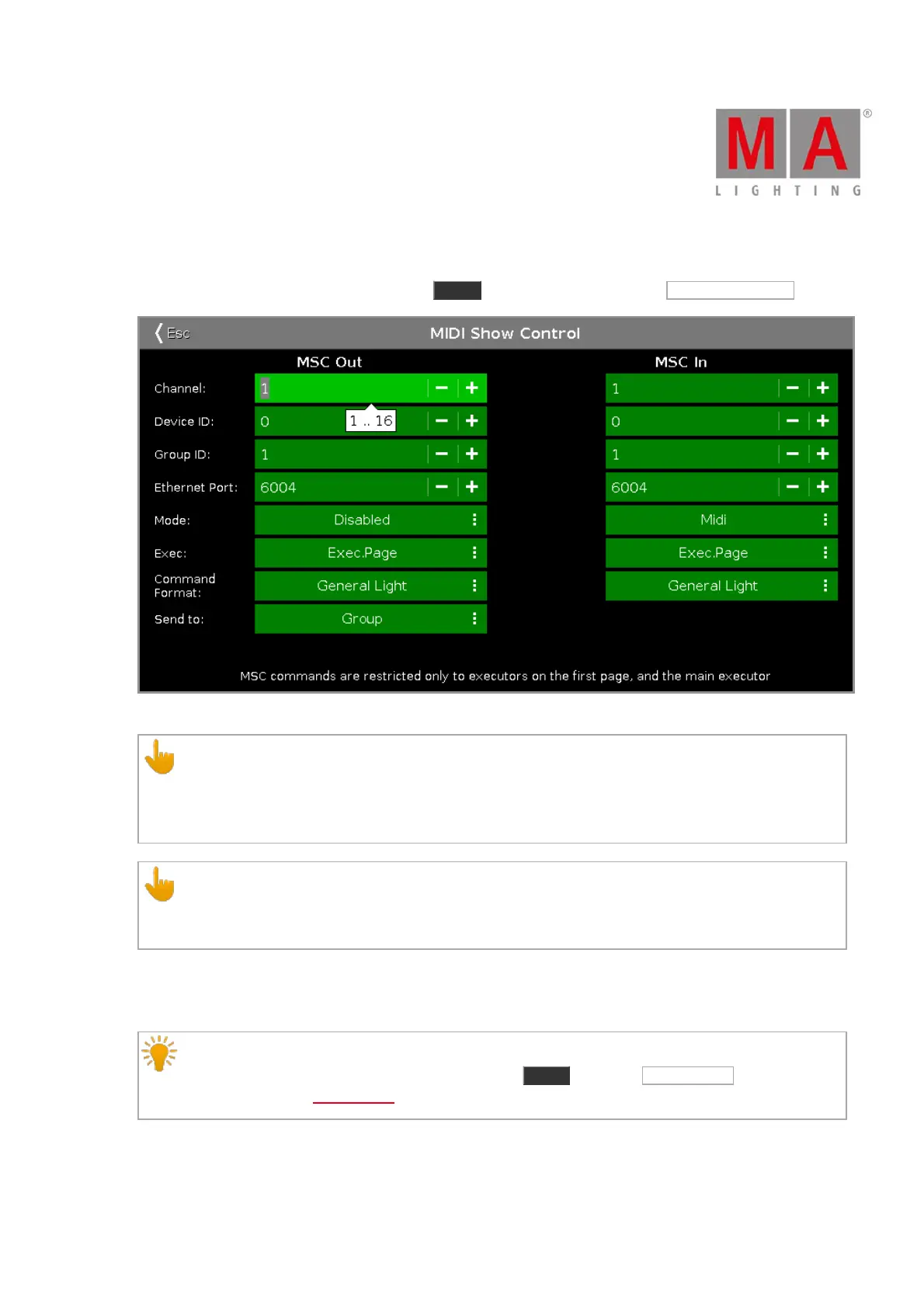
To open the MIDI Show Control Window, press Setup and tap under column Show MIDI Show Control .
Figure 1: MIDI Show Control Window
Important:
If MIDI show control is used in a network, only the master console will send and receive MIDI show
control commands.
MIDI show control commands works also if the console is standalone.
Important:
You should either send or receive MIDI show control commands. Send and receive MIDI show control
commands, can create an infinite loop.
The MIDI Show Control (MSC) window you configure the MSC settings. The MSC settings of MIDI sender and
receiver has to be the same that they can communicate.
Hint:
To double-check the MSC In and Out messages, press Tools and tap at MIDI Monitor . For more
information, refer to MIDI Monitor.
If you tap in an edit line, the balloon displays what values are valid.
Channel:



 To Next Page