© 2018 MA Lighting Technology GmbH - Dachdeckerstr. 16 - 97297 Waldbüttelbrunn - Germany
Phone +49 5251 688865-27 - support@ma-dot2.com - www.malighting.com
6.49. Oops View
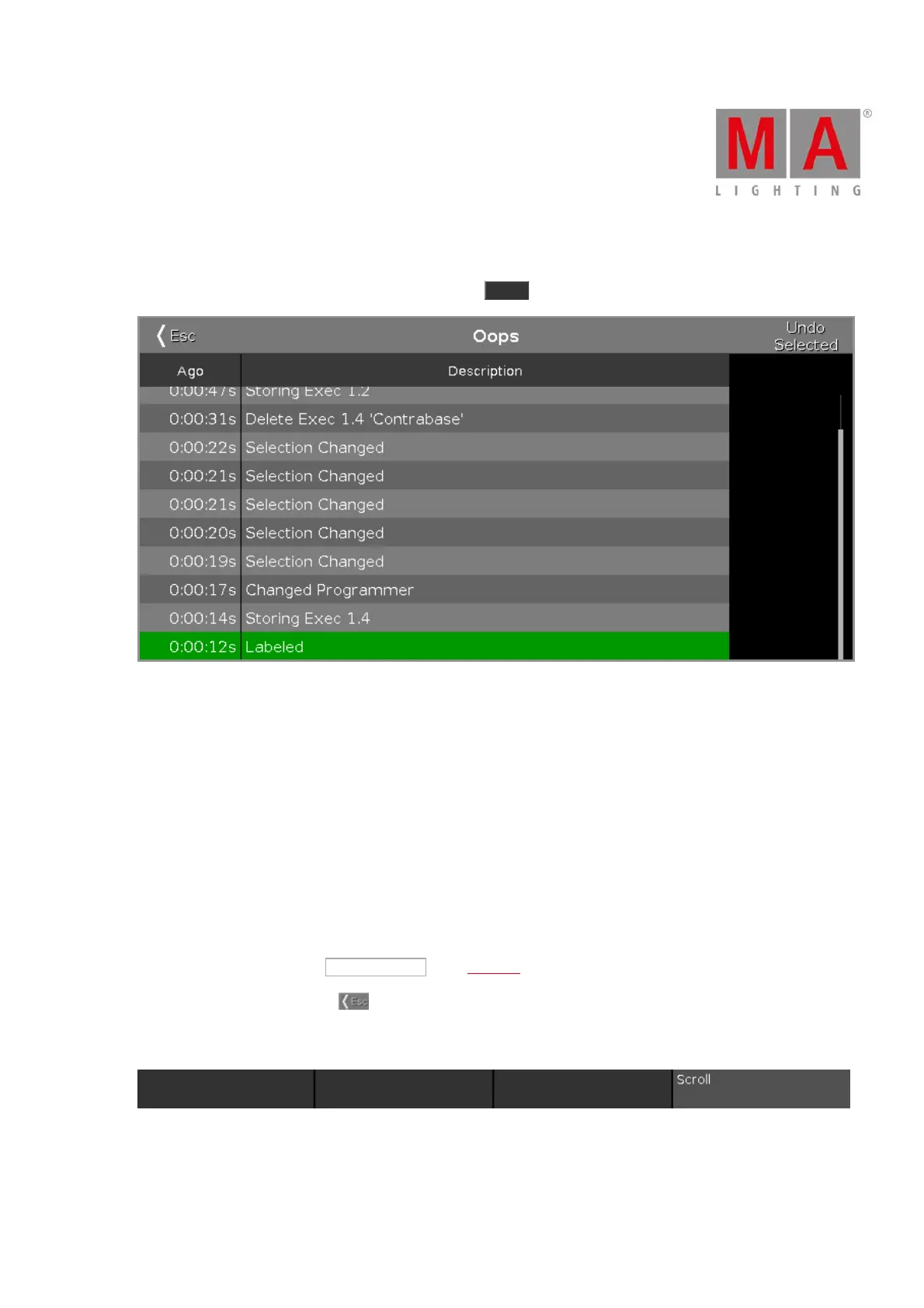
To go to the Oops View on screen 1, press and hold the Oops . The Oops View opens on screen 1.
Figure 1: Oops View
The Oops View displays the last 128 actions.
There are two columns in the Oops View.
The column Ago displays how long ago the action was executed.
The column Description displays the description of the action.
To select actions, tap in the line.
If you want to select an action to undo them, you have to start from the latest one and go backwards.
It is not possible to select just one action in the middle of the list and undo them.
Selected actions have a green background.
To undo selected actions, tap Undo Selected in the Title Bar.
To leave the Oops View, tap Esc .
Encoder Bar Functions
Scroll:
To select actions, turn the encoder left or right.
To undo the selected actions, press the encoder.



 To Next Page