© 2018 MA Lighting Technology GmbH - Dachdeckerstr. 16 - 97297 Waldbüttelbrunn - Germany
Phone +49 5251 688865-27 - support@ma-dot2.com - www.malighting.com
6.71. Settings of Executor View
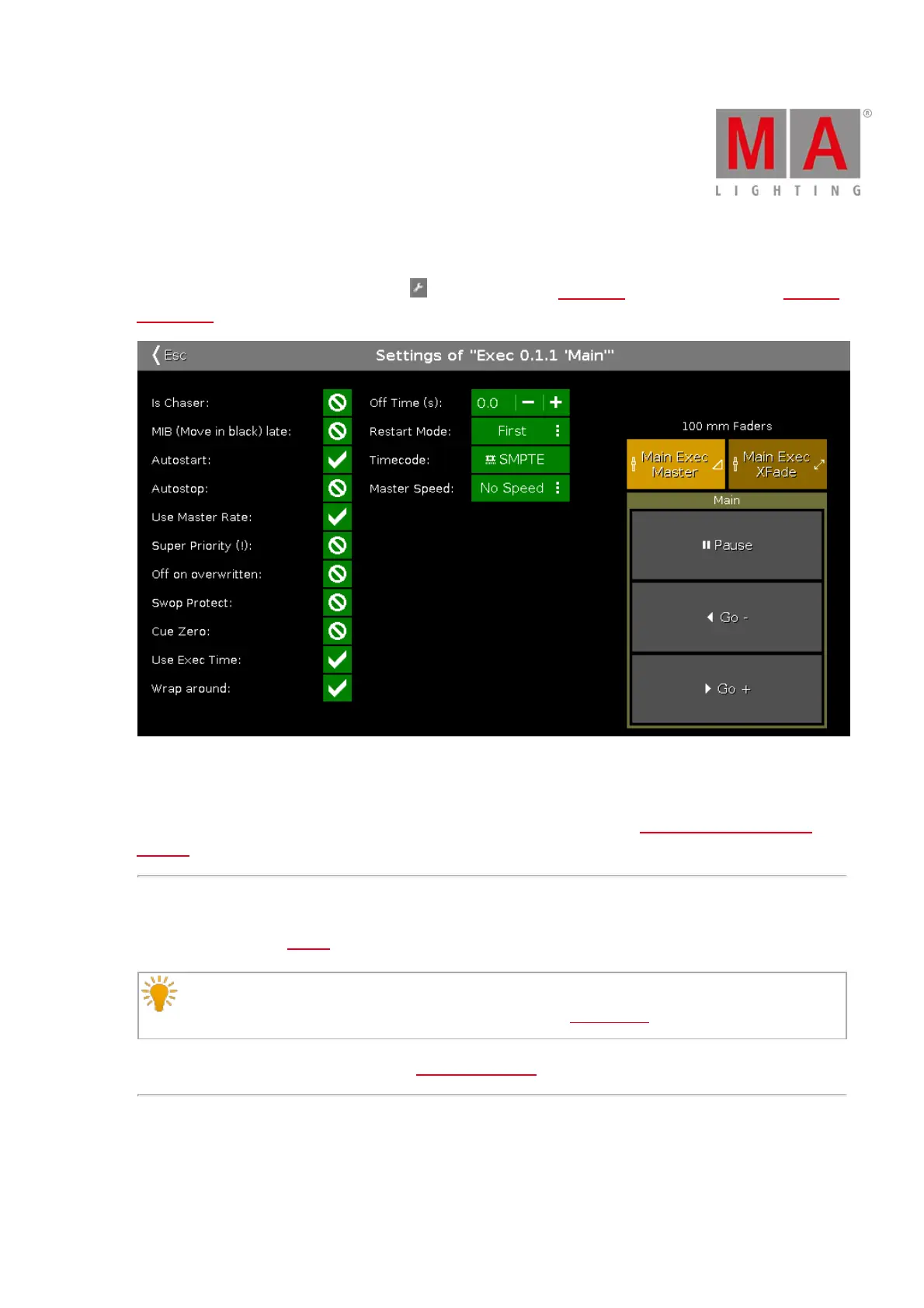
To get to the Settings of Executor View, tap in the title bar of the Cues View or tap an executor in the Executor
Bar Window.
Figure 1: Settings of Executor
You can set different settings for the executor in this view.
To select the function of an executor, tap the executor displayed in the view. The Select Function of Executor
Window opens.
Chaser
To set the executor to a chaser, tap the prohibition sign.
Hint:
You identify that an executor is a chaser if the executor in the executor bar is displayed in blue.
For more information about chasers refer to What are Chasers?
MIB (Move in black) late
To activate MIB (Move in black) late, tap the prohibition sign.



 To Next Page