© 2018 MA Lighting Technology GmbH - Dachdeckerstr. 16 - 97297 Waldbüttelbrunn - Germany
Phone +49 5251 688865-27 - support@ma-dot2.com - www.malighting.com
6.72. Setup Window
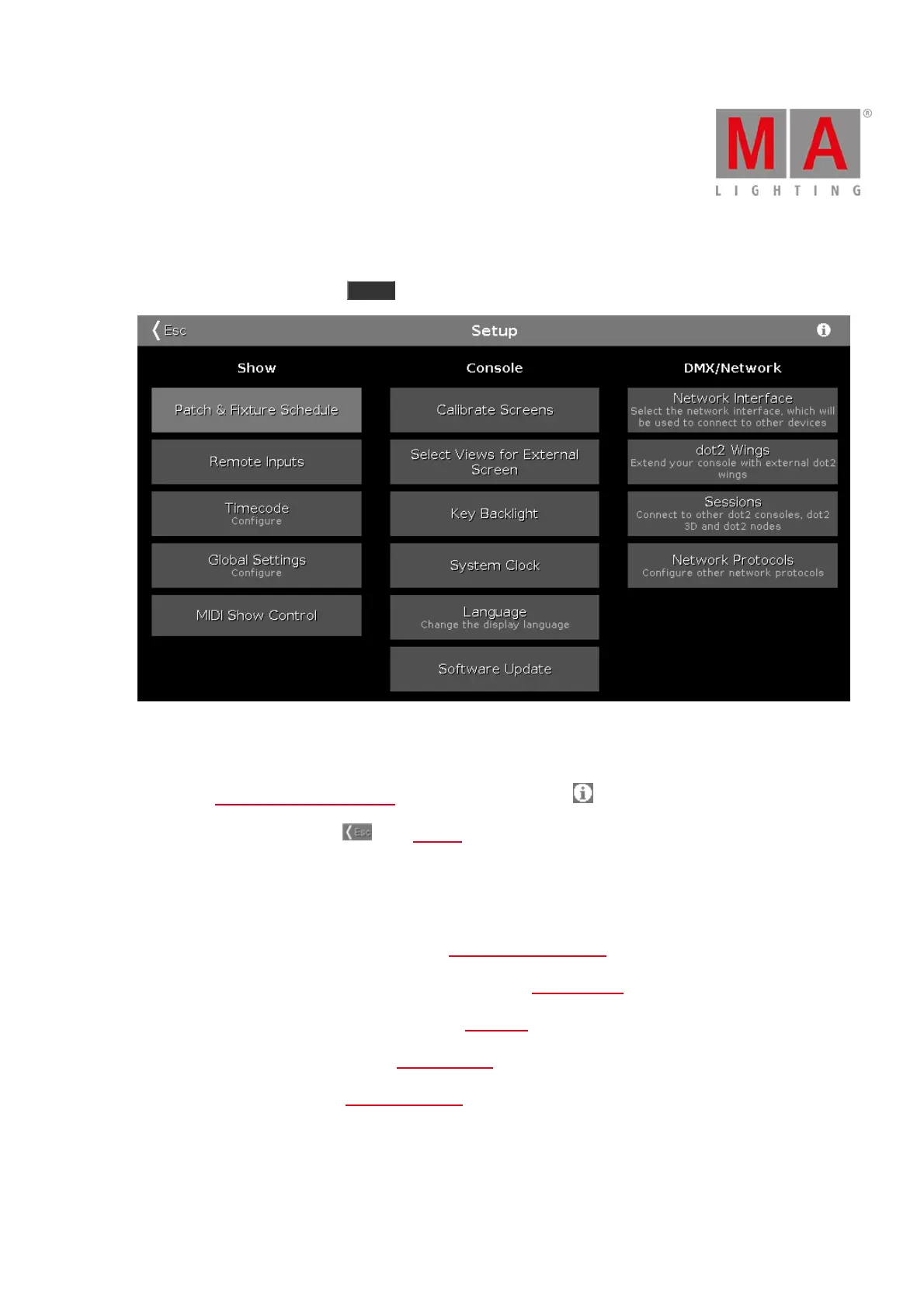
To open the Setup Window press Setup on the console.
Figure 1: Setup Window
In this window, you can make different settings regarding the Show, Console and the DMX/Network.
To open the System Information Window, tap at the information icon in the title bar.
To leave the Setup Window. Tap in the title bar.
Show
In the column Show are settings regarding the show.
To add, patch, unpatch, and delete fixtures, tap at Patch & Fixture Schedule.
To configure connected remote inputs, e.g. MIDI or DMX, tap at Remote Inputs.
To configure the timecode for MIDI or SMPTE, tap at Timecode.
To configure global show settings, tap at Global Settings.
To use MIDI Show Control, tap at MIDI Show Control.
Console
In the column Console are settings regarding the console.



 To Next Page