© 2018 MA Lighting Technology GmbH - Dachdeckerstr. 16 - 97297 Waldbüttelbrunn - Germany
Phone +49 5251 688865-27 - support@ma-dot2.com - www.malighting.com
6.12. Choose Store Method Window
If you want to store new programmer values on an executor with one existing cue on it or if you want to overwrite
an existing cue on an executor, the console ask to choose the store method.
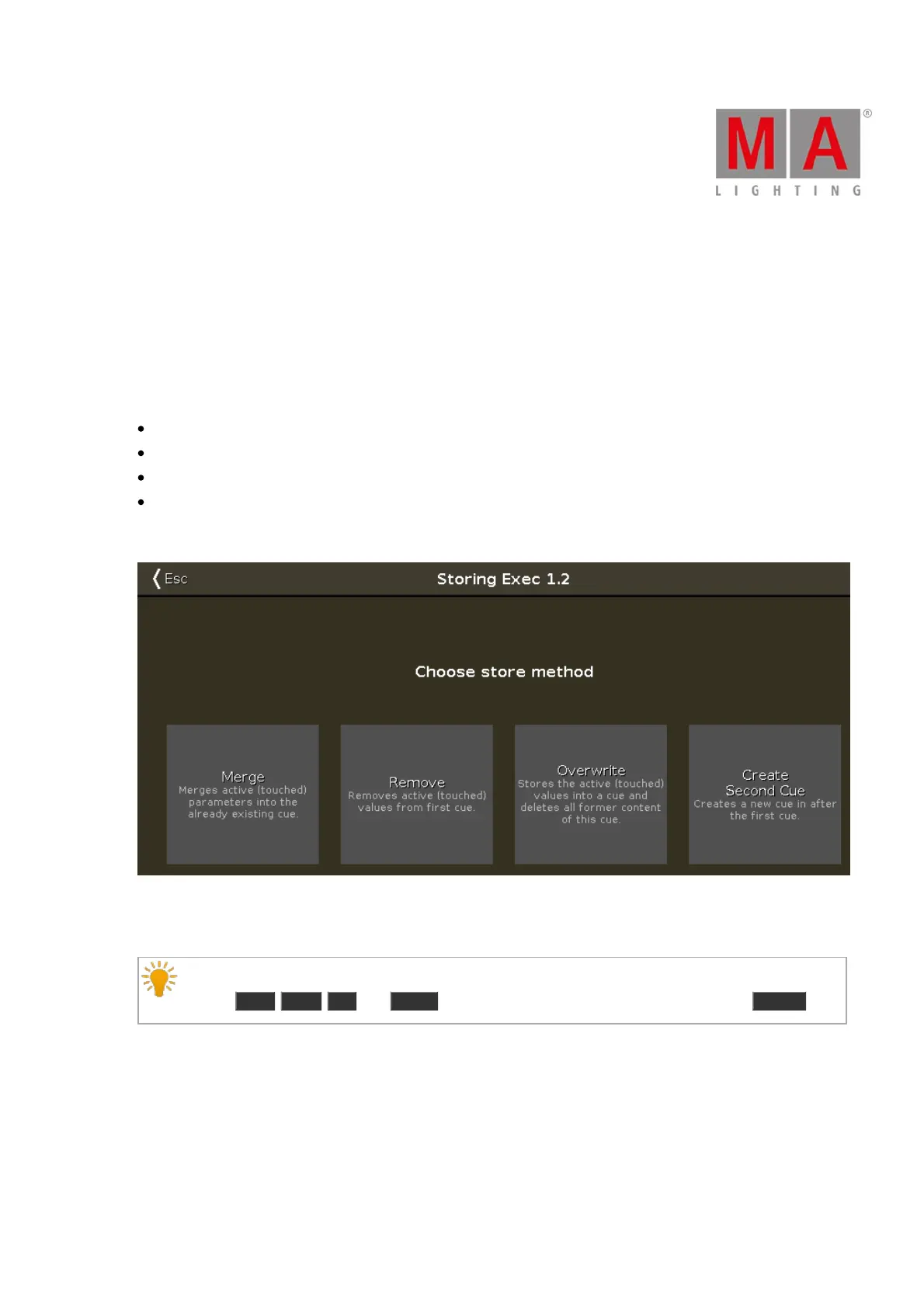
There are two store methods windows available.
The store method window with the options
Merge
Remove
Overwrite
Create Second Cue
appears if you store on an executor the first time a second cue (= cue list).
Figure 1: Choose store method window - first second cue
There are four store methods available:
Hint:
Use the Prev , Next , Up , and Down keys to navigate in this window and confirm with Please .
Merge:
Tap to add the programmer values to the existing cue.
Remove:
Tap to remove the programmer values from the existing cue.



 To Next Page